
Vet Practice
Publish pet care articles
In Vivetra: Vet Practice › Pet Care Articles
Pet Care Articles is where you write the pet-care library owners read in your client portal. Every signed-in owner sees the same articles in the same order; nothing here is emailed or aimed at a particular pet. Only practice managers can open it.
The screen is headed Client Education.
Write an article
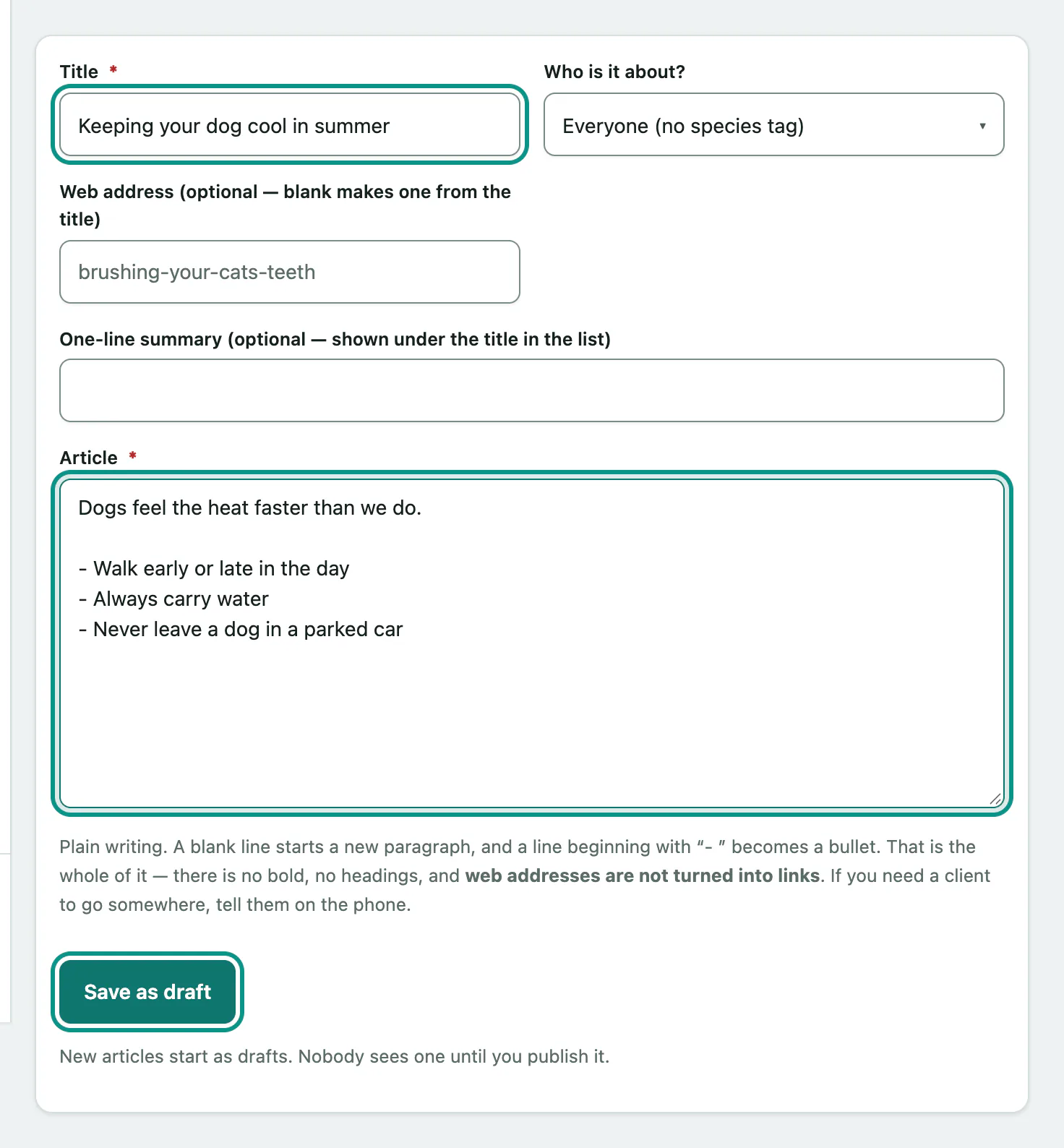
- Select Pet Care Articles in the Vet Practice group of the menu.
- Enter a Title.
- Optionally fill in the rest of the Write an article form: Who is it about? (a species, or Everyone (no species tag)), a web address, and a One-line summary (optional — shown under the title in the list).
- Write the article in Article.
- Select Save as draft.
New articles are always drafts. Owners see nothing until you publish.
Formatting is deliberately simple: a blank line starts a new paragraph, and a line starting with "- " becomes a bullet. There's no bold or headings, and web addresses aren't turned into links.
If you leave the web address blank, Vivetra makes one from the title. If you type one that another article already uses, the article isn't saved and you're asked to pick another.
Publish, unpublish and reorder
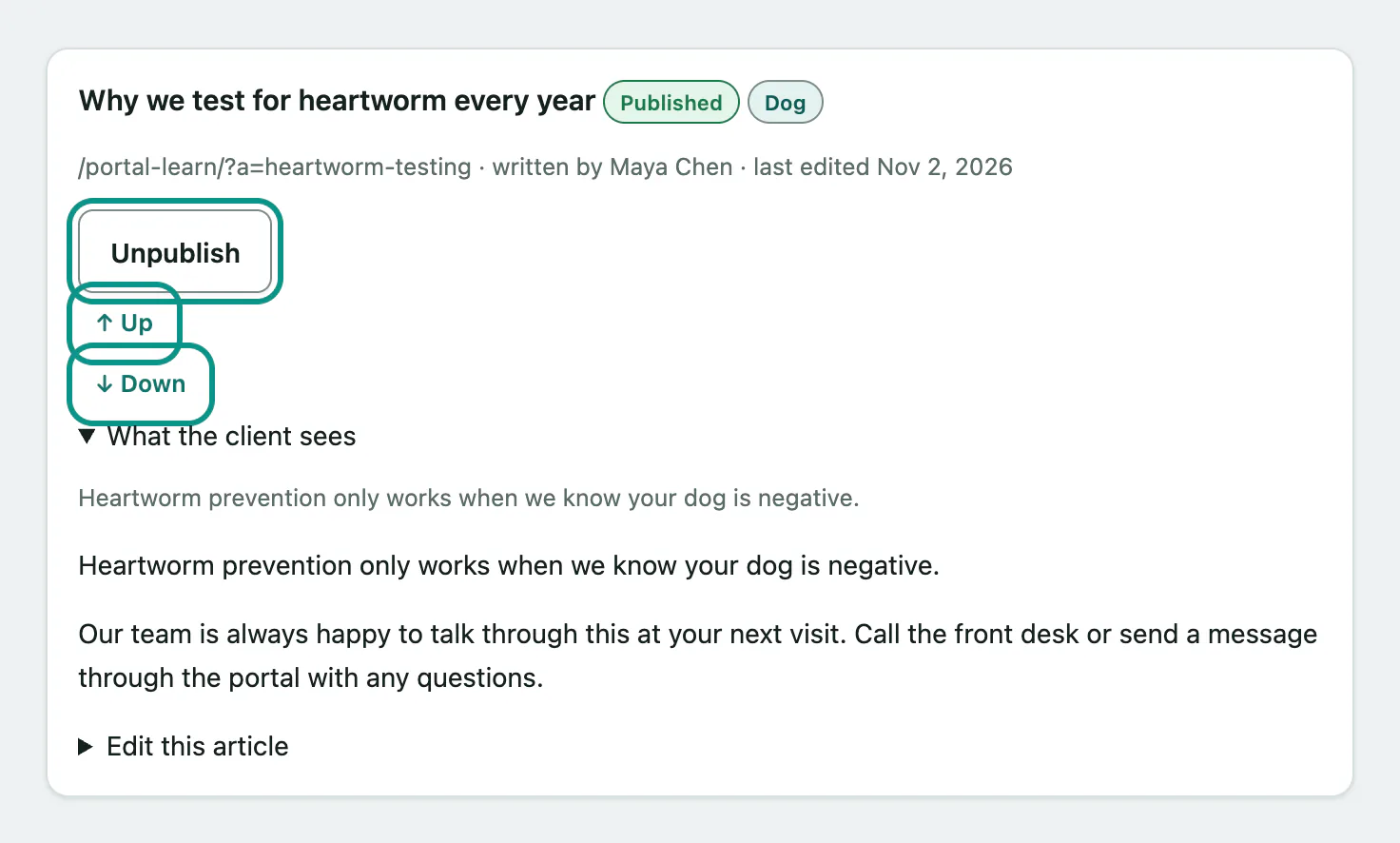
The library lists every article, drafts included, in the order owners read them. The heading counts how many are published and how many are drafts.
- Select Publish on a draft to put it in the portal straight away.
- Select Unpublish to take a published article out. Owners stop seeing it the next time they open the library.
- Select ↑ Up or ↓ Down to move an article one place.
Drafts keep their place in the order, so a piece is already where you want it when you publish it.
Check and edit an article
- Open What the client sees on any article to read it exactly as owners will.
- To change it, open Edit this article, make your changes and select Save changes.
Leaving the web address blank when editing keeps the current one.
There's no delete. To take an article down for good, unpublish it.