
Records & admin · Admin
Check state rules and compliance
In Vivetra: Admin › State Rules & Compliance
State Rules & Compliance shows the rules Vivetra is applying for your practice's location: how long controlled-drug records must be kept and whether you must report to a prescription monitoring programme. It's read-only. Only practice owners can open it.
Check your practice's rules
- Select Admin › State Rules & Compliance in the menu.
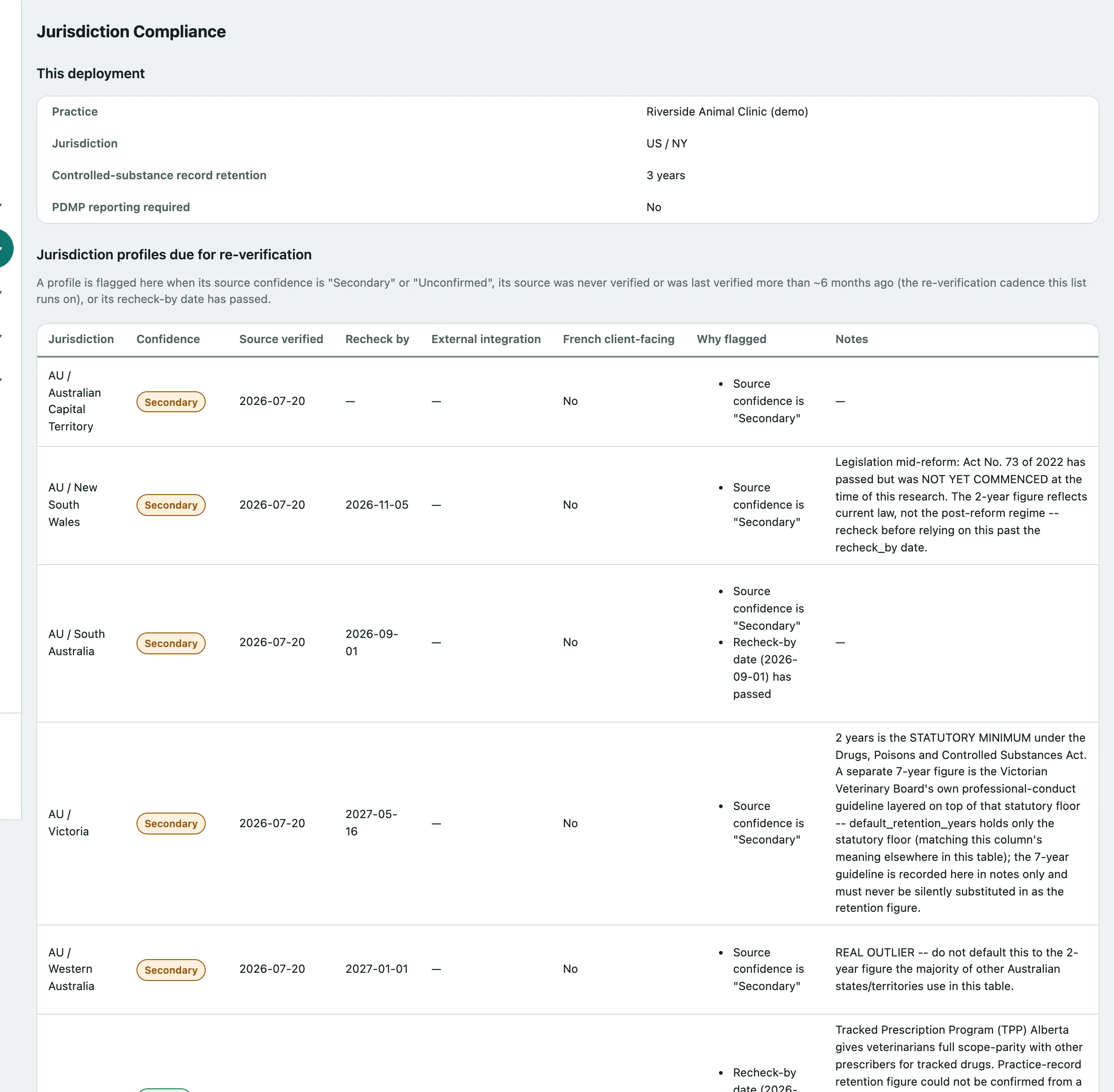
This deployment shows:
| Row | Means |
|---|---|
| Practice and Jurisdiction | Your practice and the country and state Vivetra thinks you're in. Your practice address is set in Change your practice's settings. |
| Controlled-substance record retention | How many years controlled-drug records must be kept. If no number is known it says so; that never means you have no obligation. |
| PDMP reporting required | Whether your state requires reporting to its prescription drug monitoring programme. |
Two warnings can appear underneath:
- Pending external integration required: means your location needs a connection to an outside system that Vivetra doesn't have yet. It stays until that connection exists; you can't dismiss it.
- French-language client-facing content required. applies in Quebec. Anything a pet owner sees, such as invoices, booking confirmations and the portal, must be available in French.
Profiles due for re-checking
Jurisdiction profiles due for re-verification lists any location's rules whose source is weak, hasn't been checked for about six months, or is past its recheck date. It's there so nobody relies on a rule that might be out of date. If nothing is due, it says No jurisdiction profile is currently due for re-verification.