
Equine
Issue a health certificate
Keep a record of every Certificate of Veterinary Inspection (CVI) your vets issue for a horse, linked to the Coggins test it relies on. Vivetra keeps and prints the record; it doesn't send the certificate to the destination state.
Open a horse's certificates
- On the horse's record, select Health certificates (see Work with a horse's record).
Certificate history lists each certificate with its issue date, purpose, whether it's a CVI or EECVI, destination, issuing vet, linked Coggins, expiry and certificate number.
Record a certificate
Only someone with the clinical-authorship permission can record a CVI. Vets have it by default; a CVI must be issued by a USDA-accredited veterinarian.
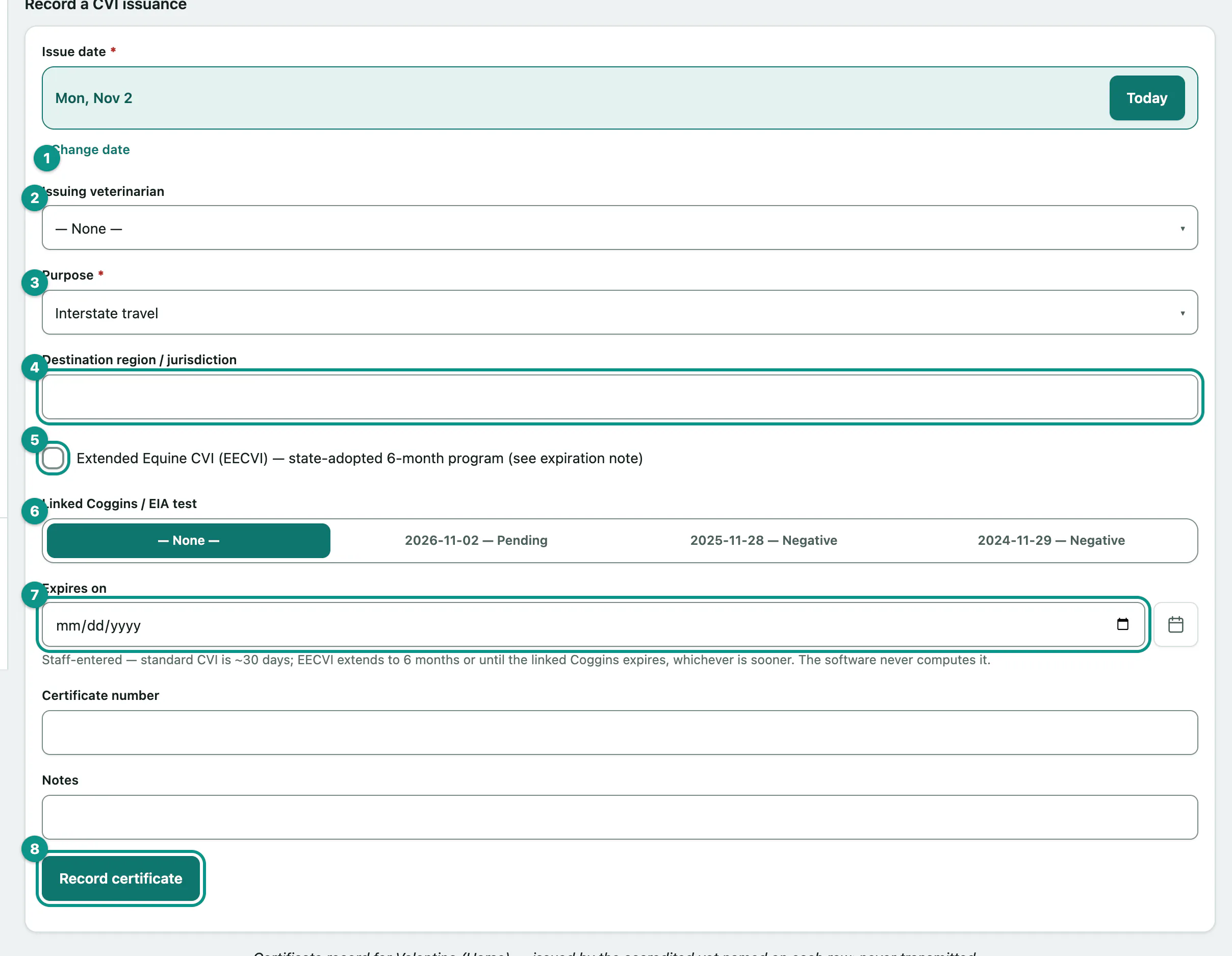
- Under Record a CVI issuance, set the Issue date.
- Choose the Issuing veterinarian.
- Choose the Purpose: Interstate travel, Competition, Sale, Boarding, International or Other.
- Enter the Destination region / jurisdiction.
- Tick Extended Equine CVI (EECVI) — state-adopted 6-month program (see expiration note) if it's an extended certificate.
- Choose the Linked Coggins / EIA test. The horse's recorded tests are listed with their result (see Record a Coggins test).
- Enter the Expires on date and the Certificate number.
- Select Record certificate. You'll see Certificate of Veterinary Inspection recorded.
Print the record
Select Print certificate record to print the horse's certificate history.