
Client portal
Sign the foster caregiver agreement
On this page
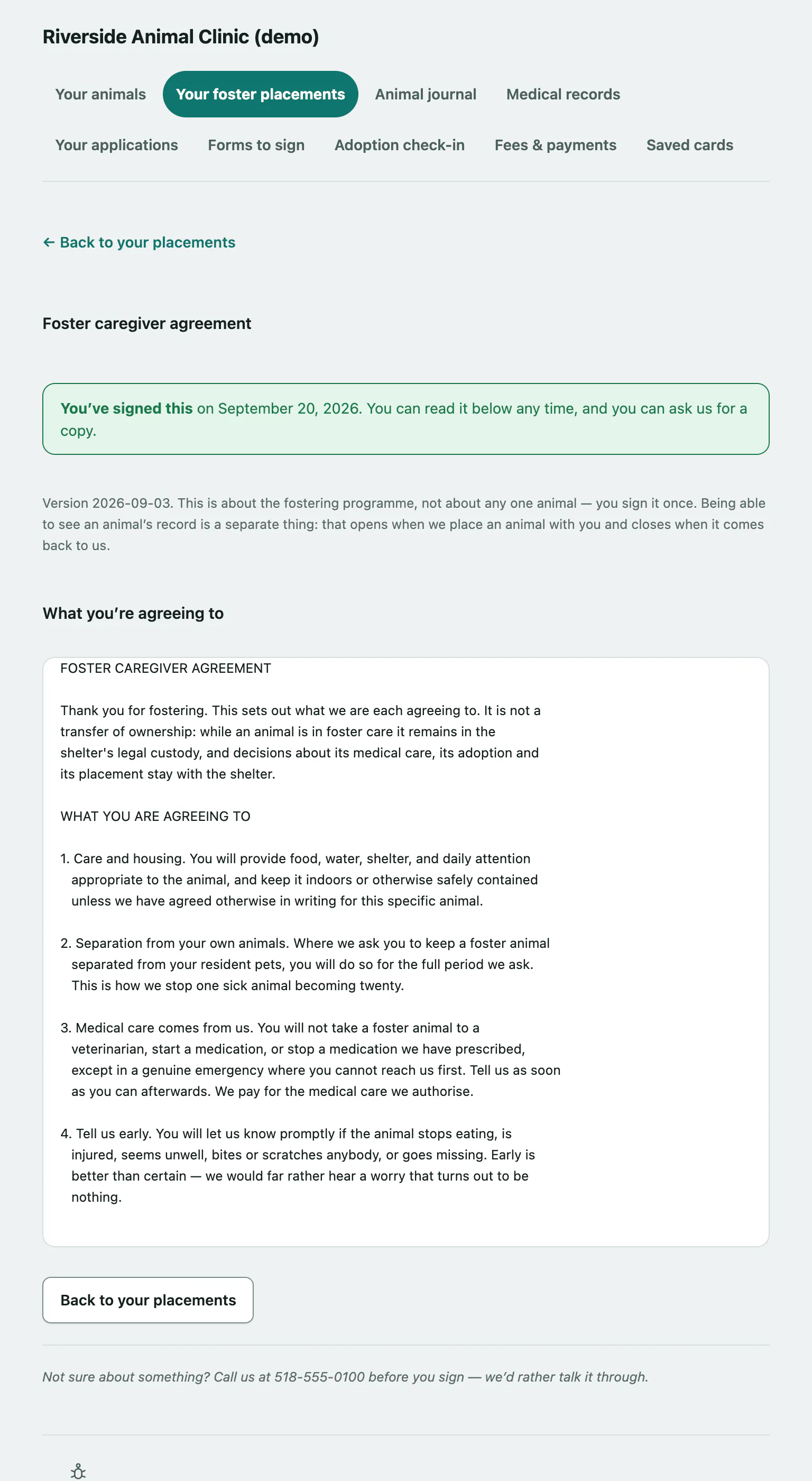
Once the shelter has approved you as a foster caregiver, the last step is the Foster caregiver agreement. It covers the fostering programme as a whole, not one animal, so you sign it once.
You reach it from the foster caregiver agreement link on your foster application after you're approved (see Apply to adopt or foster › Apply to foster from your placements page).
Sign the agreement
Read What you’re agreeing to and Signing electronically first, then:
- Tick I’ve read the above and I’m happy to sign electronically.
- Enter your name in Type your full name to sign. The shelter keeps both your typed name and the name they have on file.
- Select Sign the agreement.
You'll see Signed — thank you. The shelter will be in touch about your first animal. After that, the page shows the date you signed, and you can come back and read the agreement any time or ask the shelter for a copy.
If you can't sign
- Not set up as a foster yet: the page asks you to send a foster application first.
- Your foster record isn't active: there's nothing to sign. Call the shelter if that's a surprise.
- The shelter doesn't take it online: call them and they'll go through it with you.
If you're not sure about anything in the agreement, call the shelter before you sign.