
Shelter
Invoice for shelter services
In Vivetra: Shelter › Shelter Invoices
On this page
Shelter Invoices is where you bill the shelter's own fees: adoption fees, surrender and reclaim/impound fees, owner-requested euthanasia, medical services and donations. You create a draft, add the charges, then record the payment.
Anyone signed in can view invoices. Front desk staff and the practice manager can create invoices and add charges. Only the practice manager can take or record a payment, and record credits and refunds.
Find an invoice
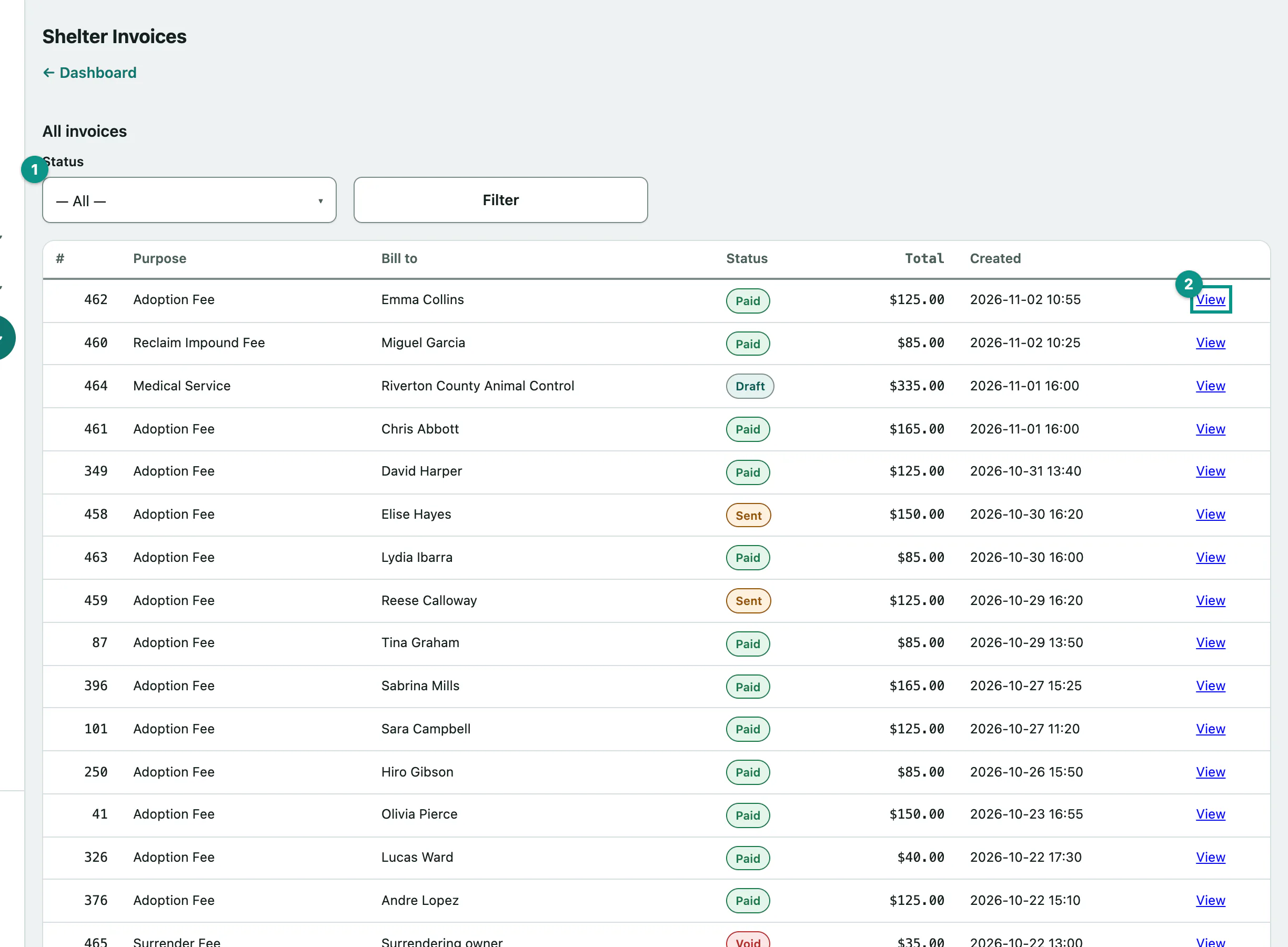
- Select Shelter Invoices in the Shelter menu.
- To narrow the list, choose a Status: Draft, Sent, Paid or Void.
- Select View on the invoice's row.
Create a draft invoice
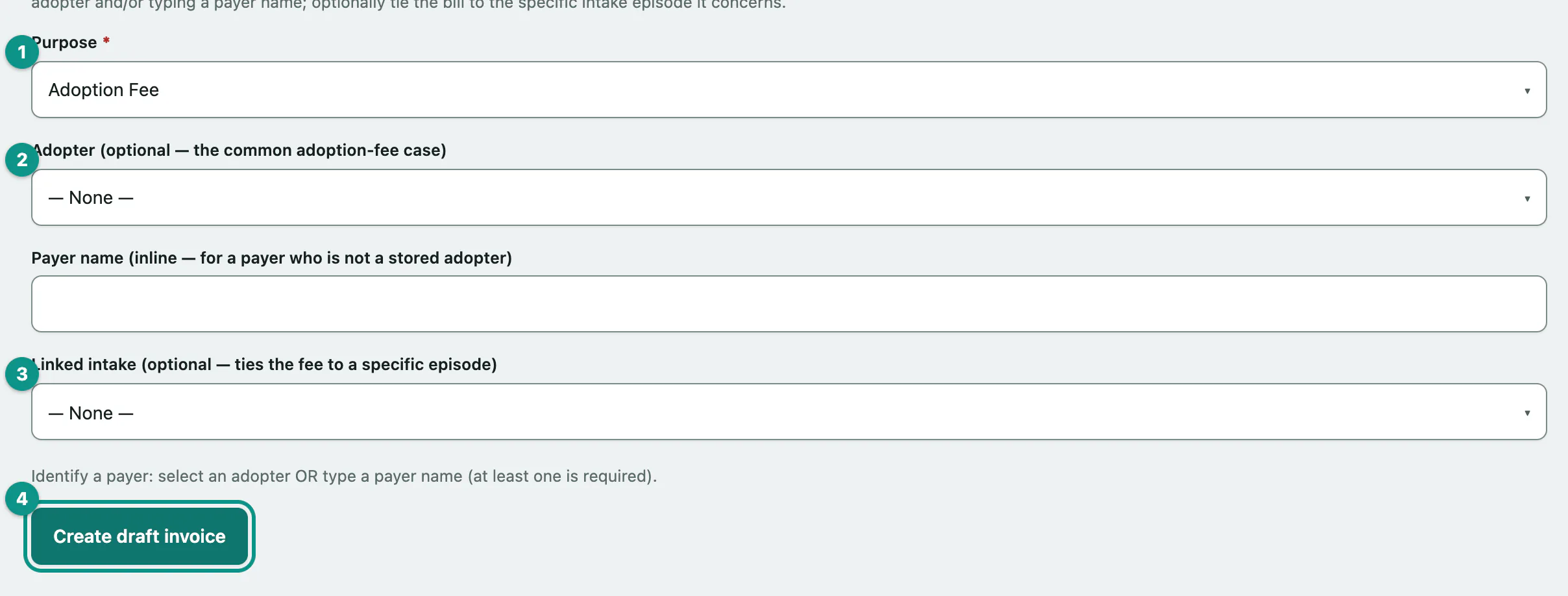
Every invoice needs a payer: an adopter on file, a typed payer name, or both. You can also tie it to the intake it's about, such as the animal a surrender or impound fee is for.
- Under Create a draft invoice, choose the Purpose.
- Choose the Adopter (optional — the common adoption-fee case), or type the Payer name (inline — for a payer who is not a stored adopter).
- If the fee is about a particular animal, choose it in Linked intake (optional — ties the fee to a specific episode).
- Select Create draft invoice. The new invoice opens with "Draft invoice created."
Add charges
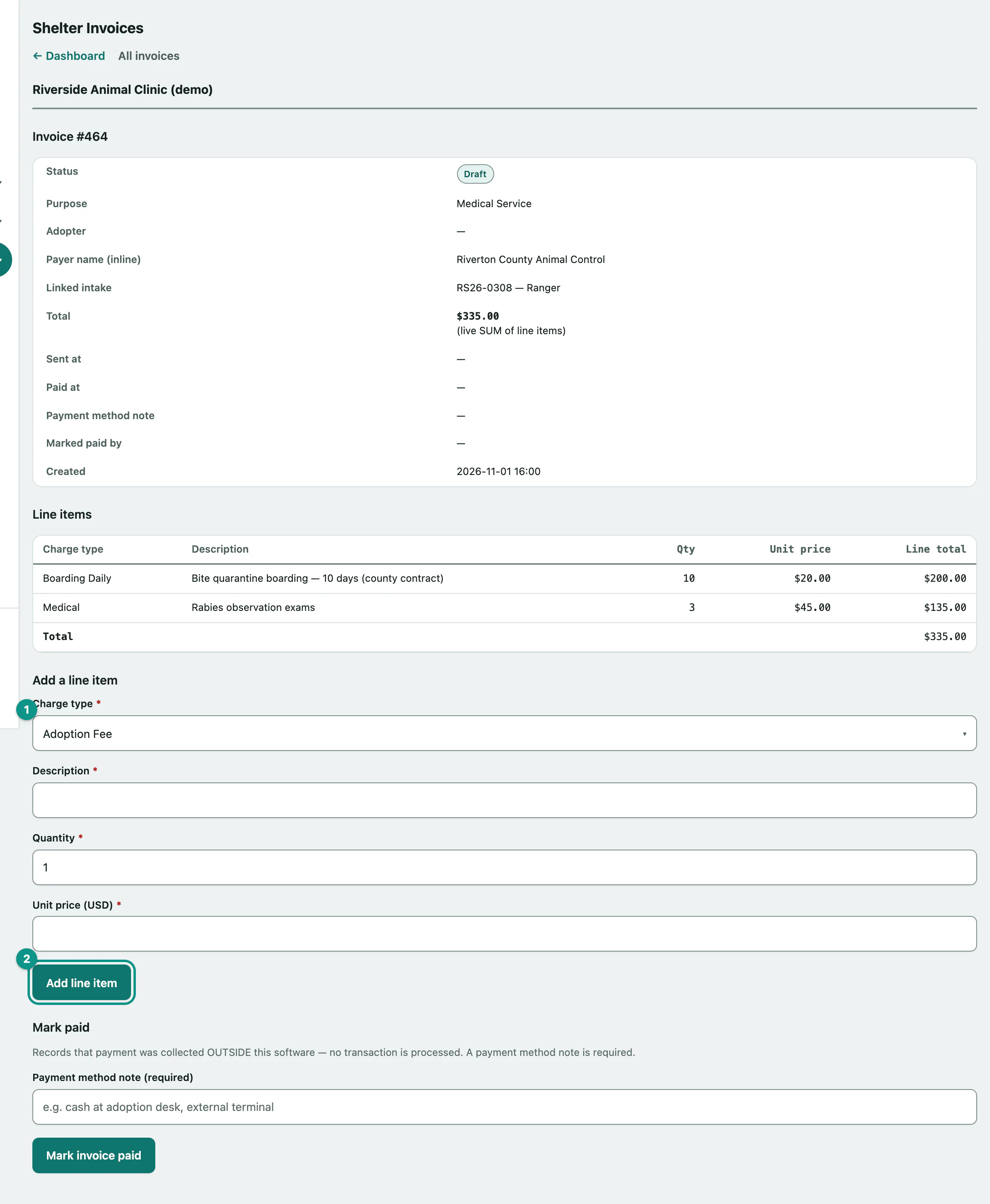
You can add charges while an invoice is a draft or sent. The total is worked out from the lines each time you add one.
- On the invoice, under Add a line item, choose the Charge type, for example Adoption Fee, Spay Neuter, Microchip or Impound Fee.
- Enter a Description, the Quantity and the Unit price.
- Select Add line item. You'll see "Line item added; invoice total recomputed."
Take a card payment
If your shelter has Stripe connected in Payment Settings, the practice manager sees Collect payment on a draft or sent invoice. The money goes straight to the shelter's own Stripe account, and the invoice is only marked paid once the payment succeeds.
To charge a card in person or over the phone:
- Select Collect card payment, enter the card in Stripe's form, then select the Charge button showing the total.
To let the payer pay on their own:
- Select Create payment link, then Copy link, and send it to the payer however you usually reach them.
- Later, select Check if the payer paid to update the invoice.
Record a payment taken another way
For cash, a cheque or an outside card terminal, record the payment yourself. Vivetra doesn't process anything here; it records that you collected it. The heading reads Mark paid, or Mark paid another way when Stripe is connected.
- Enter how it was paid in Payment method note (required), for example "cash at adoption desk".
- Select Mark invoice paid.
A paid invoice is locked: no more charges can be added, and it can't be paid again.
Refunds and credits
On a paid invoice, the practice manager has two options.
Issue a Stripe refund appears when the invoice was paid through Stripe. This is a real refund: the money goes back to the payer's card.
- Check the Amount (it starts at the full total; lower it for a partial refund), optionally choose a Reason, and select Issue refund.
Record a credit or refund records a refund or credit you gave outside Vivetra, such as cash back. The invoice stays paid at its original amount, and the screen shows how much is still available to credit.
- Choose the Kind, enter the Amount and Reason, optionally add a Method note (how a refund was returned), and select Record credit/refund note.