
Records & admin
Record a dental chart
On this page
A dental chart records what you found tooth by tooth at one exam. Each chart is saved as its own dated entry, so the patient's dental history builds up over time.
Open the patient's record and select Dental chart under Related records. You need permission to view the full chart to open it, and permission to record dental charts (veterinarians have it) to add one.
Record a chart
- Under Record a new dental chart, check the Chart date. It starts as today.
- If the exam was part of a visit, choose it in Link to visit (optional). Otherwise leave — None (standalone exam) —.
- Write your Summary / overall impression.
- Go through the teeth. They're grouped by quadrant, from Upper right (maxillary right) round to Lower right (mandibular right), and numbered with the modified Triadan system. For each tooth you examined, choose a Finding, a Mobility (0–3) if it applies, and any Notes.
- Select Save dental chart.
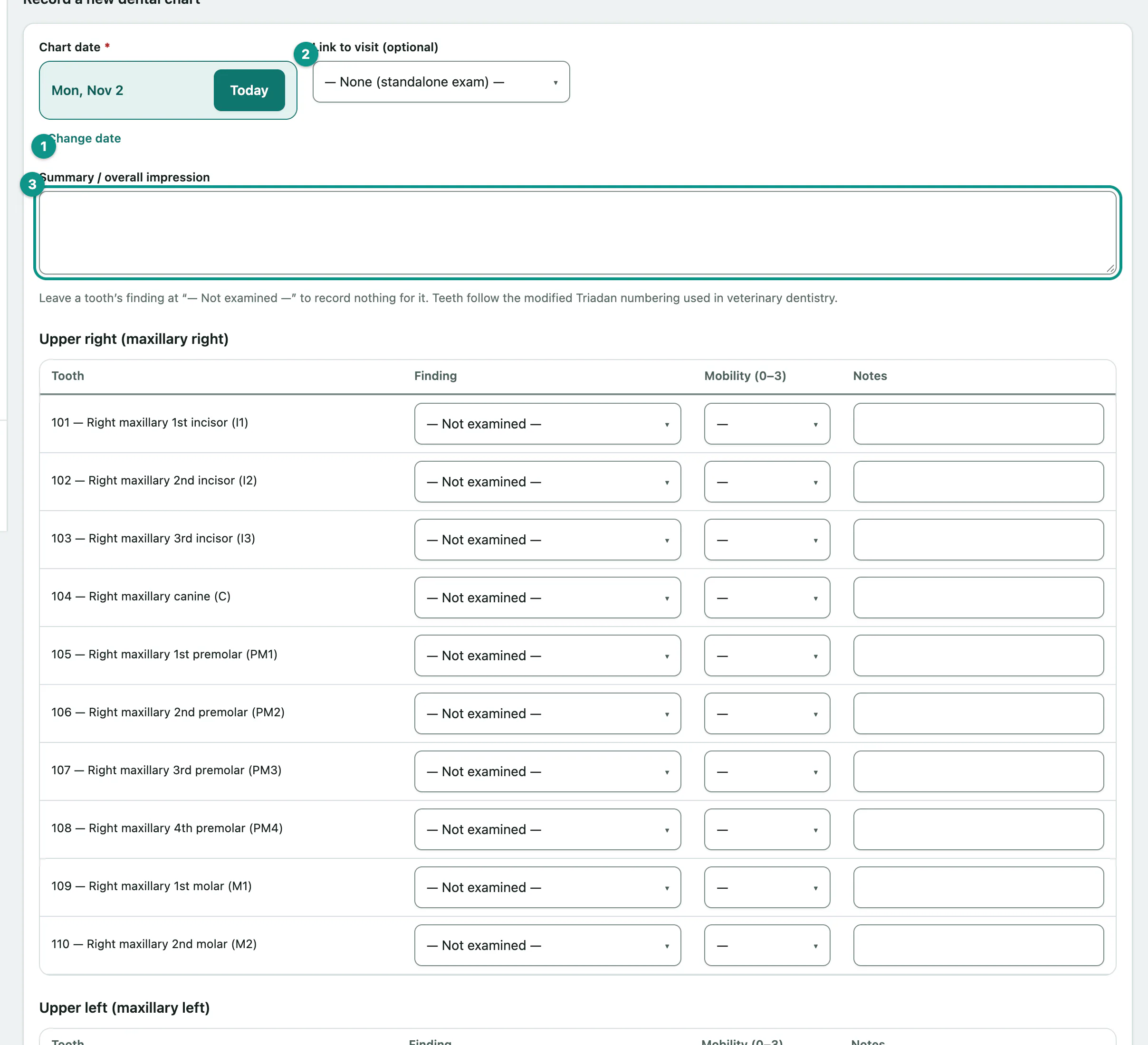
Leave a tooth at — Not examined — to record nothing for it. You must record at least one tooth.
Findings include Clinically normal, Gingivitis (GI), Calculus / tartar (CA), Periodontitis (PD), Fractured tooth (T/FX), Tooth resorption (TR), Missing tooth (M), Extraction indicated (X) and Extracted (this exam) (XR), among others.
Look at past charts
Dental history lists every chart with its date, examiner, how many teeth were charted and the summary. Select View to see one chart's tooth-by-tooth findings.