
Client portal · Shelter
Sign your adoption contract
In Vivetra: Forms to sign
On this page
Once the shelter approves your adoption, the adoption contract appears under Forms to sign. You read the terms and sign it electronically from the portal, before the animal comes home.
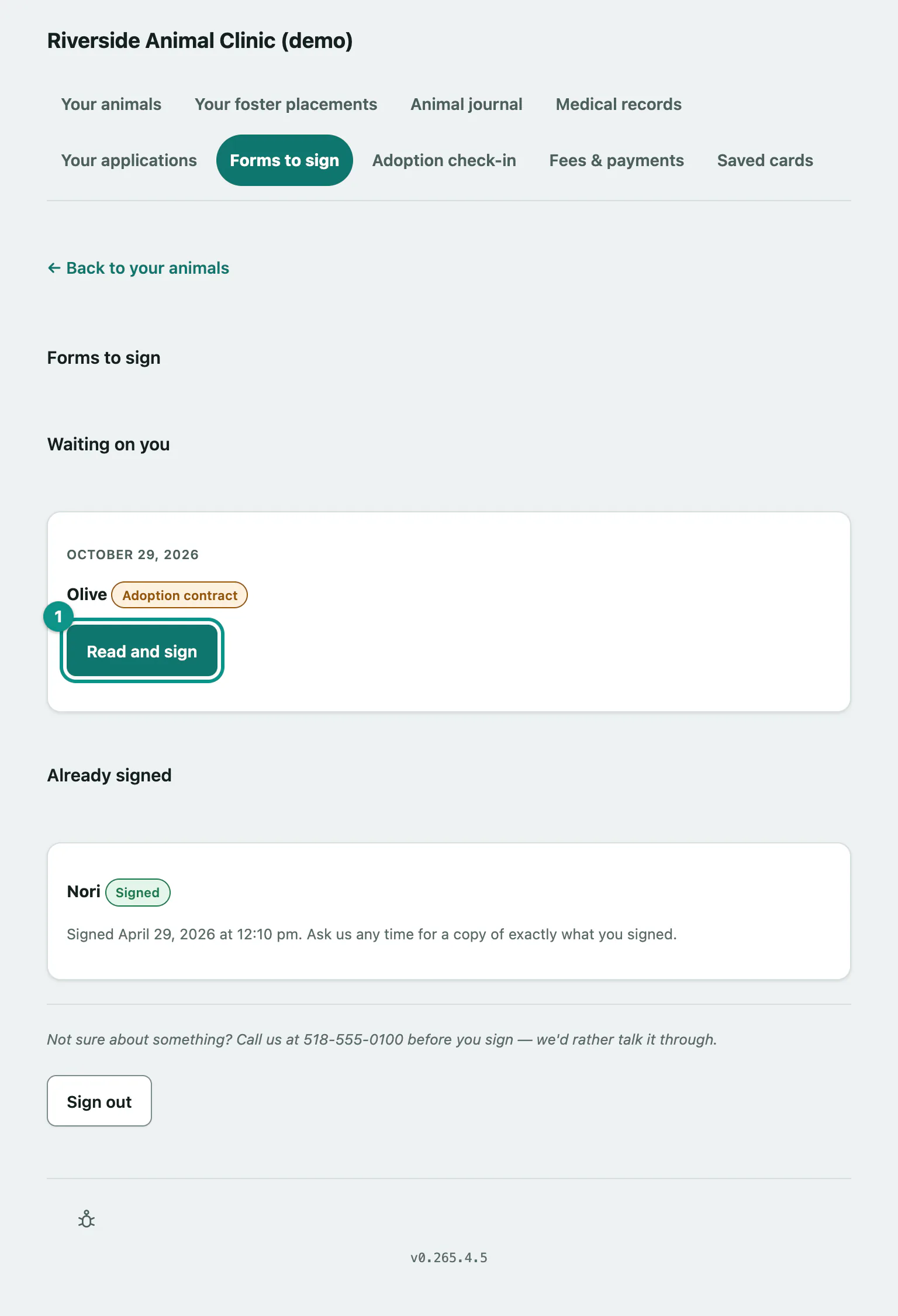
Sign the contract
- Select Forms to sign in the portal menu. Contracts that need your signature are under Waiting on you.
- Select Read and sign on the contract.
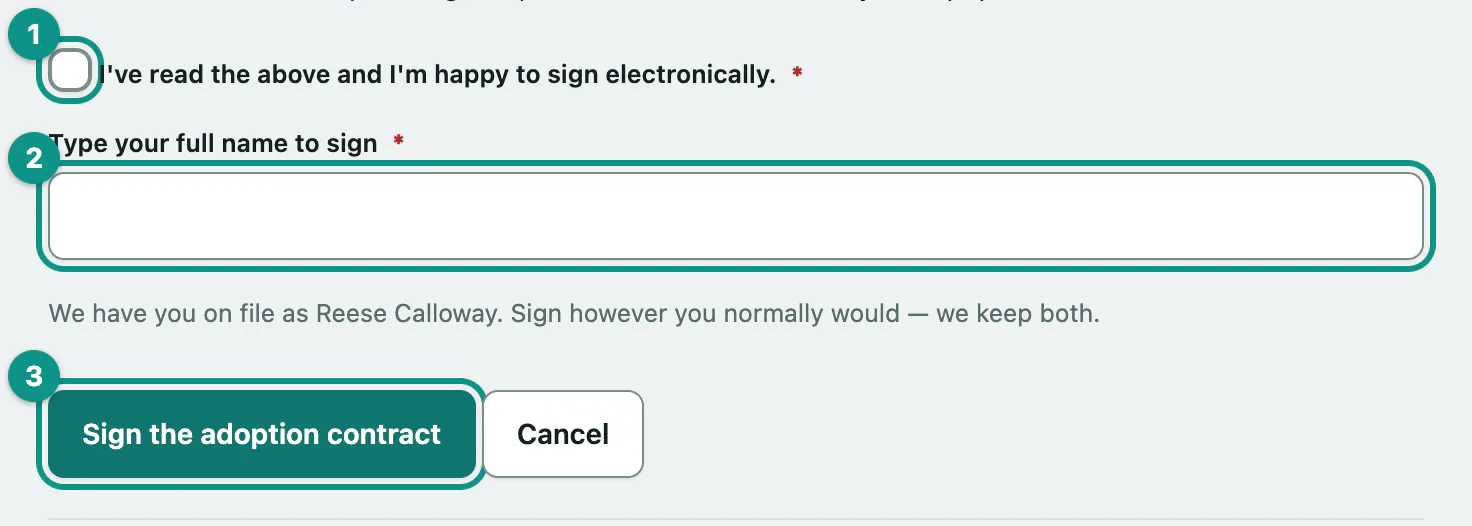
Read What you're agreeing to, the adoption fee, and Signing electronically, then:
- Tick I've read the above and I'm happy to sign electronically.
- Enter your name in Type your full name to sign. Sign however you normally would. The shelter keeps both your typed name and the name they have on file.
- Select Sign the adoption contract.
You'll see That's signed — thank you. We've kept a copy, and you can ask us for it any time. The contract then moves to Already signed with the date and time you signed. Ask the shelter if you'd like a copy of exactly what you signed.
If it's a trial adoption, the contract shows a Trial adoption label and says so in the terms.
If signing doesn't work
| Message | What it means |
|---|---|
| Please tick the box to confirm you're happy to sign electronically. | Tick the consent box and try again. |
| Please type your name in the signature box (160 characters max). | The name box was empty or too long. |
| This contract has already been signed. Nothing else is needed. | It's already done, perhaps from another device. |
| You've tried that a few times just now — please wait a little while, or call us instead. | Too many attempts in a short time. Wait a while, then try again. |
If the shelter goes through paperwork in person instead, the page says so and gives their phone number. After signing, there may be an adoption fee to pay (see Pay an adoption fee).