
Records & admin
See what a staff member has done
Staff activity pulls together the main things one person has done: the visits and appointments they were the attending vet for, the controlled-drug entries they were part of, and the outside lab orders they handled. It's read-only, and only practice owners can open it.
Open someone's activity
- Select Admin › Staff in the menu.
- Select Activity on the person's row.
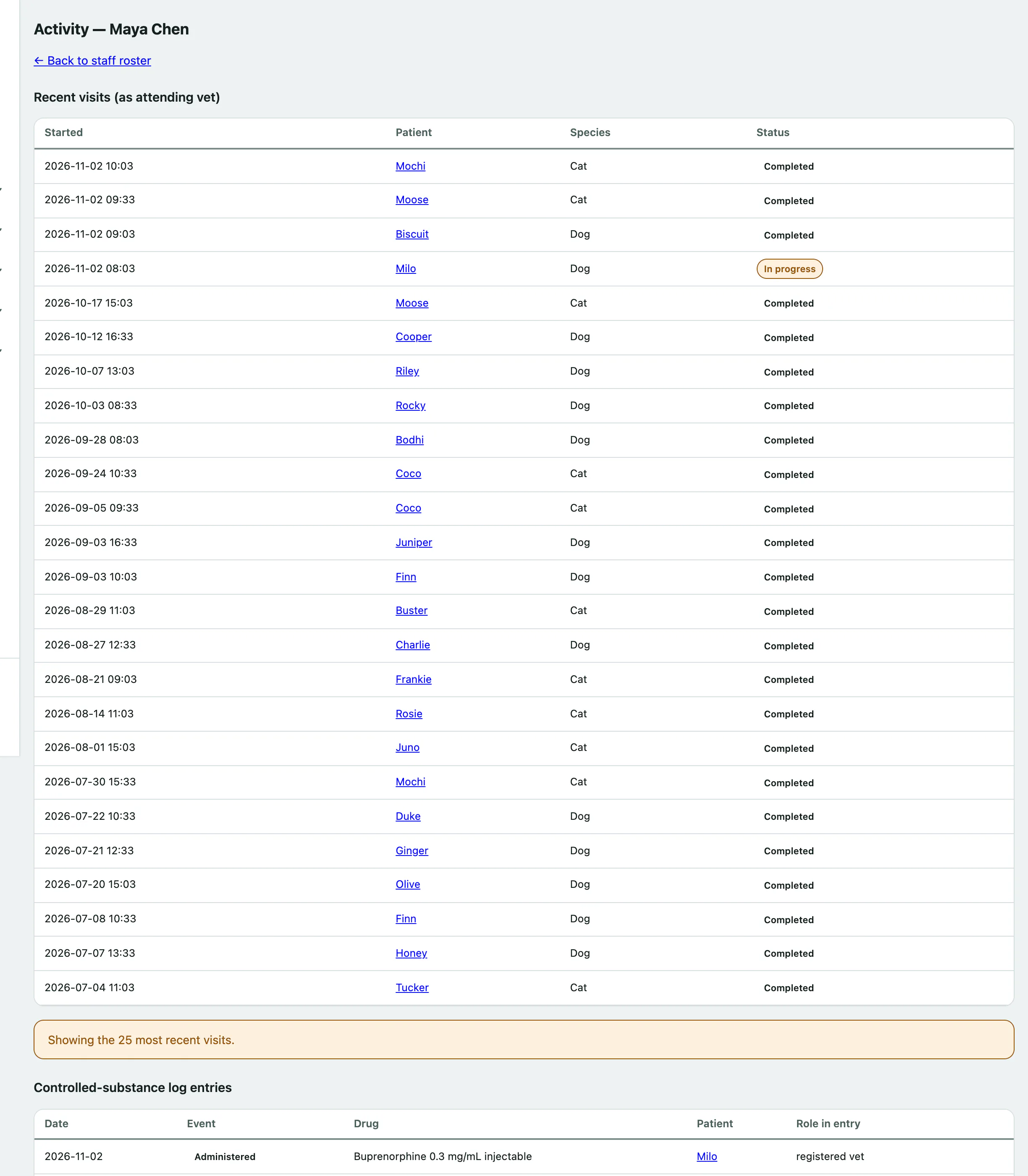
The page shows, newest first:
- Recent visits (as attending vet)
- Controlled-substance log entries, with their Role in entry: whether they performed, registered or witnessed it
- Appointments (as attending vet), if your practice uses appointments
- External diagnostics (ordered / handled)
Each list shows up to the 25 most recent entries. Select a patient's name to open their record.