
Client portal · Shelter
Pay an adoption fee
In Vivetra: Fees & payments · Saved cards
Fees & payments lists the adoption fee and anything else the shelter has billed you, and lets you pay by card online. Payment happens on the shelter's payment provider's own secure page.
Pay a fee
- Select Fees & payments in the portal menu. Each bill shows what it's for (such as Adoption fee, Veterinary care or Reclaim fee), the animal, the lines it's made up of, and whether it's Due or Paid.
- If you'd like to keep the card for next time and the box is offered, tick Keep this card on file for next time.
- Select Pay … now (the button shows the amount).
Finish paying on the payment provider's page. You come back to Fees & payments afterwards, and the bill shows Paid.
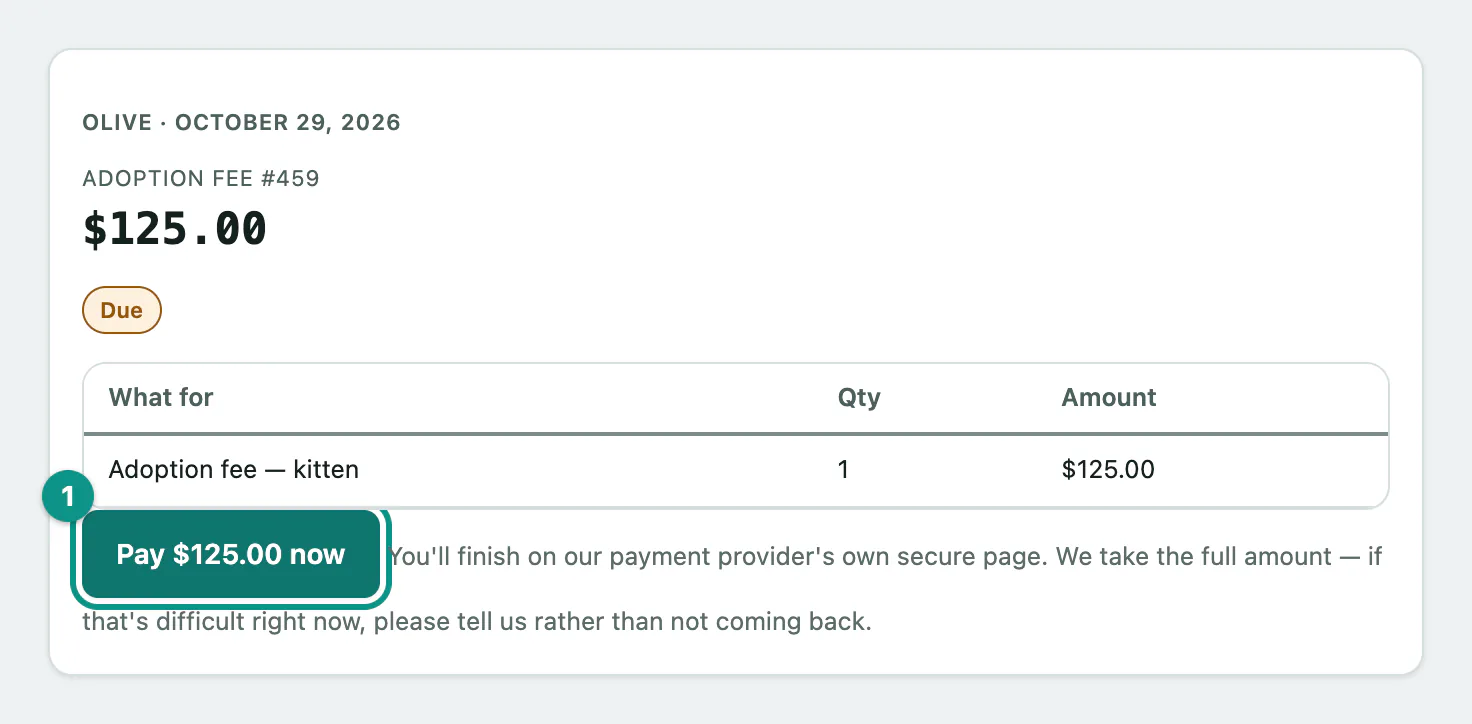
The full amount is taken in one payment. If paying the fee is difficult right now, tell the shelter rather than leaving it.
Closed the page before it finished?
If you left the payment page before getting back to the portal, the bill may still say Due. Select Already paid? Check status on that bill to ask the payment provider again. Don't pay twice.
If you see We received your payment, but this bill changed after you started checking out, so it isn't marked paid yet and a balance remains., the shelter will review it. Contact them before paying again.
Saved cards
If your shelter lets you keep a card on file, Saved cards lists your cards with their expiry date and when you added them. The shelter never sees or stores your card number, and a saved card is only charged when you choose to pay a fee with it.
- Select Saved cards in the portal menu.
- Select Add a card and enter the card on the payment provider's page.
- To choose which card is offered first, select Use this one first next to it. That card then shows Default.
- To delete a card, select Remove. You'll see That card has been removed — we won't charge it again.
If saved cards aren't offered, the page says Keeping a card on file isn't available on your account right now.