
Boarding · Grooming
Set up grooming services and packages
In Vivetra: Grooming › Services & Packages
Services & Packages is your salon's price list. A service is one thing you do, like a bath, a full groom or a nail trim, with a default length and a base price. A service can have breed and size bands, and a package bundles several services at one price.
Only staff who can manage grooming settings see this screen, usually the practice manager.
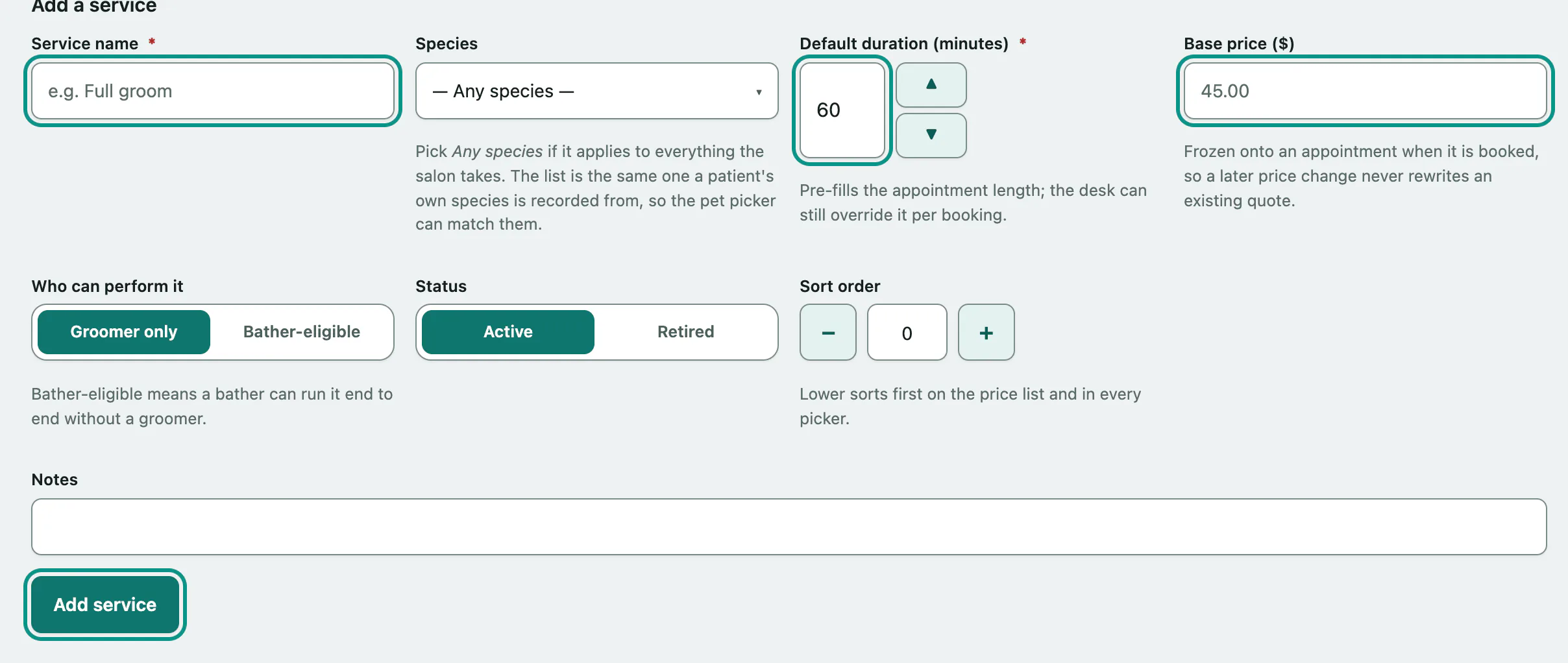
Add a service
- In the menu, open Grooming and select Services & Packages.
- Under Add a service, enter the Service name.
- Enter the Default duration (minutes). It pre-fills the appointment length, and the desk can still change it per booking.
- Enter the Base price.
- Choose Who can perform it: Groomer only, or Bather-eligible if a bather can do it start to finish.
- Select Add service.
You can also set the Species (or leave it as Any species), Status, Sort order and Notes. Lower sort orders appear first on the price list and in every picker.
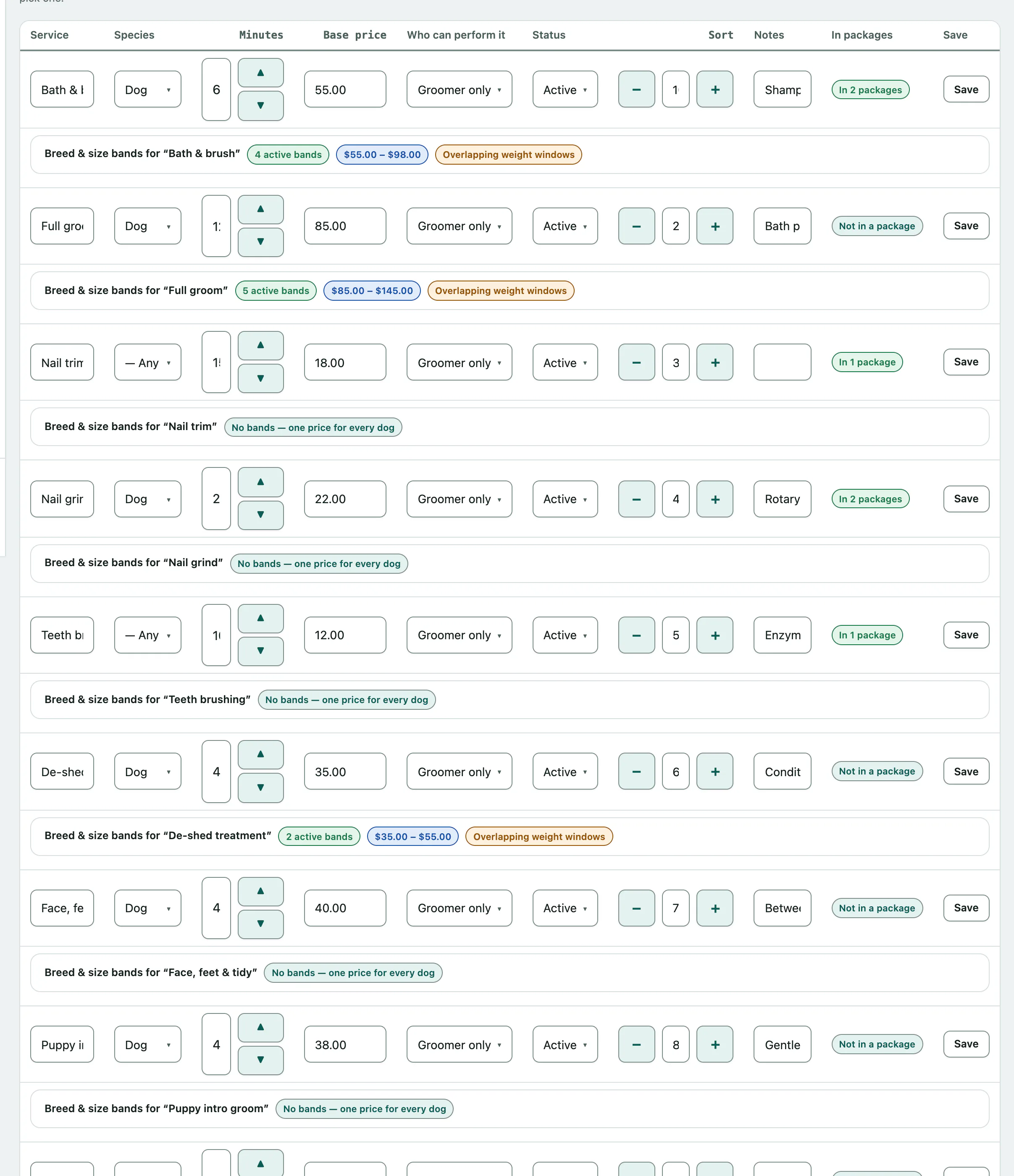
To change a service later, edit its row in the Service catalog and select Save on that row.
There's no delete. A service that has been on an appointment or invoice is part of your history, so set its Status to Retired instead. It stops being offered, and old records still read correctly.
Price by breed or size
A band prices one size or coat type of a service, such as a small dog at one price and 60 minutes and a doodle at another price and 150 minutes. The band's minutes are what the day board books against, so get the duration right as well as the price.
- Under the service's row, open Breed & size bands for “…”.
- Enter a Band name, and optionally a Band price, Band duration (minutes), Breed / coat hint, Minimum weight (kg) and Maximum weight (kg). Leave the duration blank to use the service's own default.
- Select Add band.
The breed and weight fields are suggestions only. They help the booking screen offer the likely band, but the person booking always picks. If two bands' weight windows overlap you'll see Overlapping weight windows; nothing is blocked, the booking screen just offers both.
Build a package
A package bills as one line at its own price. Each package card compares its price with the total of its services booked separately, and tells you how much the customer saves.
- Under Create a package, enter the Package name.
- Enter the Package price.
- Select Create package.
- On the new package's card, under What's in it, choose a service in Add a service, set the Quantity and select Add to package. Repeat for each service.
Tick Pairs with a boarding stay (e.g. "stay + departure-day groom") for a package meant to go with a stay. A package whose services are all bather-eligible is marked Bather-eligible package.