
Records & admin · Admin
Review the audit log
In Vivetra: Admin › Audit Log
On this page
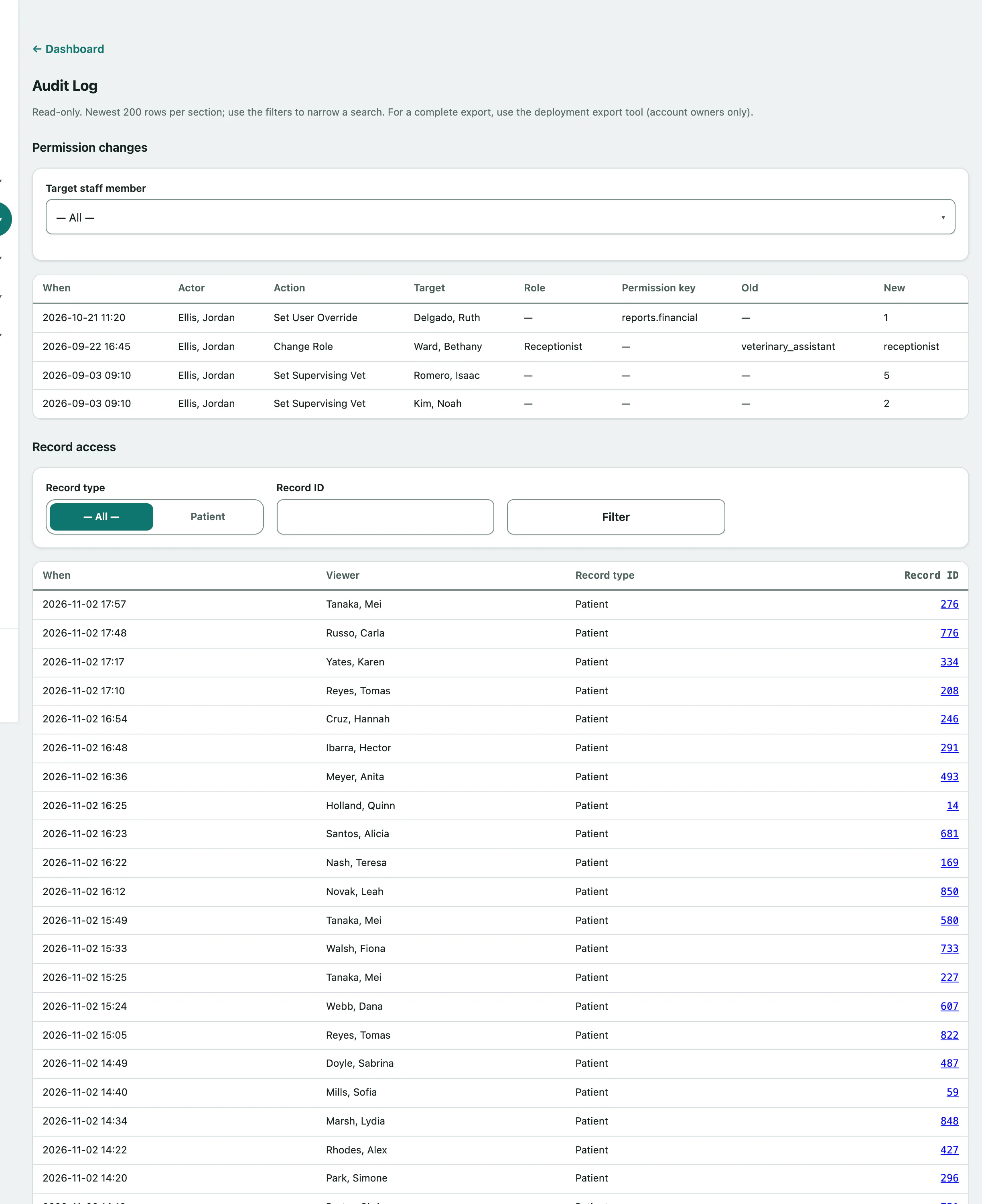
The Audit Log shows who changed whose permissions, and who opened which records. Use it to check up after an emergency access grant or when you suspect someone has looked at records they shouldn't have.
Only practice owners can open it. It's read-only, and each section shows the newest 200 entries.
See permission changes
- Select Admin › Audit Log in the menu.
- To narrow it to one person, choose them in Target staff member. The list updates straight away.
Permission changes shows when each change happened, who made it, what they did, who it was for, the role, the Permission key, and the old and new setting. Emergency access grants show up here too (see Use emergency access).
See who opened a record
- Under Record access, choose a Record type.
- To check one record, enter its Record ID, such as the patient's ID from their record.
- Select Filter.
Each row shows when, the Viewer, the record type and the record ID, which links to the record where possible.