
Equine
Manage stables
In Vivetra: Equine › Stables
Stables are the barns and farms your practice visits. Add each one once and it shows up as a location when you book a farm call and when you set a horse's current stable.
The stables list
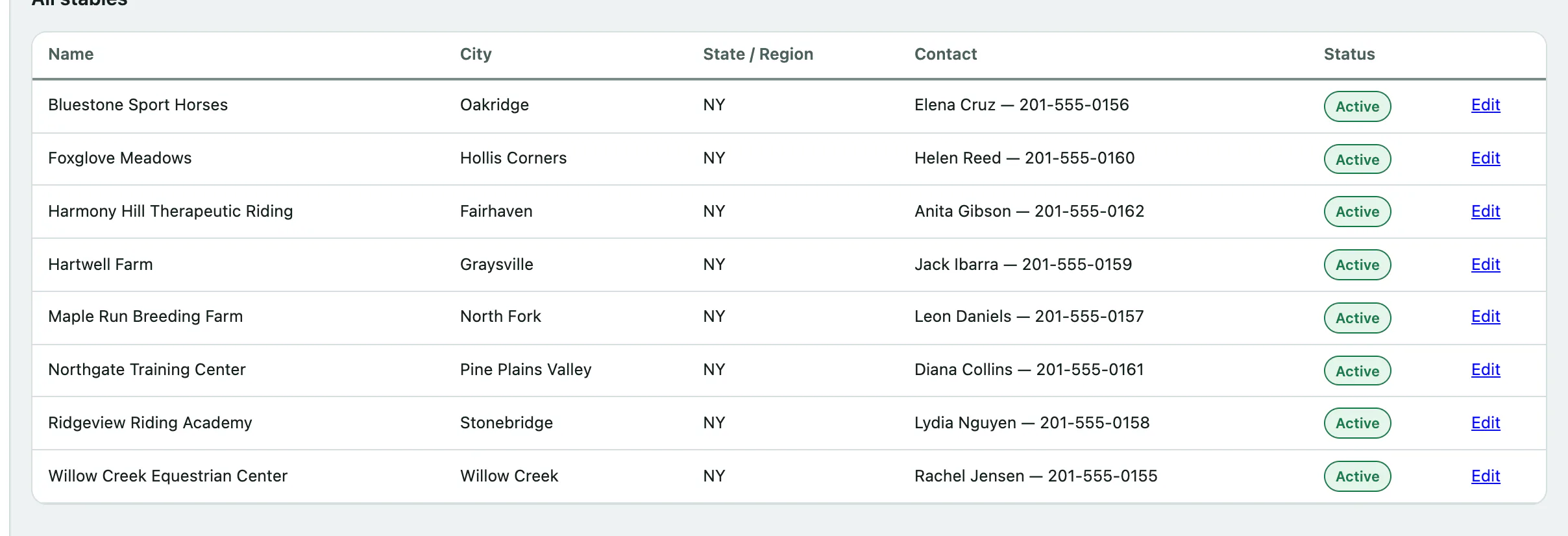
Select Stables in the Equine menu. All stables lists every stable with its city, state or region, contact and whether it's Active or Inactive. Anyone signed in can see the list.
Add a stable
The Add a stable form sits under the list. You need the stable-management permission to see it. Front desk, vets and practice managers have it by default.
- Select Stables in the menu.
- Enter the Stable name. It's the only required field.
- Leave Active (appears in the farm-call and current-stable pickers) ticked.
- Select Create stable. You'll see Stable saved.
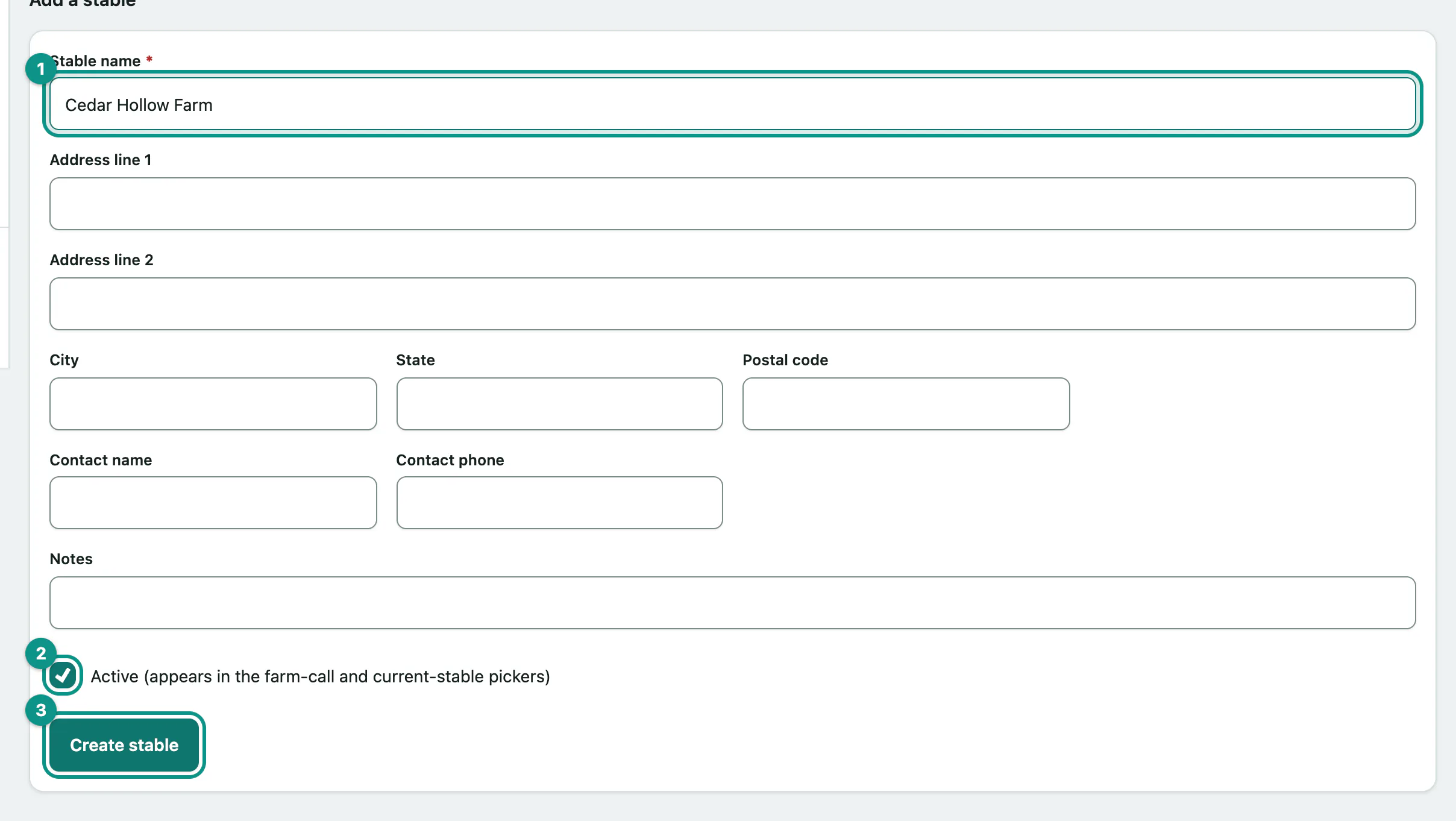
The address, Contact name, Contact phone and Notes are optional.
Edit a stable
- Select Edit on the stable's row. The form under the list fills with its details and the heading changes to Edit stable.
- Make your changes and select Save changes.
Changed your mind? Select Cancel / start a new one to clear the form.
Stop using a stable
Stables can't be deleted. When you stop visiting one, edit it and untick Active (appears in the farm-call and current-stable pickers), then select Save changes. It stays on the list as Inactive, so past farm calls still show where they happened, but it no longer appears in the pickers.