
Shelter
Manage surrender requests
In Vivetra: Shelter › Surrender Requests
Surrender Requests is your managed-admission queue: people who've called or walked in asking to surrender an animal, report a found animal or arrange a transfer, before the animal is with you. When the animal arrives, you accept the request and it becomes an intake.
Log a request
Use this for a phone call or walk-in inquiry. There's no public form for owners; staff enter every request.
- Select Surrender Requests in the Shelter menu. The Managed-Admission Queue opens.
- Under Log a new admission request, enter the Requester name, and their Phone and Email if you have them.
- Choose the Request type: Owner Surrender, Stray Found, Transfer In or Other.
- Choose the Species and Breed, and fill in Animal count, Approx. age and Reason.
- Choose the Urgency: Routine, Soon, Urgent or Emergency. Add a Requested date if they asked for one.
- Select Log request. You'll see Admission request logged.
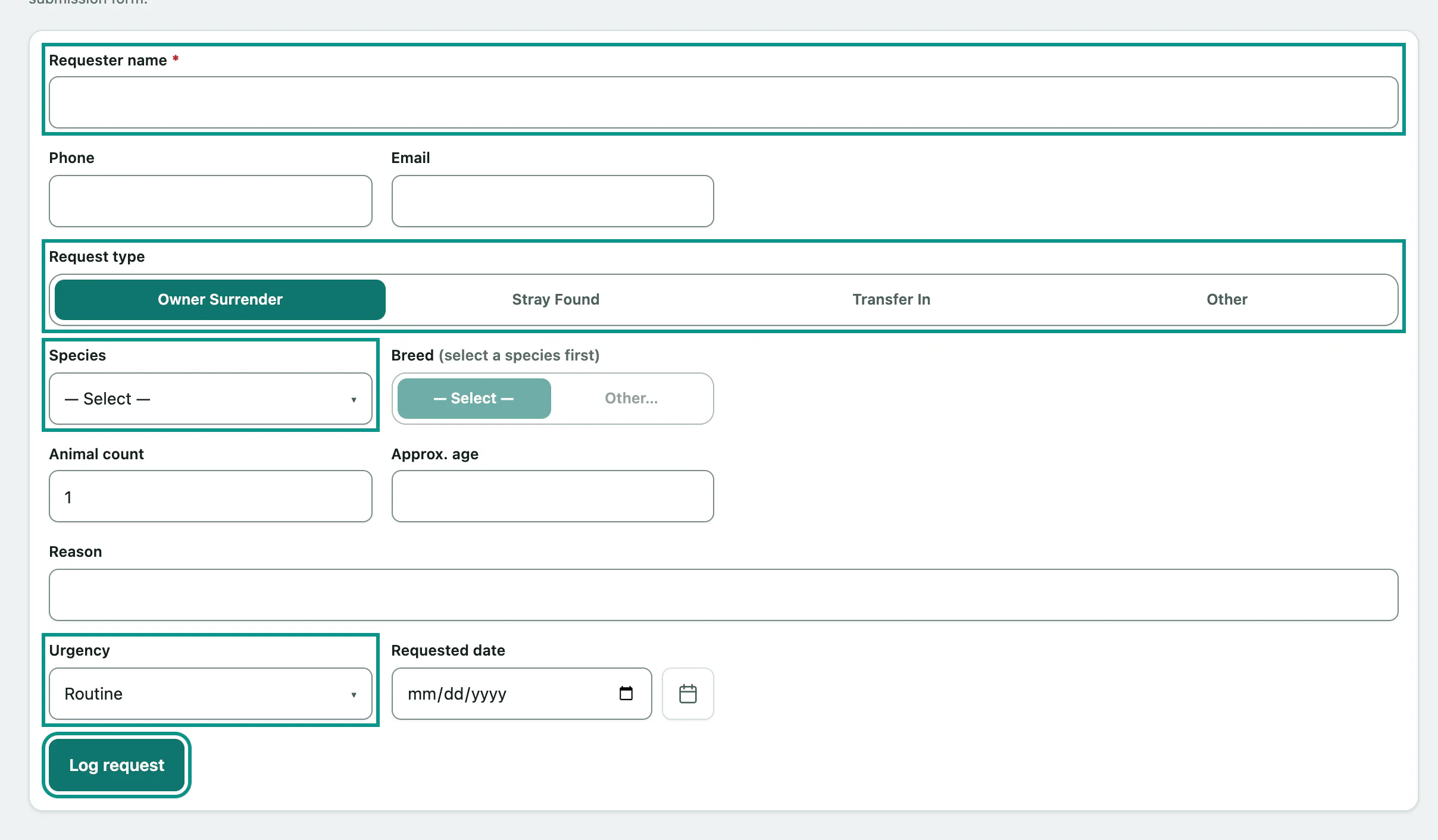
If the species or breed isn't in the list, choose Other… and type it in the field next to it.
Work the queue
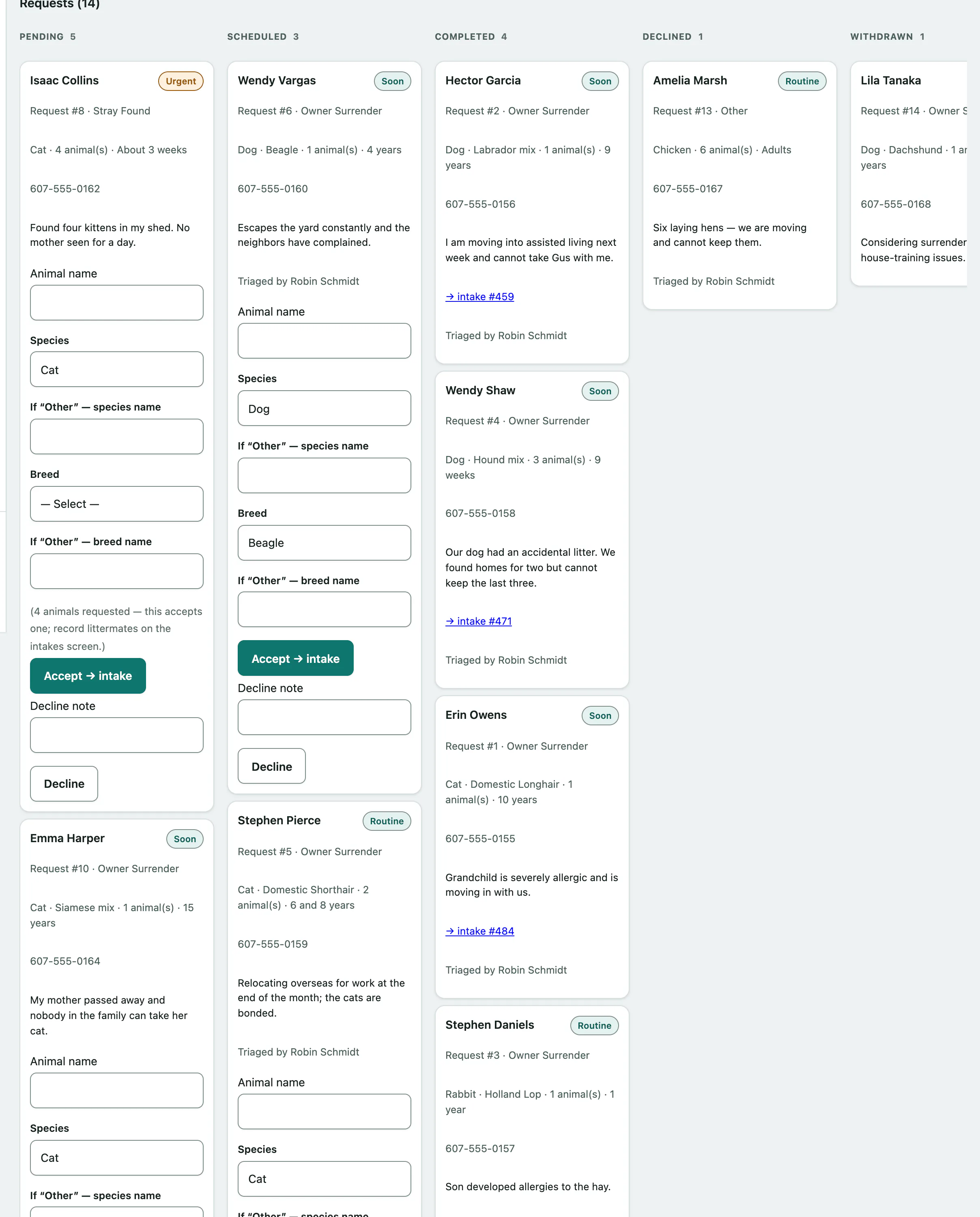
Requests are shown as cards in columns: Pending, Scheduled, Completed, Declined and Withdrawn. Within a column, the most urgent come first, and emergency and urgent requests are highlighted. Each card shows the requester, request type, species, how many animals and the reason. The board updates on its own while you have it open.
Accept a request
Accept a request when the animal is physically with you. Accepting creates the animal's patient record and its intake in one step.
- On the request's card, enter the Animal name.
- Check the Species and Breed, which are filled in from the request.
- Select Accept → intake. The new intake opens.
The intake type and the source contact come from the request: an owner surrender becomes an Owner Surrender intake with the requester as the owner, and a found animal becomes a Stray intake with the requester as the finder. The intake starts as Pending, so update its details on the intake page (see Record an intake › The intake page).
Decline a request
- On the request's card, enter a Decline note if you want to record why.
- Select Decline. The card moves to Declined.
Only pending and scheduled requests can be accepted or declined. Each card records who triaged it.
Who can do this
Anyone signed in can see the queue. Logging, accepting and declining requests need admission-queue permission, which front desk and practice managers have by default. Without it, the screen says you can view the queue but not action it.