
Equine · Breeding
Manage a stallion book
In Vivetra: Breeding › Stallion Book
On this page
A stallion book is a stallion's season: the mares booked to him, how full the book is, and when he's available. It doesn't hold coverings or pregnancy checks; those live on each mare's breeding record.
Anyone can read the stallion book. Opening seasons, booking mares and recording availability needs the farm-call scheduling permission, which front desk, vets and practice managers have by default.
See all books
- Select Stallion Book in the Breeding menu.
Books on record lists every season with its stallion, year, label, status, mares booked against the limit, and whether the stallion is available today. You can filter by Season year. Underneath, Availability calendar shows which stallions are standing on a date you choose in Show availability as of.
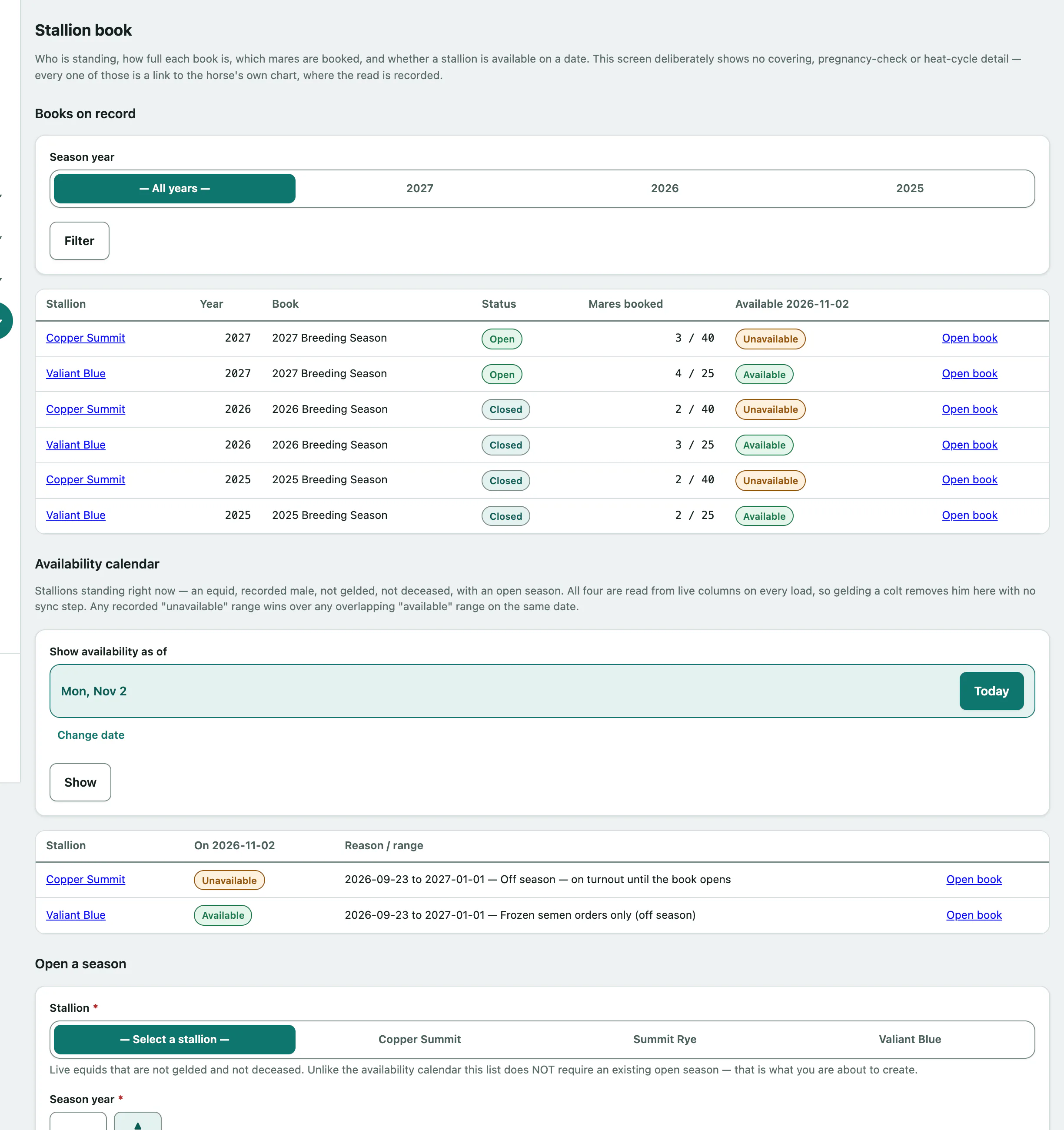
A season's status is Open, Full, Closed or Closed Early. If a stallion is no longer eligible to stand, for example because he's been recorded as gelded, his open book is flagged and you can select Close this book now.
Open one stallion's book
- Select Open book on his row, or Stallion book on his horse record.
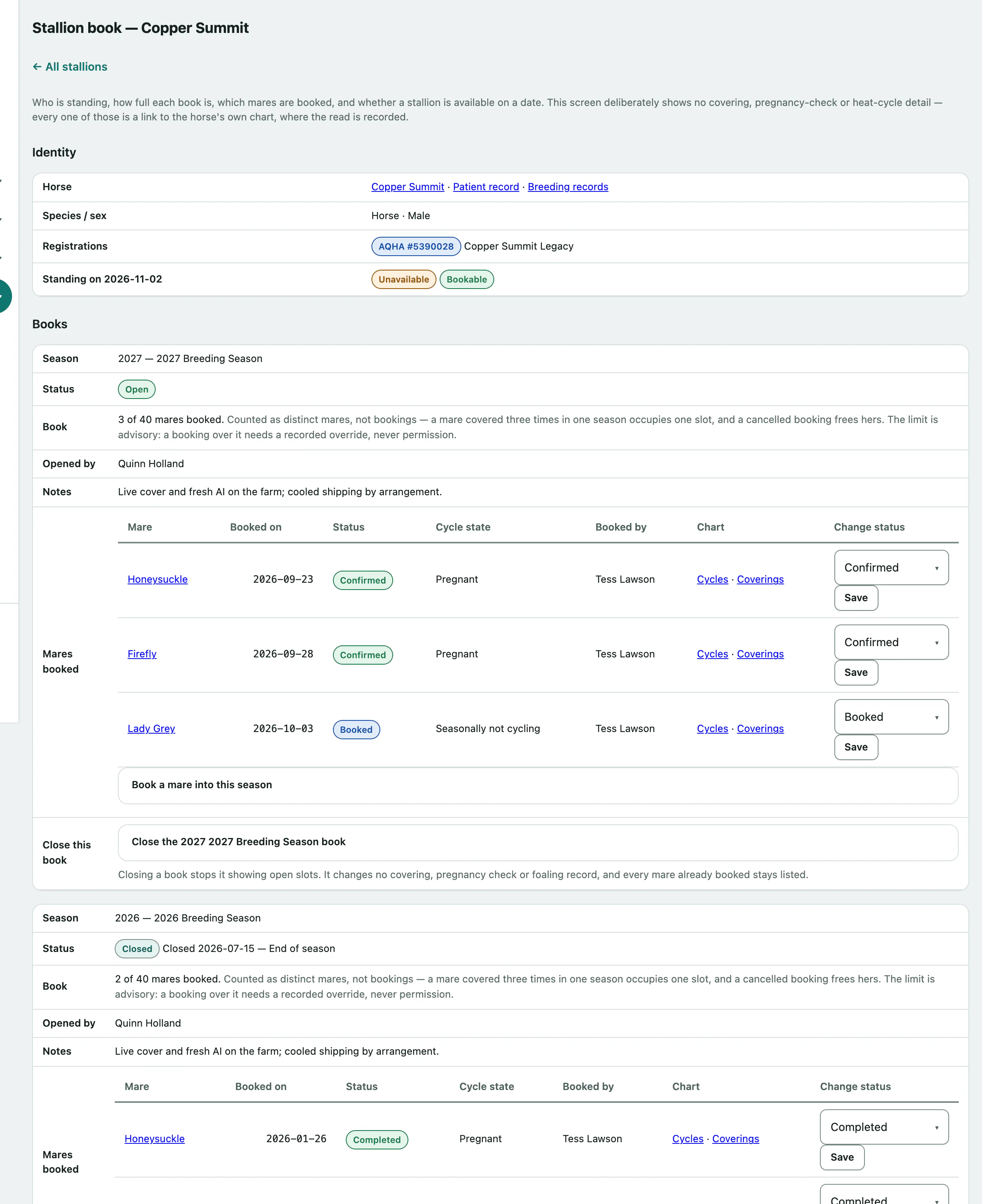
The page shows his Identity, each season under Books with the mares booked, and his Availability.
Open a season
- Under Open a season, choose the Stallion.
- Enter the Season year and, if you like, a Season label. The label defaults to the year.
- Set a Book limit (blank = unlimited).
- Select Open the season.
Book a mare
- Under the season, open Book a mare into this season.
- Choose the Mare and the Booked on date.
- Select Book this mare.
Tick Recipient-mare booking (embryo transfer, not a covering) if she's a recipient for an embryo rather than being covered herself. If the booking would take the book to or past its limit, tick Book over the limit and give a reason. If the mare's sex isn't recorded, or she's recorded deceased, you're asked to tick I have confirmed this mare.
To change a booking, choose its new status in the Change status column (Booked, Confirmed, Completed or Cancelled) and select Save.
Record when he's available
- Under Record an availability range, enter From and, if it ends, To (blank = open-ended).
- Choose Available or Unavailable in Availability, and add a Reason, such as a show trip.
- Select Save range.
Ranges can overlap. Use Check a date to see whether he's available on a given day.
Close a book
- Under the season, open Close the followed by the season's year, name and book.
- Choose Close as: Full, Closed or Closed Early. Enter the closing date and a reason.
- Select Close this book.