
Equine
Record an embryo transfer
On this page
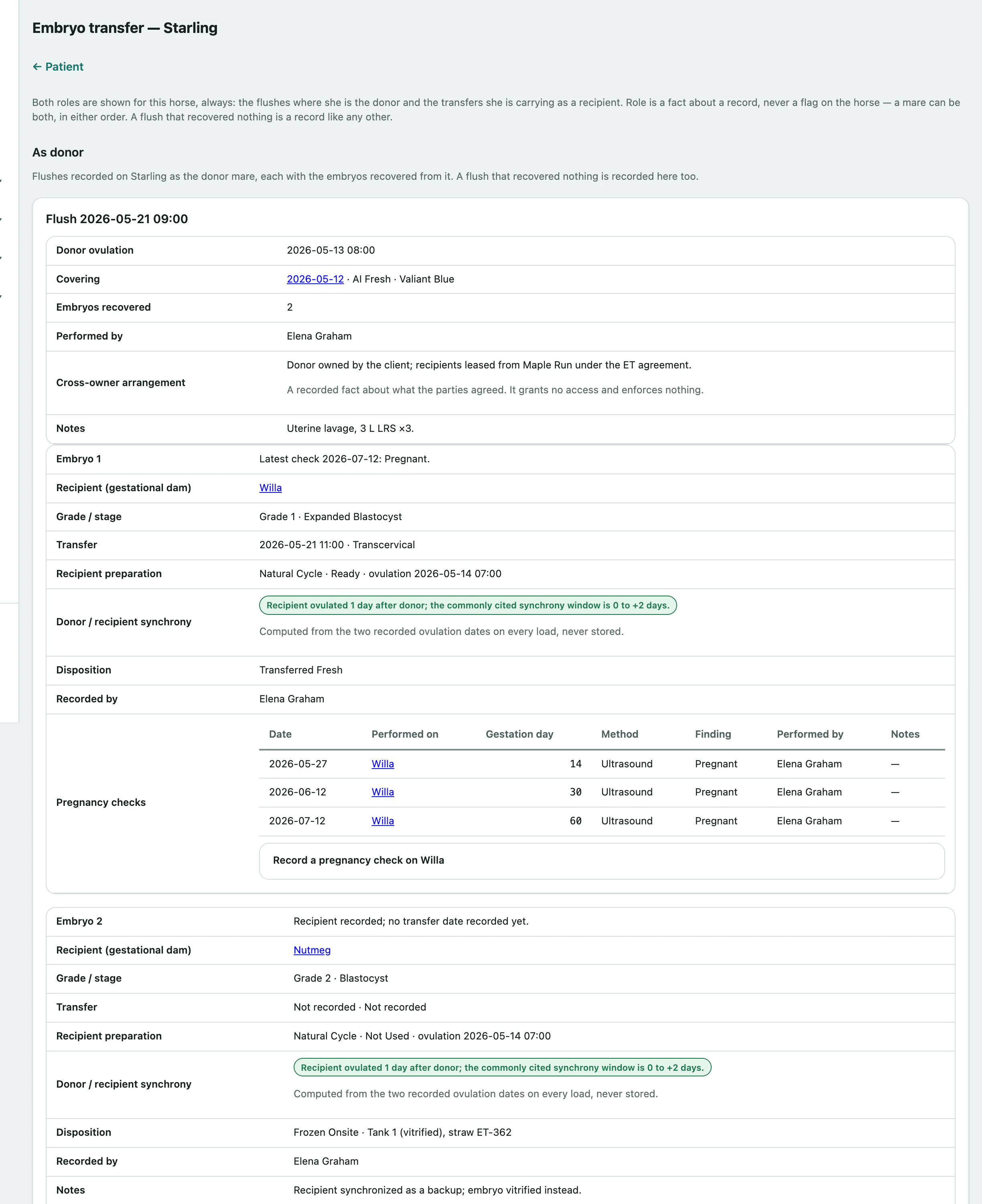
The embryo transfer screen records flushes from a donor mare, what happened to each embryo, and the pregnancy in the recipient mare that carries it. A mare's screen always shows both sides: flushes where she was the donor, and embryos transferred into her.
The foal is registered to the genetic dam, but the pregnancy belongs to the recipient, so pregnancy checks are recorded on the recipient.
Recording needs the clinical-authorship permission, which vets have by default. Everyone else can read the screen.
Open a mare's embryo transfers
- On the mare's record, select Embryo transfer (see Work with a horse's record).
As donor lists her flushes with the embryos from each. As recipient lists embryos transferred into her, with their grade and stage, the transfer, how she was prepared, the donor and recipient synchrony worked out from both ovulation dates, pregnancy checks and any foaling.
Record a flush
Save a flush even if it recovered nothing. That's a clinical fact worth keeping.
- On the donor mare's screen, under Record a flush, enter Flush at.
- Choose the Covering the embryos came from (see Record a covering and pregnancy checks).
- Enter how many Embryos recovered. Leave it at 0 if none were.
- For each embryo, fill in an Embryo 1 (optional) block: the Recipient mare, how she was prepared, the embryo grade and stage, the transfer time and method, and its Disposition, such as Transferred Fresh, Frozen Onsite or Shipped Out.
- Select Save flush. The flush and its embryos are saved together.
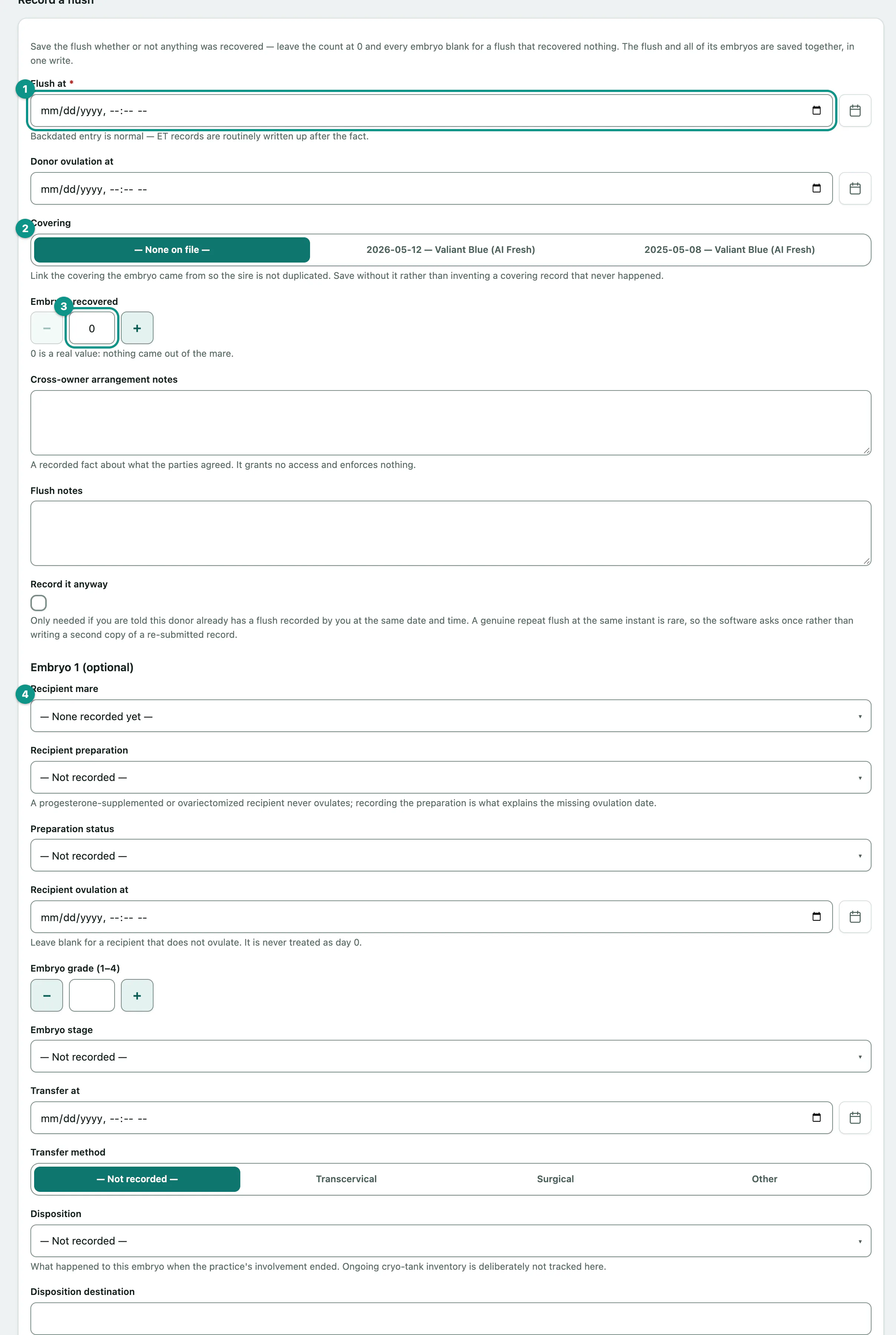
If the donor and recipient belong to different owners, note what they agreed in Cross-owner arrangement notes. It's a record only; it doesn't change who can see what.
Add an embryo later
For an embryo frozen at the flush and transferred later, or when there were more embryos than the form has blocks for:
- Under the flush, open Add an embryo to this flush.
- Fill in the embryo's details, including the Recipient mare and its Disposition.
- Select Save embryo.
Record a pregnancy check on the recipient
- On the transfer, open Record a pregnancy check on followed by the recipient's name, and enter the check date, gestation day, method and finding.
- Select Save pregnancy check.
The check is recorded against the recipient, the mare carrying the pregnancy. The first scan is normally 14 to 16 days after transfer; transfers still waiting are listed on the breeding overview (see See the breeding season at a glance).
Record an embryo from another facility
For an embryo flushed somewhere else and transferred into one of your mares:
- On the recipient's screen, under Record an embryo transferred into her, enter the External embryo source.
- Choose the Genetic dam (in system), or type the Genetic dam name (not in system), then fill in the embryo and transfer details.
- Select Save transfer.