
Client portal · Boarding
See stay updates and grooming photos
In Vivetra: Stay updates · Grooming photos
On this page
While your pet is staying, the team posts updates about how their day went, often with photos. After a groom, the salon's before and after photos appear in the portal too. The photos are yours to save or print.
Stay updates
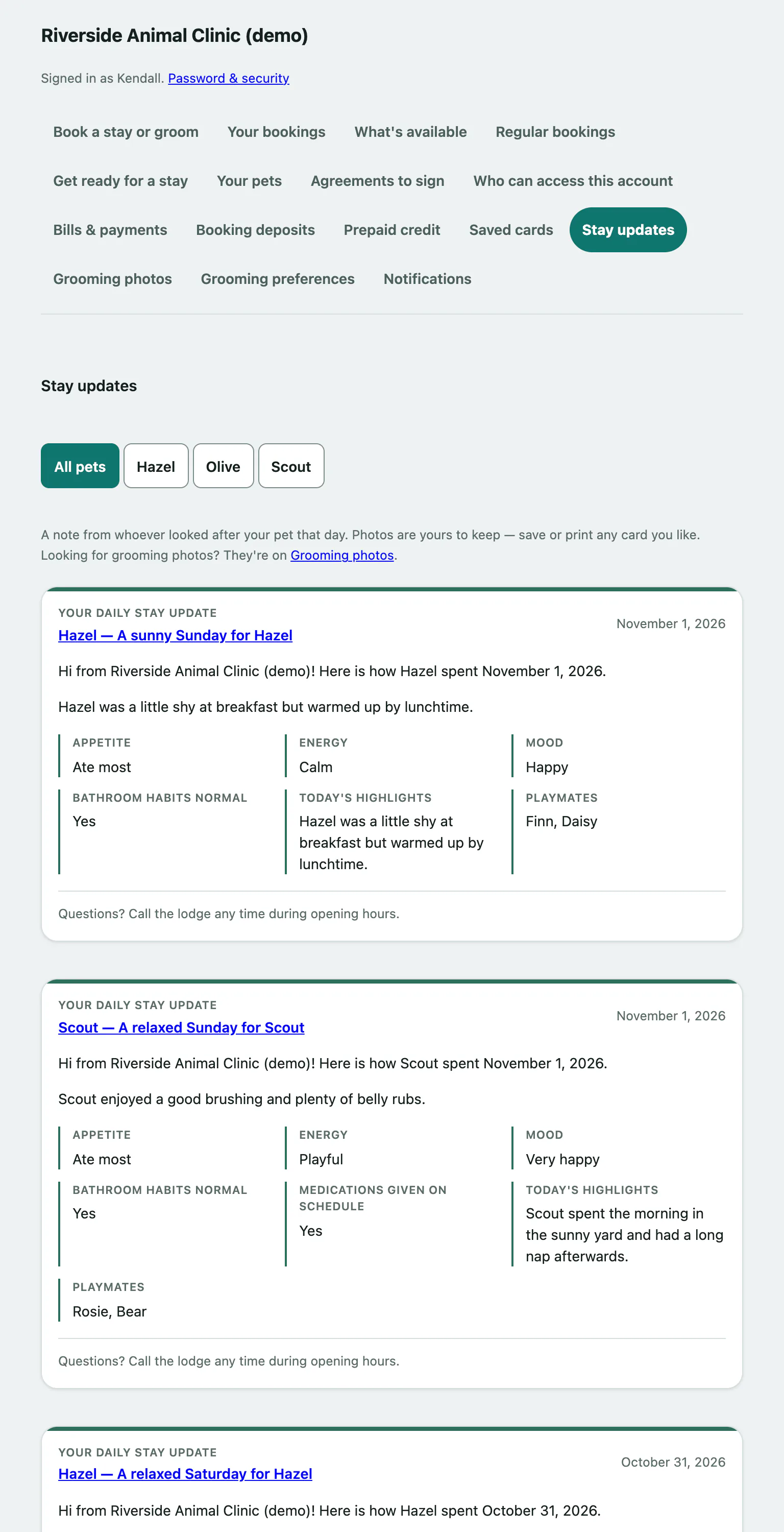
- Select Stay updates in the portal menu. Updates are listed newest first.
- If you have more than one pet, select a pet's name above the updates to see only theirs, or All pets to see everyone.
- If an update has more than two photos, select See all under it to open the full update with every photo from that day.
- Select Older updates at the bottom to go further back.
If there are no updates yet, the page says so. Updates are posted during a stay, so there'll be something next time your pet is there.
When you open a single update, All updates for your pet takes you back to the list. If the update is from a grooming visit, there's a link to the before and after photos.
Grooming photos
- Select Grooming photos in the portal menu. Each grooming visit is shown newest first, with the photos grouped by stage.
- If you have more than one pet, select a pet's name to see only theirs, or All pets.
The salon takes photos during a groom when they can, so not every visit has them.