
Equine
Record a Coggins test
Record each horse's Coggins (equine infectious anemia, EIA) test result here, so you can print it for travel, sales and shows. Vivetra keeps the record; it doesn't send samples to a lab or report results anywhere.
Open a horse's Coggins tests
- On the horse's record, select Coggins tests (see Work with a horse's record).
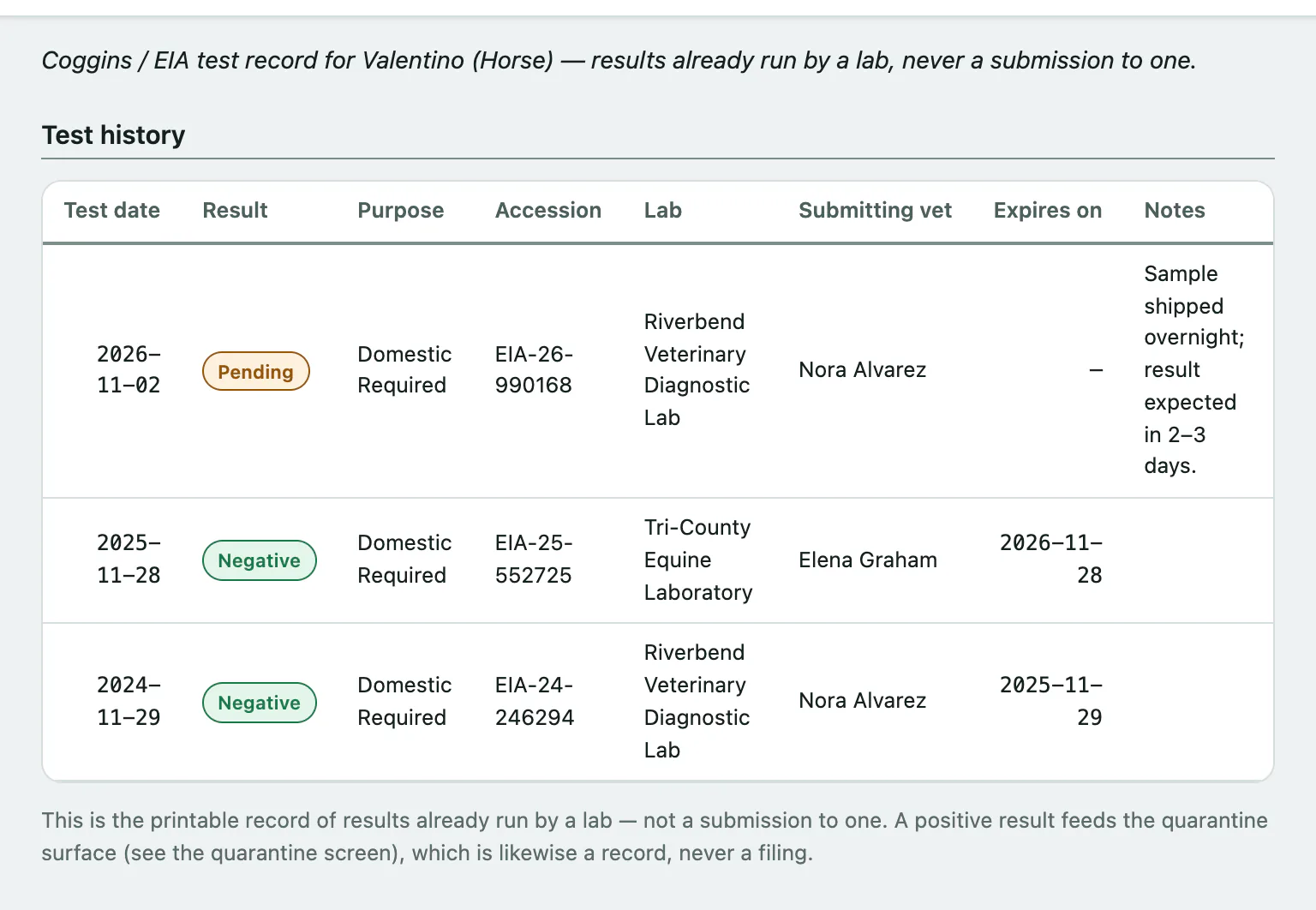
Test history lists every test with its date, Result, Purpose, Accession number, lab, submitting vet and expiry date. Results show as Negative, Positive or Pending.
Record a test
Recording a test needs the clinical-authorship permission, which vets have by default. Everyone else sees the history read-only.
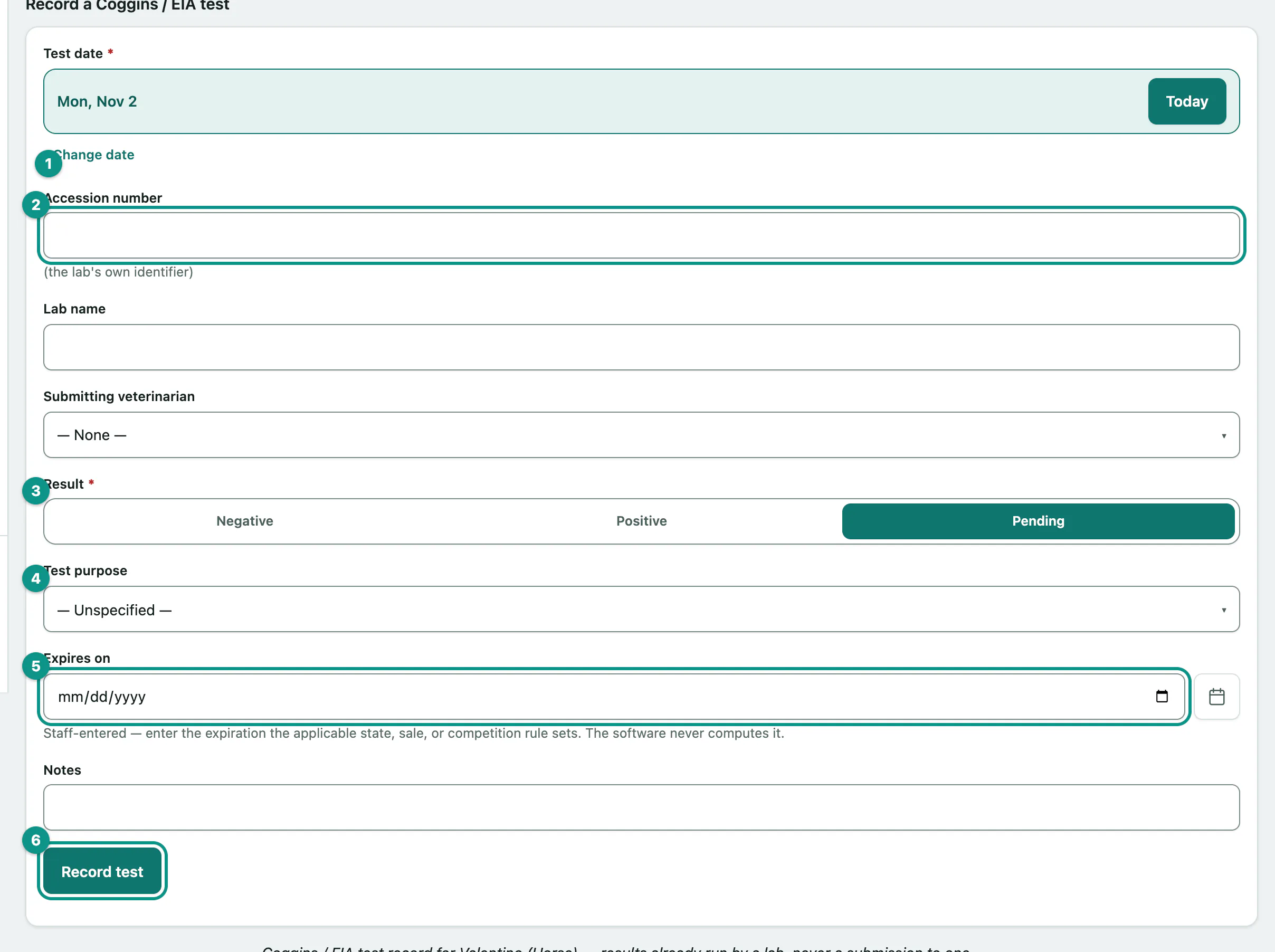
- Under Record a Coggins / EIA test, set the Test date. It starts as today.
- Enter the lab's Accession number, the Lab name and the Submitting veterinarian.
- Choose the Result. It starts as Pending.
- Choose the Test purpose, such as Domestic — required (US interstate / sale / show norm) or Export.
- Enter the Expires on date.
- Select Record test. You'll see Coggins / EIA test recorded.
Print the record
Select Print test record to print the horse's test history. The button appears once at least one test is recorded.
If a result is positive, start a quarantine hold for the horse (see Put a horse on a quarantine hold).