
Hospital
Admit a patient
In Vivetra: Hospital › Admit a Patient
Admitting a patient opens a hospital stay. Once admitted, the patient appears on the ward board and you can write treatment orders for them. Use this for planned admissions and for emergency walk-ins who haven't been checked in.
Find the patient
- Select Admit a Patient in the Hospital menu.
- In Find patient / owner (name, phone, or email), start typing. Suggestions appear as you type. Without a search, the list shows the first 200 patients.
- Choose the patient from the Patient list.
- Select Continue to admit.
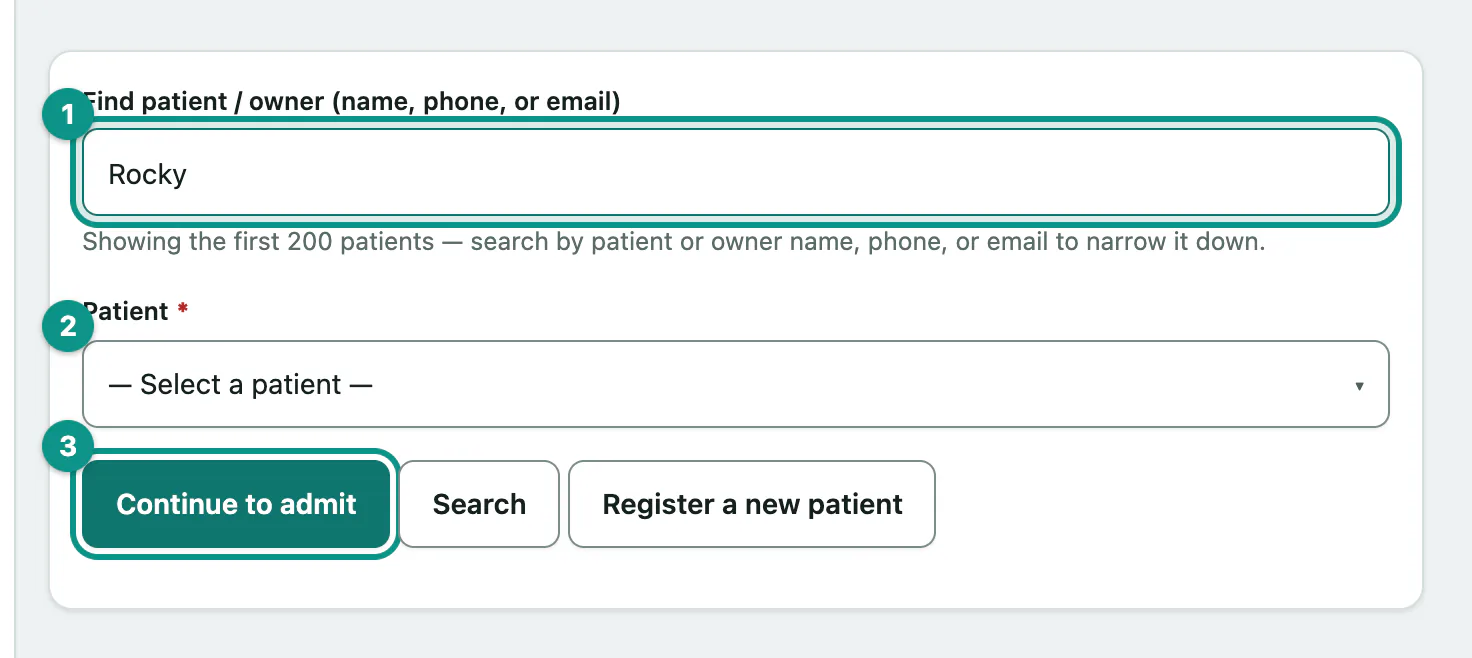
If the animal has never been seen here, select Register a new patient. After registering, you come straight back to admit them.
A patient recorded as deceased can't be admitted.
Fill in the admission
- Under Visit anchor, choose Create a new visit now (ER walk-in — no prior check-in) or Admit against an existing visit. If you admit against an existing visit, pick it from Existing visit (if admitting against one).
- For a new visit, choose a Triage level (new visit only): Red, Orange, Yellow or Green, most to least acute. Leave it at — Not triaged — if you haven't triaged yet. The ward board groups patients by this level.
- Choose the Attending vet (optional).
- Enter the Reason for admission (optional), for example "post-op monitoring".
- Check Admitted at (practice local). It's filled in with the current time; change it if the patient came in earlier. Add any Notes (optional).
- Select Admit patient.
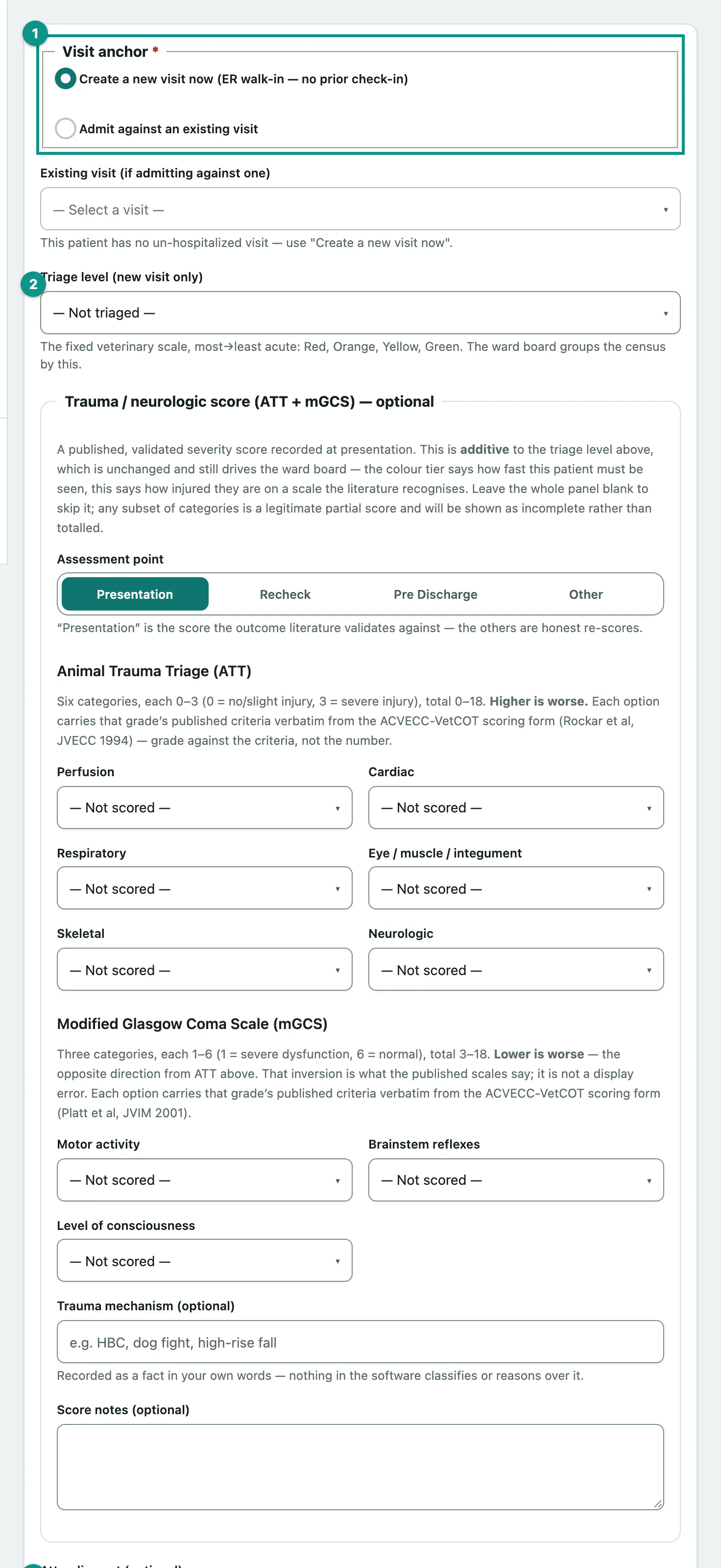
Triage only applies to a new visit. If you admit against an existing visit, leave Triage level (new visit only) blank or you'll get an error.
Add a trauma score at admission
If your role can record trauma scores, the form also has a Trauma / neurologic score (ATT + mGCS) — optional panel. It sits alongside the triage level and doesn't replace it.
- Animal Trauma Triage (ATT) has six categories, each 0 to 3. Higher is worse.
- Modified Glasgow Coma Scale (mGCS) has three categories, each 1 to 6. Lower is worse.
- Each option shows the published grading criteria. Grade against the criteria, not the number.
- Pick an Assessment point, and optionally a Trauma mechanism (optional) and Score notes (optional).
Leave the panel blank to skip it. You can score any subset of categories; an incomplete scale is shown as incomplete rather than totalled. Scores and rechecks can be added later too (see Record a trauma or neurologic score).
After admitting
You'll see Admitted. with buttons to Enter treatment orders, Open flowsheet or View ward board. If you recorded a trauma score, its totals are shown too.
| Message | What it means |
|---|---|
| Already admitted. | The patient already has an open stay. Discharge that stay first, or carry on with it instead of admitting again. |
| Select which existing visit to admit against… | You chose Admit against an existing visit but didn't pick one. |
| Triage applies only when creating a new visit… | Clear the triage level, or switch to a new visit. |
| Admitted-at is not a valid date/time. | Check the date and time you entered. |
Next: Write treatment orders.