
Livestock
Track an individual animal
On this page
Some animals are worth tracking one by one: a herd bull, a show heifer, a sick steer pulled from a pen. These are individual (Tier 1) animals. Each has a normal patient record plus a livestock profile that ties it to an operation and holds its official ID.
By default, veterinarians, front-desk coordinators and practice managers can edit the livestock profile and record a death.
Open an animal
- Select Operations in the Livestock menu.
- On the operation's row, select animals & lots.
- Under Individual animals, select View on the animal.
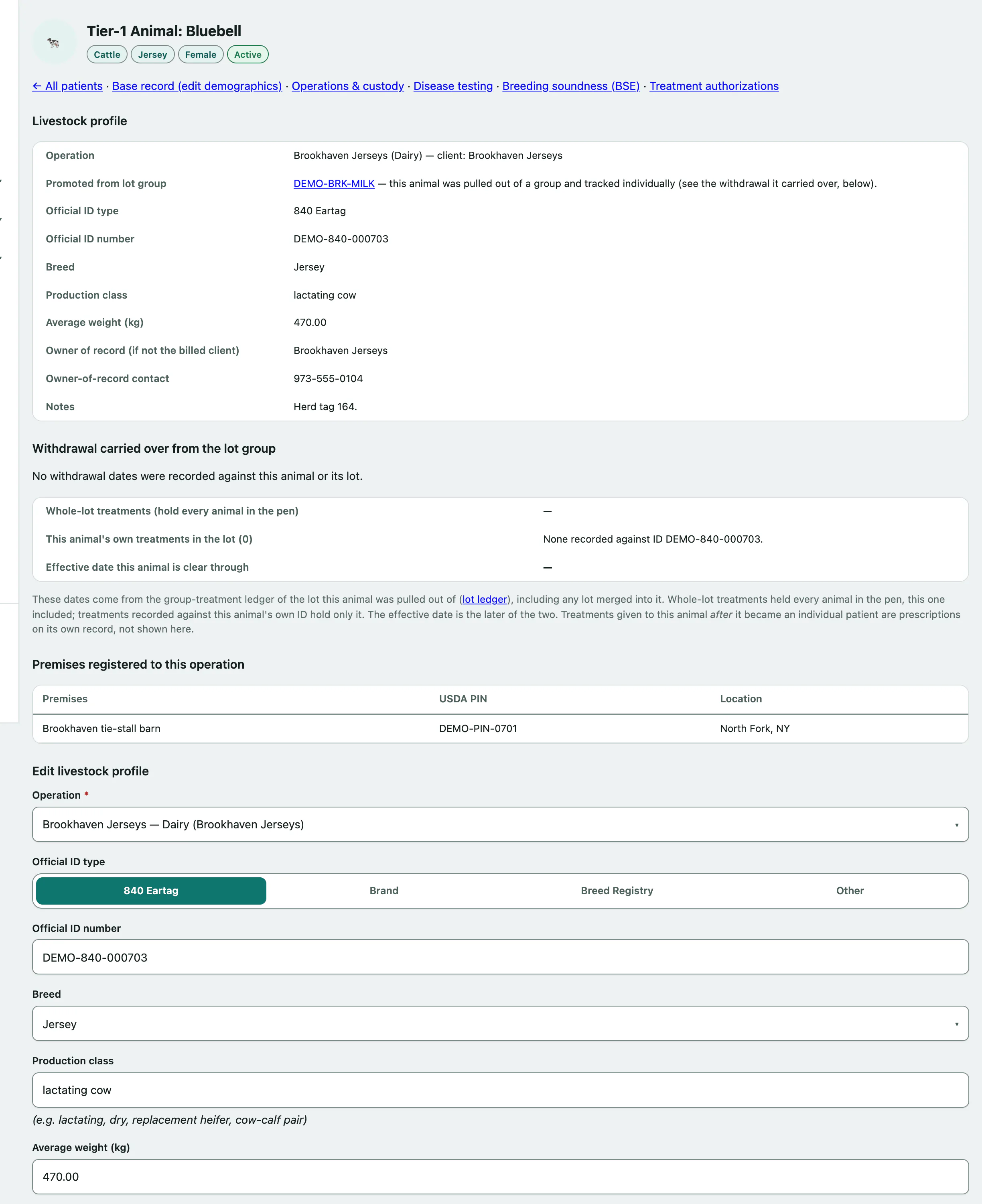
The links at the top go to the animal's base patient record (to edit its name and demographics), its Disease testing (see Record disease tests and movement certificates), Breeding soundness (BSE) (see Record a breeding soundness exam) and Treatment authorizations.
Create or edit the livestock profile
- Under Create livestock profile (or Edit livestock profile), choose the Operation the animal belongs to.
- Choose the Official ID type: 840 Eartag, Brand, Breed Registry or Other.
- Enter the Official ID number.
- Add the breed, production class and Average weight (kg). The average weight is used by the Read the antibiotic use report.
- Select Create profile, or Save changes on an existing profile.
If someone other than the billed client owns the animal, fill in the owner of record and their contact before saving.
Animals pulled from a lot
If the animal was pulled out of a lot (see Manage animal lots › Pull one animal out of a lot), the profile shows Promoted from lot group and a Withdrawal carried over from the lot group section:
- Whole-lot treatments held every animal in the pen, this one included.
- The animal's own treatments in the lot are matched by its official ID number.
- Effective date this animal is clear through is the later of the two.
A warning shows if it's still under withdrawal. If the profile has no official ID number, Vivetra can't match the animal's own lot treatments and says so. Record the tag it was pulled under to fix that.
Record a death
- Under Death / euthanasia, choose the Death reason: Died unassisted, Euthanasia or Other.
- Enter the Date of death.
- Select Record death.
For a euthanasia, fill in the carcass disposition before saving: the disposal method, whether the carcass was marked and the date it was disposed of.
To reverse a death recorded in error, use the base patient record.