
Client portal · Hospital
Choose how the hospital keeps you updated
In Vivetra: Notifications
On this page
While your pet is in the hospital, the team posts updates to the portal. Notifications lists every update they've posted and lets you choose which ones are also sent to you by email or text.
See every update
Select Notifications in the menu. What we've told you lists every update about your pets, newest first, with when it was posted and what happened. Updates are posted when your pet is admitted, when a procedure is booked, starts or finishes, and when they're ready to come home.
Choose what's sent to you
- Select Notifications in the menu.
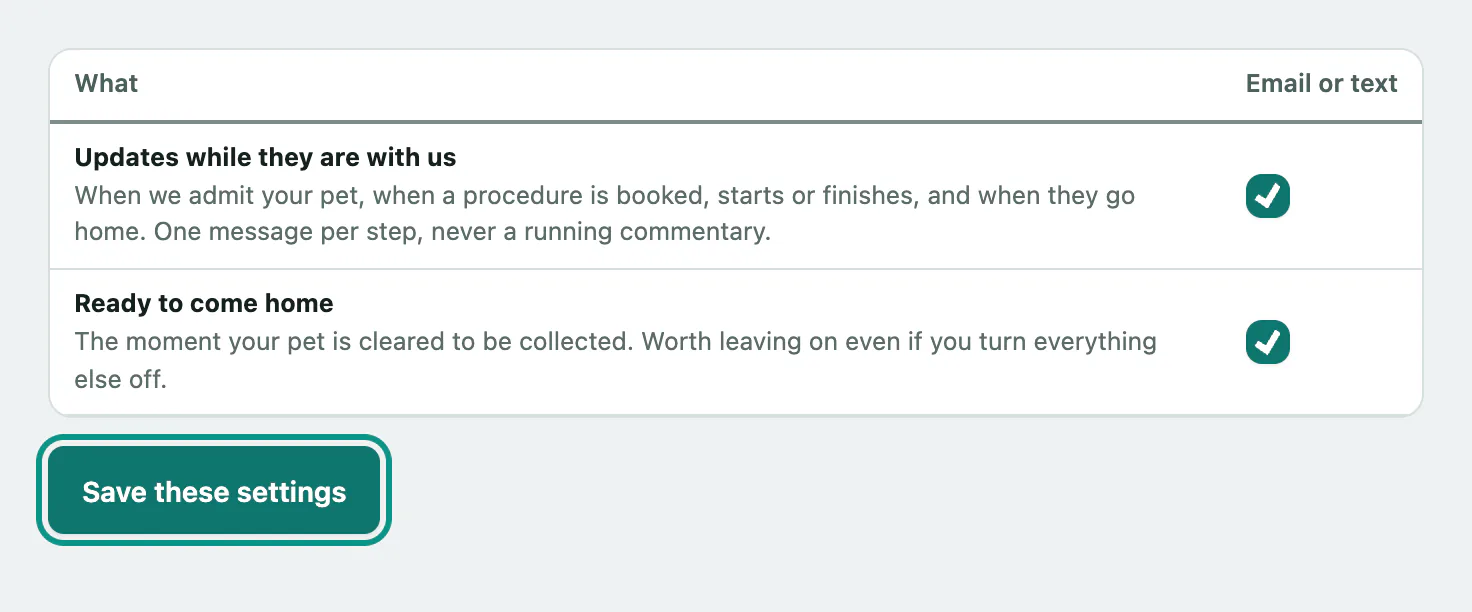
- Under What reaches you, tick or untick each message type:
- Updates while they are with us: one message per step of the stay.
- Ready to come home: sent the moment your pet can be collected. It's worth leaving this on.
- Select Save these settings. You'll see Saved.
Messages go by email or text, whichever the hospital has on file for you, never both. This page can only turn messages off and on. To switch between email and text, ask the hospital to change it on your record.
If the hospital isn't sending messages at the moment, the page says so. Updates still appear in the portal, and your choices are kept for when they start again.