
Equine
Work with a horse's record
On this page
Every horse, pony, donkey or mule has an equine record on top of its ordinary patient record. It holds the horse-specific facts: registrations, markings, its current stable, who owns it and who leases it. It's also where you jump to the horse's breeding, Coggins, health certificate and other equine screens.
Open a horse's record
There are two ways in:
- On the patient's record, select Equine profile in the row of links under the patient's details.
- On an owner's record, select View horse next to the horse (see Find or add a horse owner).
The page is titled Horse: followed by the horse's name, with its species, primary registration and whether it's Active or Deceased.
Under the title is a row of links to the horse's other screens: Authorized agents, Breeding, Heat cycles, Pedigree, Pre-purchase exams, Quarantine, Coggins tests, Health certificates, Movement documents, Insurance claims and more. The guides for each screen start from here.
You need the ownership-management permission to change anything on this page. Front desk, vets and practice managers have it by default. Everyone else can read it.
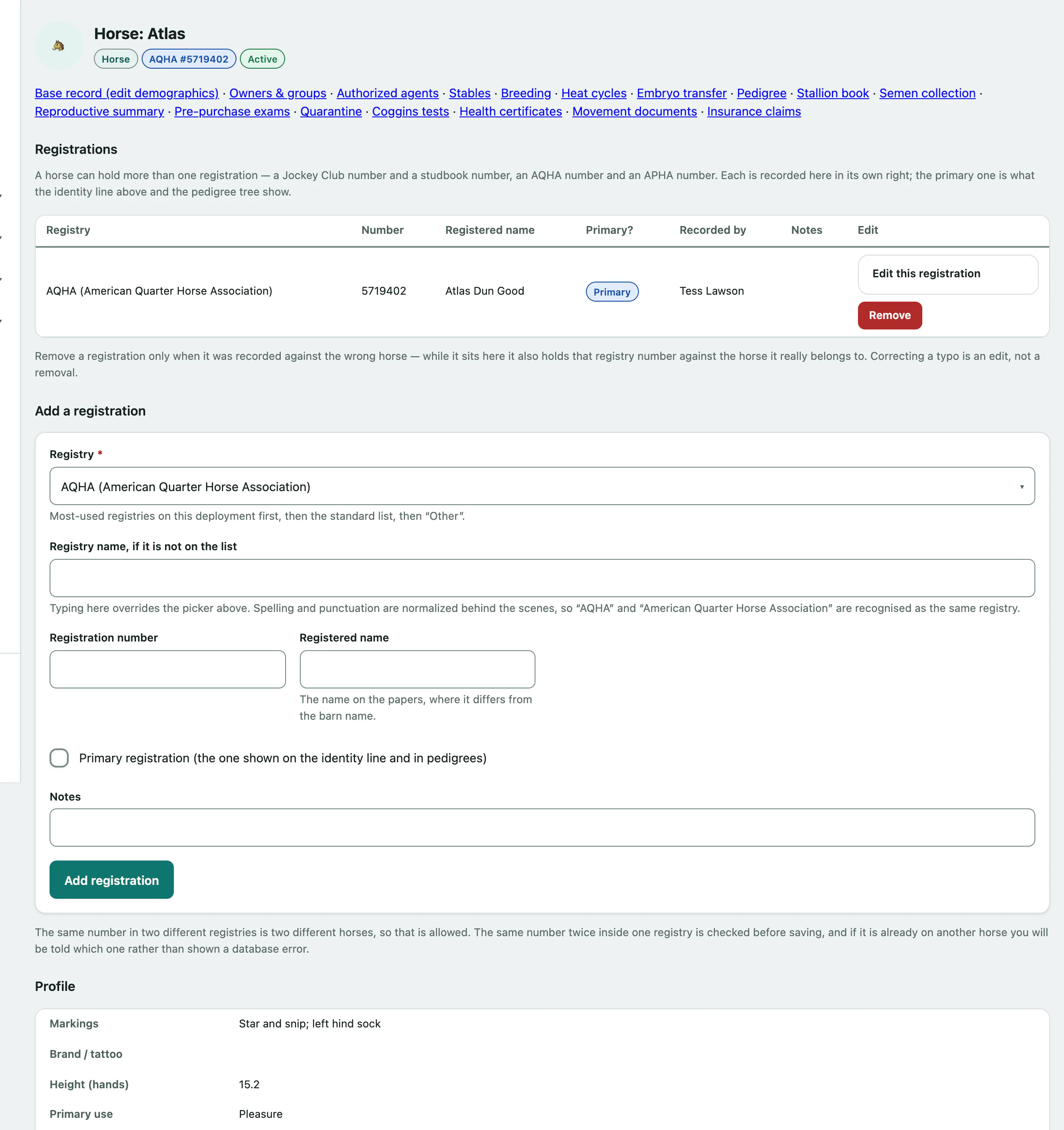
Registrations
A horse can hold more than one registration, such as a Jockey Club number and a studbook number. The one marked Primary is shown under the horse's name and in pedigrees.
Under Add a registration, choose the Registry. The registries your practice uses most are listed first; if it isn't listed, type it in Registry name, if it is not on the list. Enter the Registration number and, if it differs from the barn name, the Registered name. Tick Primary registration (the one shown on the identity line and in pedigrees) if this is the main one. Then:
- Select Add registration.
If the same number in the same registry is already on another horse, Vivetra tells you which horse instead of saving it. The same number in two different registries is fine.
To fix a typo, open Edit this registration on its row, correct it and select Save registration. Only use Remove when a registration was recorded against the wrong horse.
Profile
The profile holds the horse's Markings, Brand / tattoo, Height (hands), Primary use, Current stable and any consent notes. Sire and dam are shown here but recorded on the pedigree screen (see Record a horse's pedigree).
Under Edit the equine profile, change the fields you need.
- To move the horse to another barn, choose it in Current stable. Only active stables are listed (see Manage stables).
- Select Save profile.
On an artificial lighting program (16-hour day) records that a mare is under lights to bring her breeding season forward. While it's ticked, the heat-cycle screen stops showing its seasonal advisory for her. You can also record the date the program started.
Ownership shares
Ownership shares lists everyone who owns part of the horse, with the percentage, any ownership group the share is through, the dates it runs and whether it's Current. Above the table, Vivetra shows what the current shares add up to and warns if they come to more than 100%. It doesn't stop you saving them.
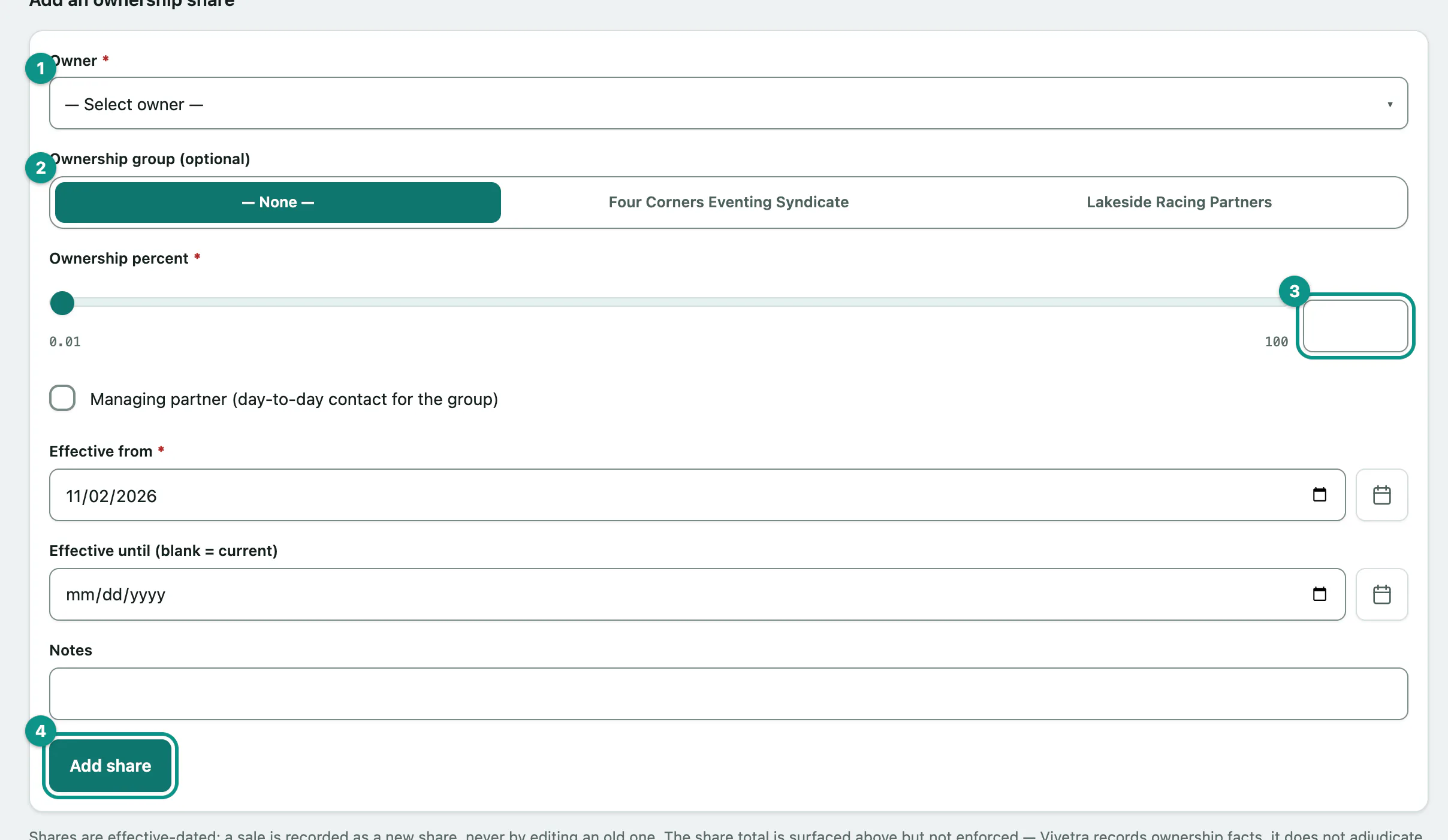
- Under Add an ownership share, choose the Owner. If the owner isn't on file yet, add them first (see Find or add a horse owner).
- If the share is held through a syndicate, choose it in Ownership group (optional) (see Set up an ownership group).
- Enter the Ownership percent, from 0.01 to 100.
- Enter the Effective from date. Leave Effective until (blank = current) empty for a share that's still running.
- Select Add share.
Tick Managing partner (day-to-day contact for the group) for the person you deal with day to day.
When a horse is sold or an owner is bought out
Don't edit the old share. End it and record the new owner as a new share, so the history stays on file.
- In the End this share column, pick the date the share ended and select End share.
The row stays on the record with its end date.
Leases
A lease records someone who has the use of the horse without owning it. The lessee must be on file as an owner.
- Under Record a lease, choose the Lessee (an owner record).
- Choose the Lease type: Full, Half or Other.
- Select Record lease.
Before saving, tick Lessee is responsible for vet bills during the lease if they pay the bills, and enter the Effective from date and, if it's known, the Effective until (blank = current) date.
To end a lease early, pick the date in End this lease and select End lease.