
Boarding
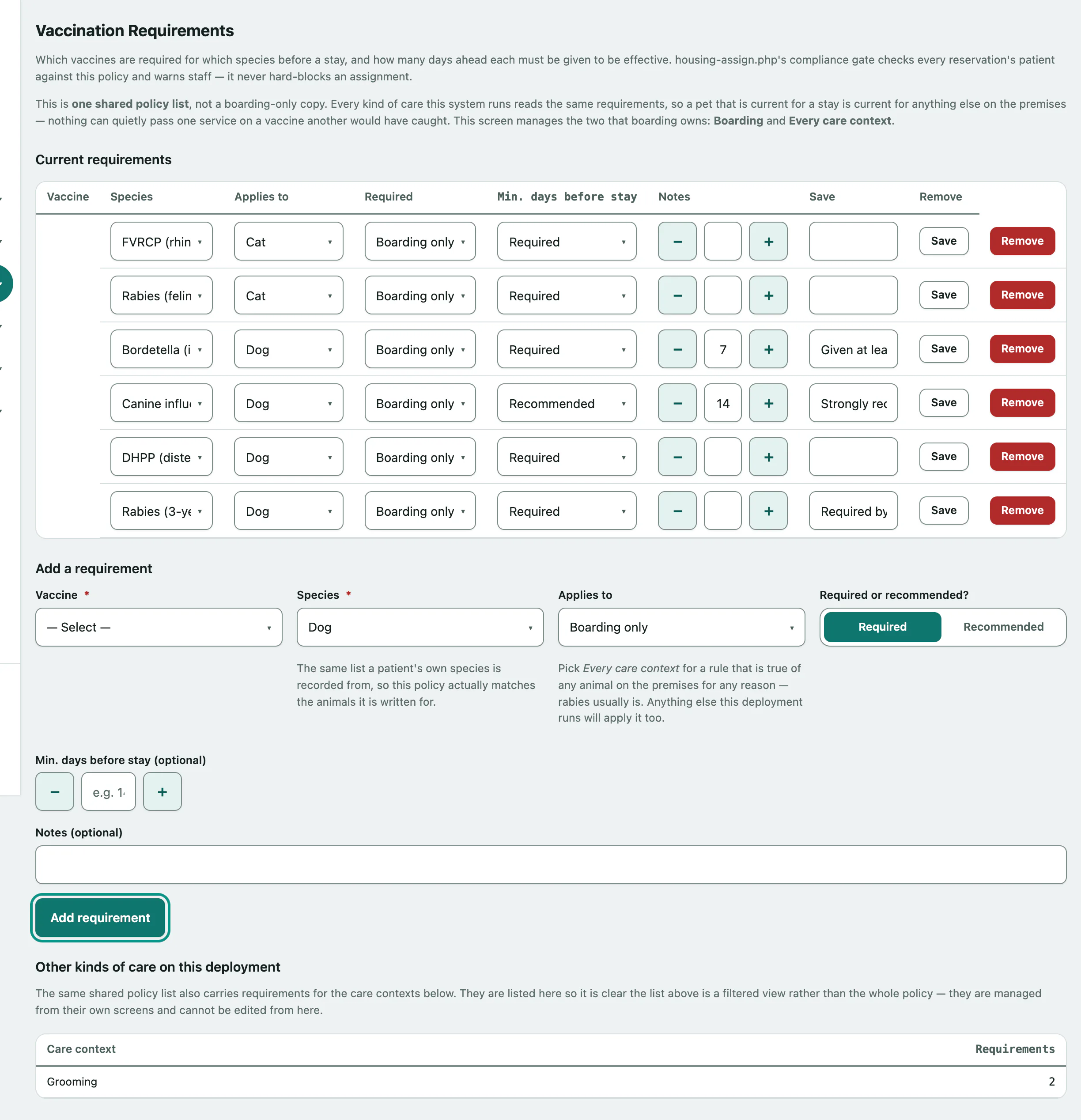
Set vaccine requirements for boarding
In Vivetra: Boarding › Vaccine Requirements
Vaccine Requirements sets which vaccines each species needs before a stay, and how many days before the stay each one must have been given. When staff assign a guest to a room or kennel, the pet is checked against this list and staff are warned about anything missing. It never blocks the assignment.
Only staff who can manage boarding settings see Vaccine Requirements, usually the practice manager.
One policy, shared with grooming
This list is shared with every kind of care your practice runs. This screen manages the two kinds of rule boarding owns:
| Applies to | Meaning |
|---|---|
| Boarding only | Checked for boarding stays only. |
| Every care context | Checked for any animal on the premises, including grooming. |
Grooming-only rules are set on Set the grooming vaccine policy. Rules for other kinds of care are counted under Other kinds of care on this deployment at the bottom of the screen, but you can't edit them here.
Add a requirement
- In the menu, open Boarding and select Vaccine Requirements.
- Under Add a requirement, choose the Vaccine.
- Choose the Species. If it isn't listed, choose Other… and type the species name.
- Choose what it Applies to.
- Choose Required or recommended?. Min. days before stay (optional) and Notes (optional) are optional.
- Select Add requirement.
Min. days before stay (optional) is how long before the stay the vaccine must have been given to count. A shot given the day before is on file but not yet effective.
Change or remove a requirement
Edit any row under Current requirements and select Save on that row. Select Remove to delete it; you'll be asked to confirm.
If there are no requirements, the check has nothing to look at and no pet is flagged.