
Client portal · Boarding
Your pets' profiles and contacts
In Vivetra: Your pets
On this page
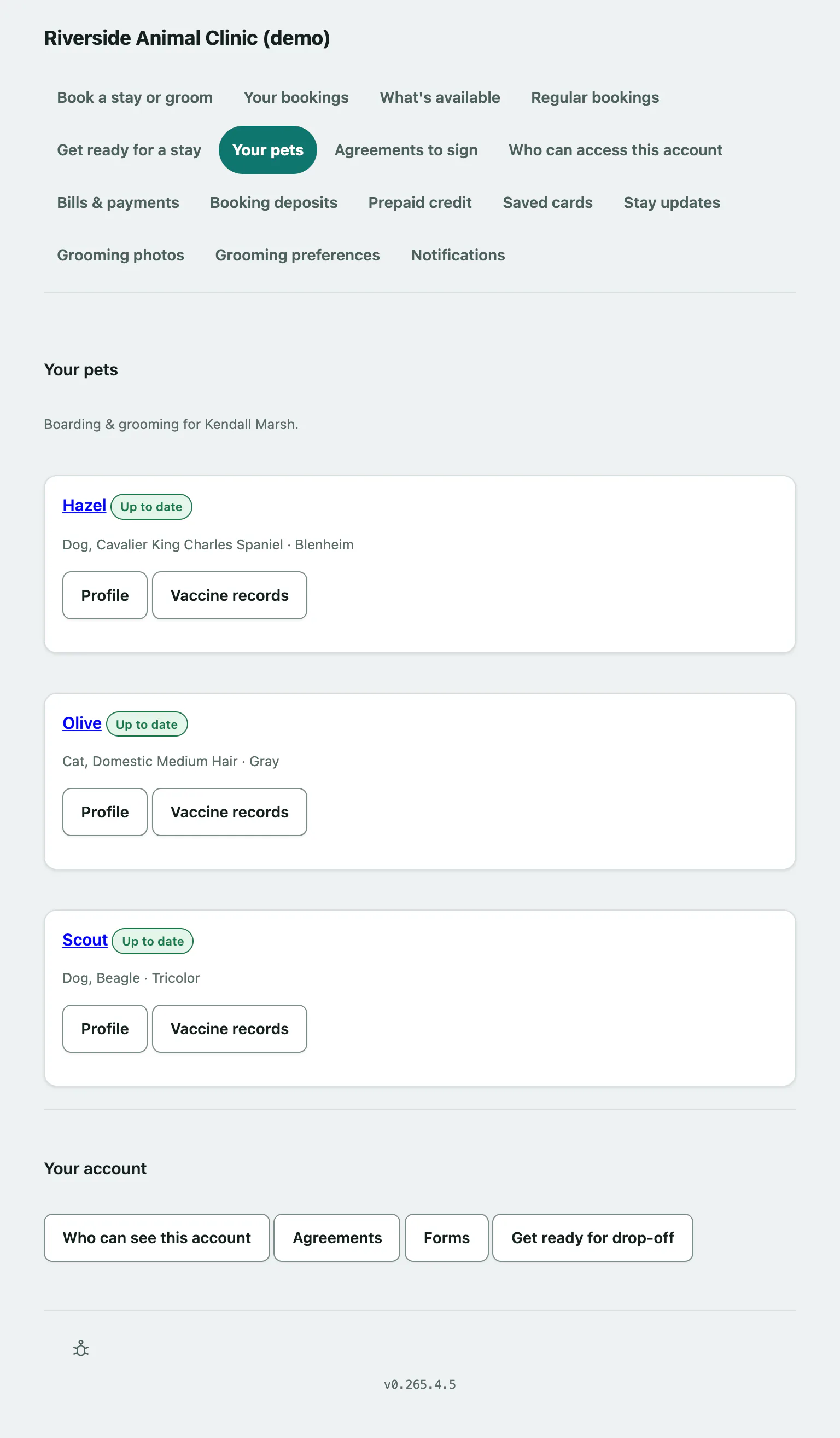
Your pets is the home page of the boarding and grooming portal. It lists each of your pets with their vaccination status and anything waiting for you. Each pet's profile shows what the facility has on file and lets you set who to call and who may collect them.
Your pets
Select Your pets in the portal menu. Each pet shows a vaccination label:
| Label | What it means |
|---|---|
| Up to date | Nothing needed. |
| Due soon | A vaccination runs out soon. The details are listed under the pet. |
| Needs attention | A vaccination is missing or has run out. |
| No requirements on file | The facility hasn't set any vaccination requirements. |
If you've sent a record that's still being checked, the pet says so. You don't need to send it again.
If you see There's paperwork waiting for you., select Take a look to sign the outstanding agreements.
Under Your account at the bottom are links to Who can see this account, Agreements, Forms and Get ready for drop-off (see Get ready for a stay).
Pets who have died are listed under No longer with us. Their records stay, but can't be changed.
Open a pet's profile
- Select Profile on the pet.
The profile shows the pet's species, breed, colour, coat, sex and date of birth, then What we've been told to watch for (allergies and ongoing conditions), their weight history, vaccinations, and the feeding and care from their most recent stay.
Set who to call and who may collect
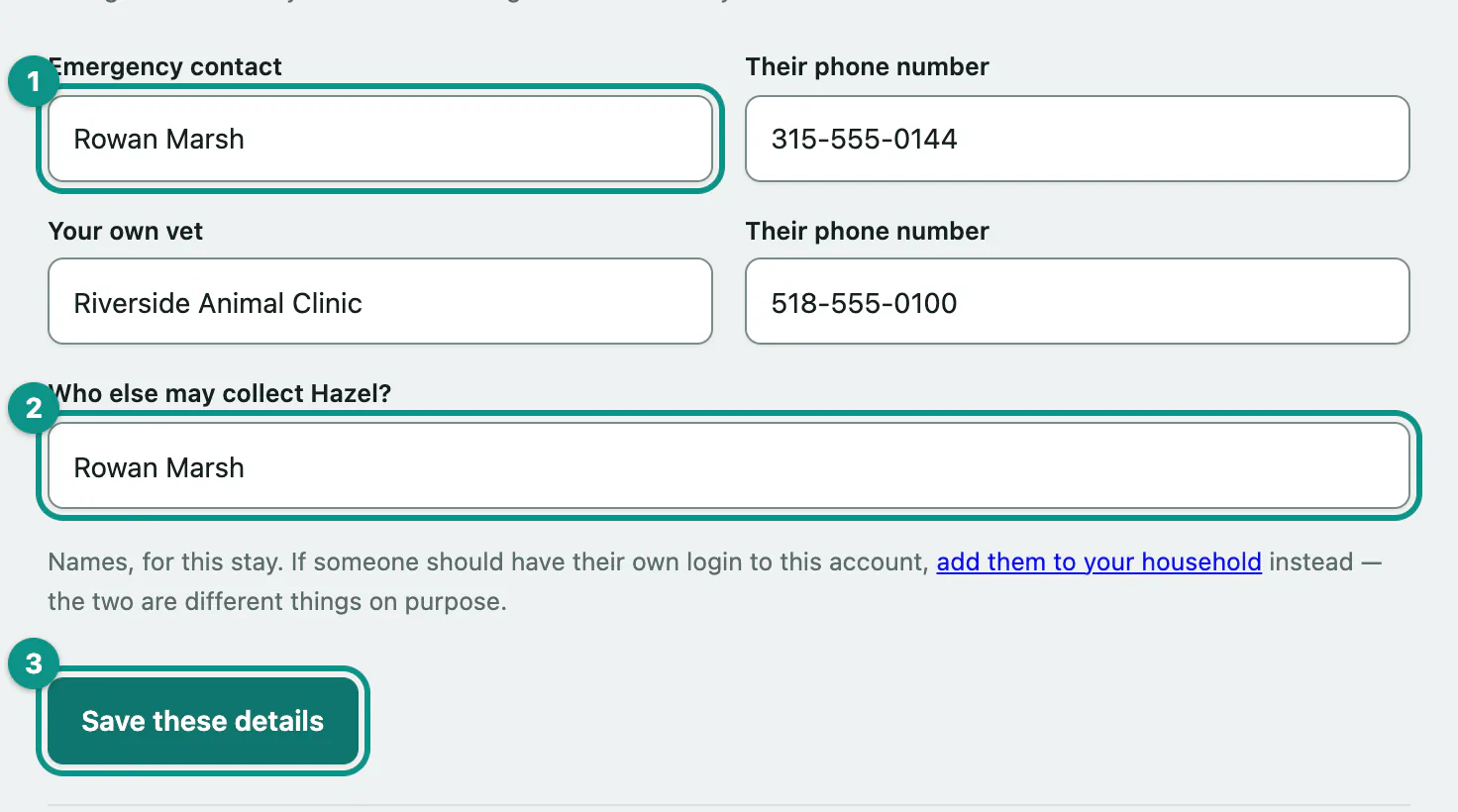
These details are kept against each stay, so the form only appears once your pet has a stay booked. Saving them puts them on every upcoming stay for that pet. A stay that's already started isn't changed.
- Under Who to call, and who may collect, enter an Emergency contact and Their phone number.
- Enter Your own vet and their phone number.
- In Who else may collect, list the names of anyone else allowed to pick your pet up.
- Select Save these details.
Grooming preferences on the profile
The bottom of the profile has a Grooming preferences form: the cut in your own words, coat, face, ears, tail, feet, shampoo, nails and handling notes. Fill in what you know and select Save these preferences. You can also set these, with a reference photo, from Save your grooming preferences.
To send a vaccination record, select Send us a vaccine record on the profile or Vaccine records on Your pets (see Send a vaccination record).