
Getting started
Signing in
On this page
Each practice has its own Vivetra address. Your practice manager will give it to you. Bookmark it, because it's the same every day.
Sign in
Go to your practice's Vivetra address. The Sign in screen opens.
- Enter your work email in Email.
- Enter your password in Password.
- Select Sign in.
If your practice uses more than one module, you'll then choose a workspace (see Welcome to Vivetra › Workspaces). Otherwise you land on the dashboard.
Your first sign-in
Your practice owner sets up your account and gives you a temporary password, usually by email. The first time you sign in with it, Vivetra asks you to Set your password before you can do anything else.
- Enter the password you were given in Temporary password.
- Choose your own in New password, and type it again in Confirm new password.
- Select Set my password.
Passwords need at least 12 characters. Length is what matters; there are no symbol or number rules.
Two-factor verification
If you've set up two-factor authentication, Vivetra asks for a code after your password.
Open your authenticator app and find the 6-digit code for Vivetra, then:
- Enter the code in Authenticator code.
- Select Verify.
Lost your phone? Enter one of your saved recovery codes in Recovery code and select Use recovery code instead. Each recovery code works once.
Forgot your password?
- On the sign-in screen, select Forgot your password?.
- Enter your work email in Email address.
- Select Email me a reset link, then open the link in the email.
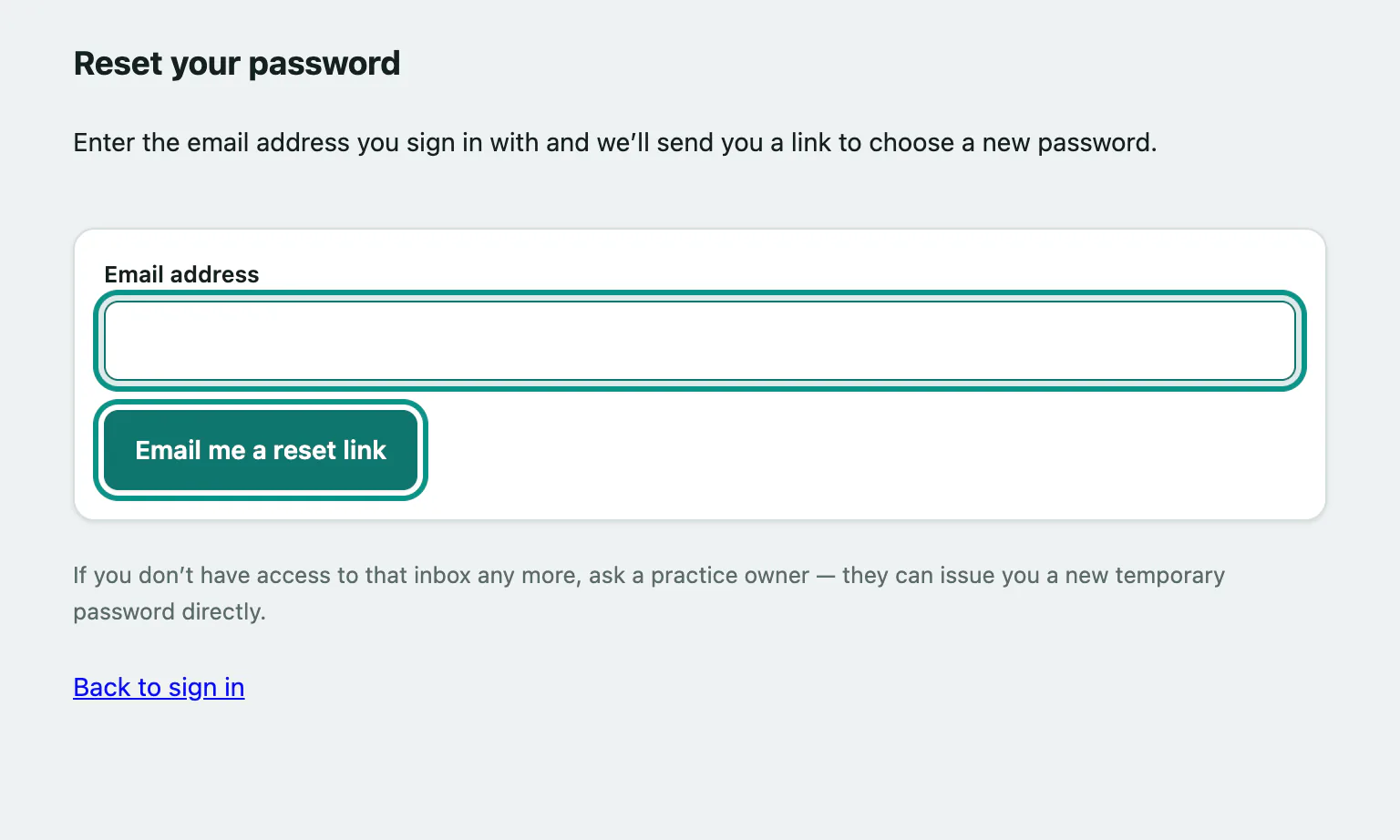
The link opens Choose a new password:
- Enter a New password and type it again in Confirm new password.
- Select Set my password, then sign in with it.
If the link has expired or was already used, select Send me a new link.
Vivetra always says If that address has an active Vivetra account here, a reset link is on its way to it., whether or not the address has an account. That's deliberate, so nobody can use the form to find out who works at your practice.
If sign-in doesn't work
| Message | What it means |
|---|---|
| Incorrect email or password. | Check for typos and that Caps Lock is off, or reset your password. |
| This account is temporarily locked due to repeated failed attempts. | Too many wrong passwords. Wait until the time shown, then try again. |
| This account is deactivated. Contact your practice administrator. | Your account has been switched off. Ask your practice manager. |
| Too many sign-in attempts from this network. Wait a few minutes and try again. | Lots of failed sign-ins came from your network. Wait a few minutes. |
| Sign-in is paused. | Vivetra is being updated. Try again after the time shown. |