
Client portal · Hospital
Follow your pet's hospital stay
In Vivetra: Your pets · How they're doing
While your pet is in the hospital, the portal shows you where things stand and every update the team has written for you. Your portal home page, Your pets, lists each of your animals with links to their records.
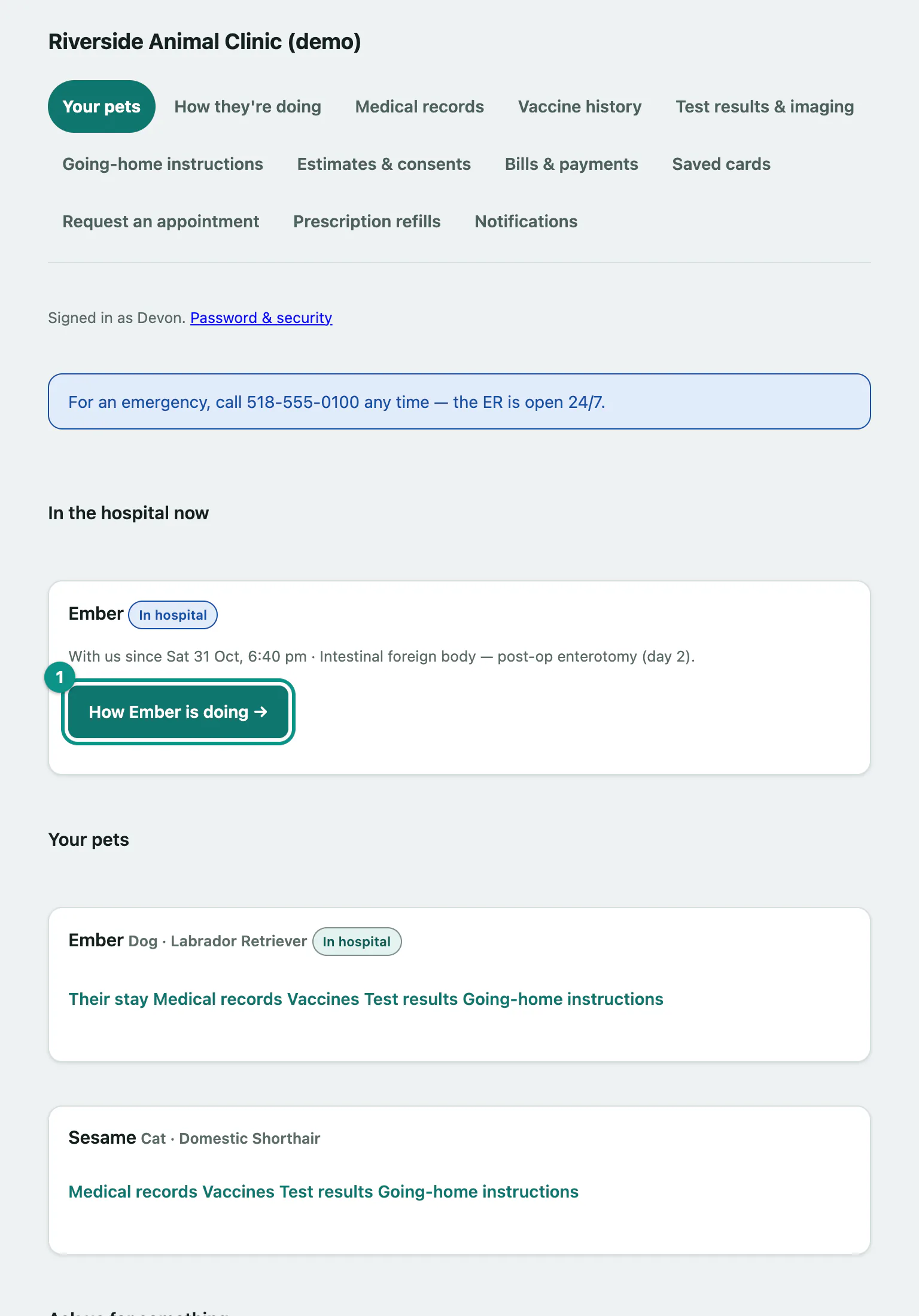
Your pets
Your pets is the first page you see after you sign in. It has up to three parts:
- In the hospital now: any pet who's with us right now, when they came in and why.
- Your pets: every animal on your account. A pet who's gone home shows the day they went home. Links under each pet take you to Their stay, Medical records, Vaccines, Test results and Going-home instructions.
- Ask us for something: buttons to Request an appointment or Request a refill (see Request a hospital appointment and Request a prescription refill from the hospital).
The hospital chooses which of these it offers online, so you may not see every link.
See how your pet is doing
- Select Your pets in the menu.
- Under In the hospital now, select How [your pet] is doing (the button shows your pet's name). You can also select How they're doing in the menu to see all your pets at once.
- If more than one of your pets has been with us recently, use the All pets strip at the top to show one pet at a time.
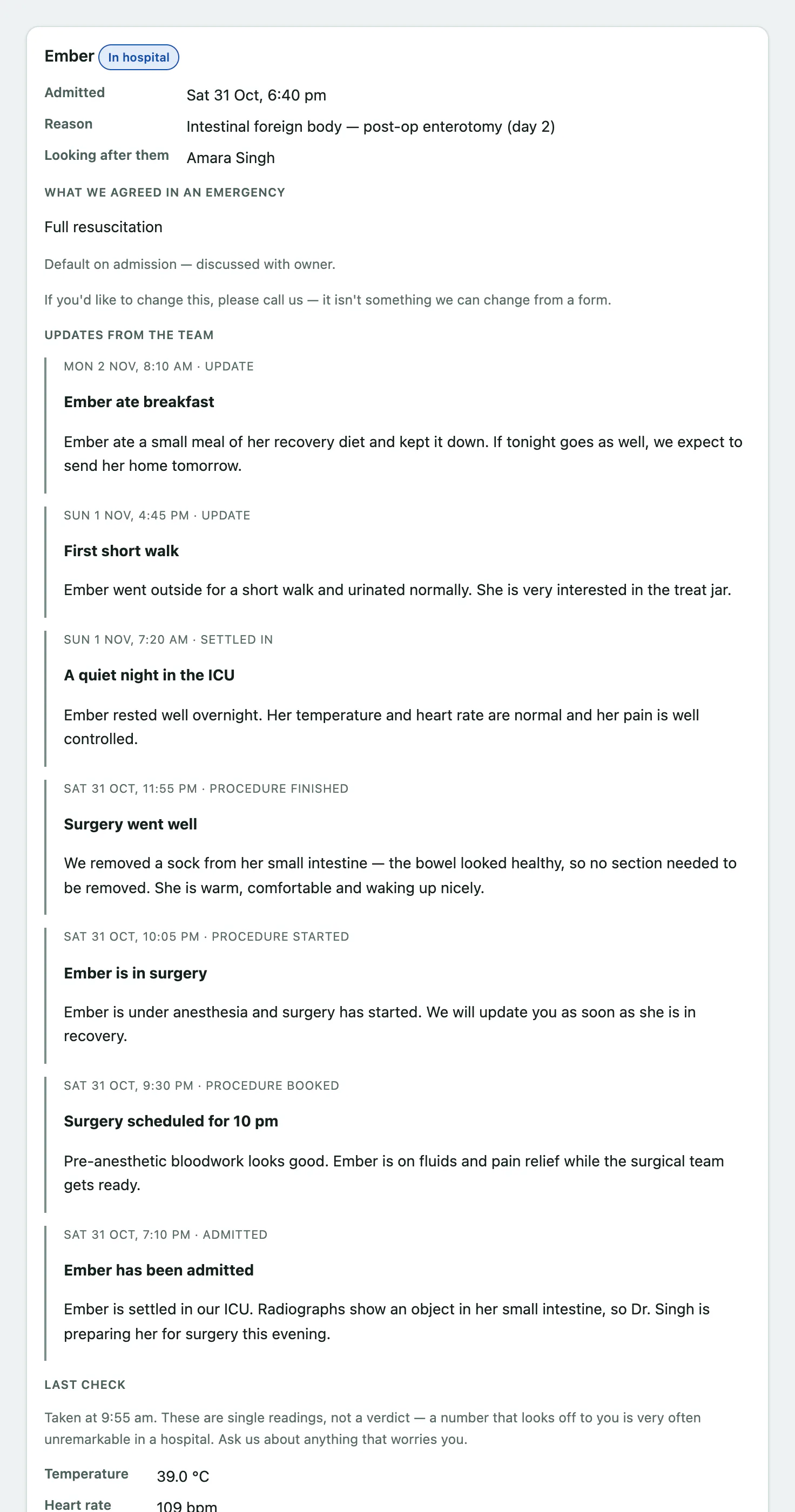
Each pet's card can show:
| Section | What it shows |
|---|---|
| Admitted, Reason, Looking after them | When they came in, why, and the vet in charge of their care. |
| What we agreed in an emergency | The resuscitation decision you made with the team. To change it, call the hospital; it can't be changed online. |
| Updates from the team | Every update written for you, newest first, labelled with what happened, such as Admitted, Procedure finished or Ready to come home. |
| Last check | The latest temperature, heart rate, breathing, weight and comfort score. |
| Care given today | Care that's been completed and signed off today. It isn't the whole treatment plan. |
The last two only appear while your pet is still in the hospital. Once they've gone home, select Going-home notes & records on their card instead.
Getting in touch
We can't take messages here. Nobody watches this page, so if something is wrong or urgent, call the hospital. For anything that can wait, select Request an appointment or recheck.
To be emailed or texted when there's an update, see Choose how the hospital keeps you updated.