
Client portal
View your pet's health record and vaccine certificate
Your full record is one printable page with the health record your practice holds for every pet on your account. It's handy when you move, see a specialist, or just want a copy.
Open and print your full record
- Select Visits in the portal menu.
- Under Need everything in one document?, select Open your full record.
- Select Print / Save as PDF. Your browser's print window opens, where you can print it or save it as a PDF.
You can also open it from a pet's health profile with Print the full record (see See your pets › Open a pet's health profile).
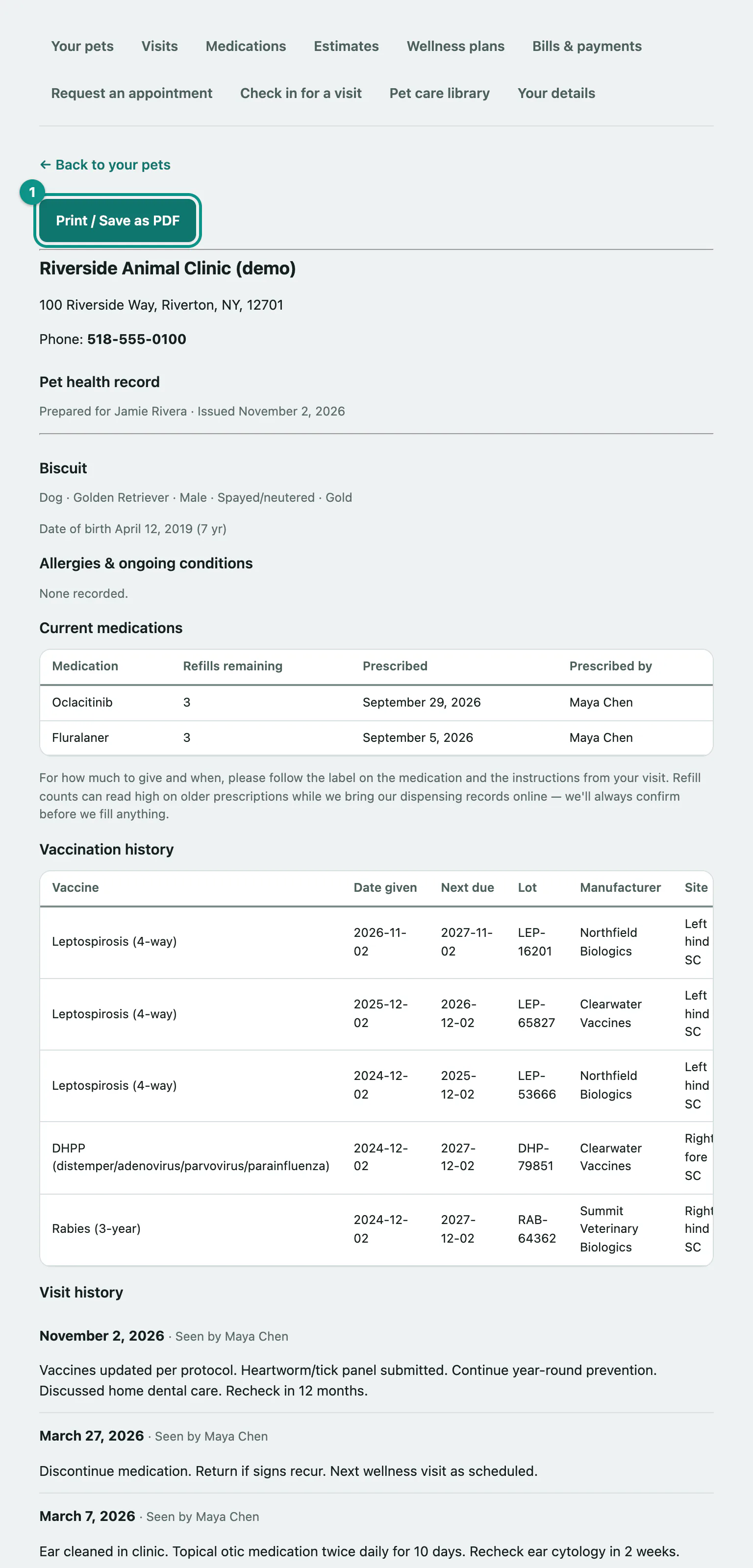
What's in the record
The Pet health record starts with your practice's name, address and phone number, who it was prepared for and the date it was issued. Then, for each pet:
- Species, breed, sex, whether they're spayed or neutered, colour and date of birth.
- Allergies & ongoing conditions.
- Current medications, with refills remaining, when each was prescribed and by whom.
- Vaccination history: each vaccine with the date given, next due date, lot, manufacturer, injection site and who gave it.
- Visit history, with your vet's take-home notes where there are any.
- Lab & diagnostic results, if your practice shares them through the portal.
Pets who have died are included and marked No longer with us. Their visit history stays complete, but there's no current medication list for them.
The record covers your most recent visits. If there's more history on file than fits, a note at the bottom says so and gives you the practice's number to ask for the rest.
Vaccination record
The Vaccination record page lists every living pet's vaccines, with the date given, next due date, a status (Current, Due soon or Overdue) and who administered each one. Select Print / Save as PDF to print it.