
Records & admin · Admin
Use emergency access
In Vivetra: Admin › Emergency Access Override
Emergency Access Override gives you full access for a short time when an animal's care can't wait and the person with the right permission can't be reached. For example, you need the controlled drug register and nobody who holds it is in.
It's not private and it's rationed. The moment you use it:
- a permanent entry goes in the permission audit log,
- every practice owner is emailed your name, your reason and when it ends,
- and you can't use it again for 12 hours.
Everything you do while it's on is recorded in the audit logs. It never covers payment settings, which stay owner-only.
Turn on emergency access
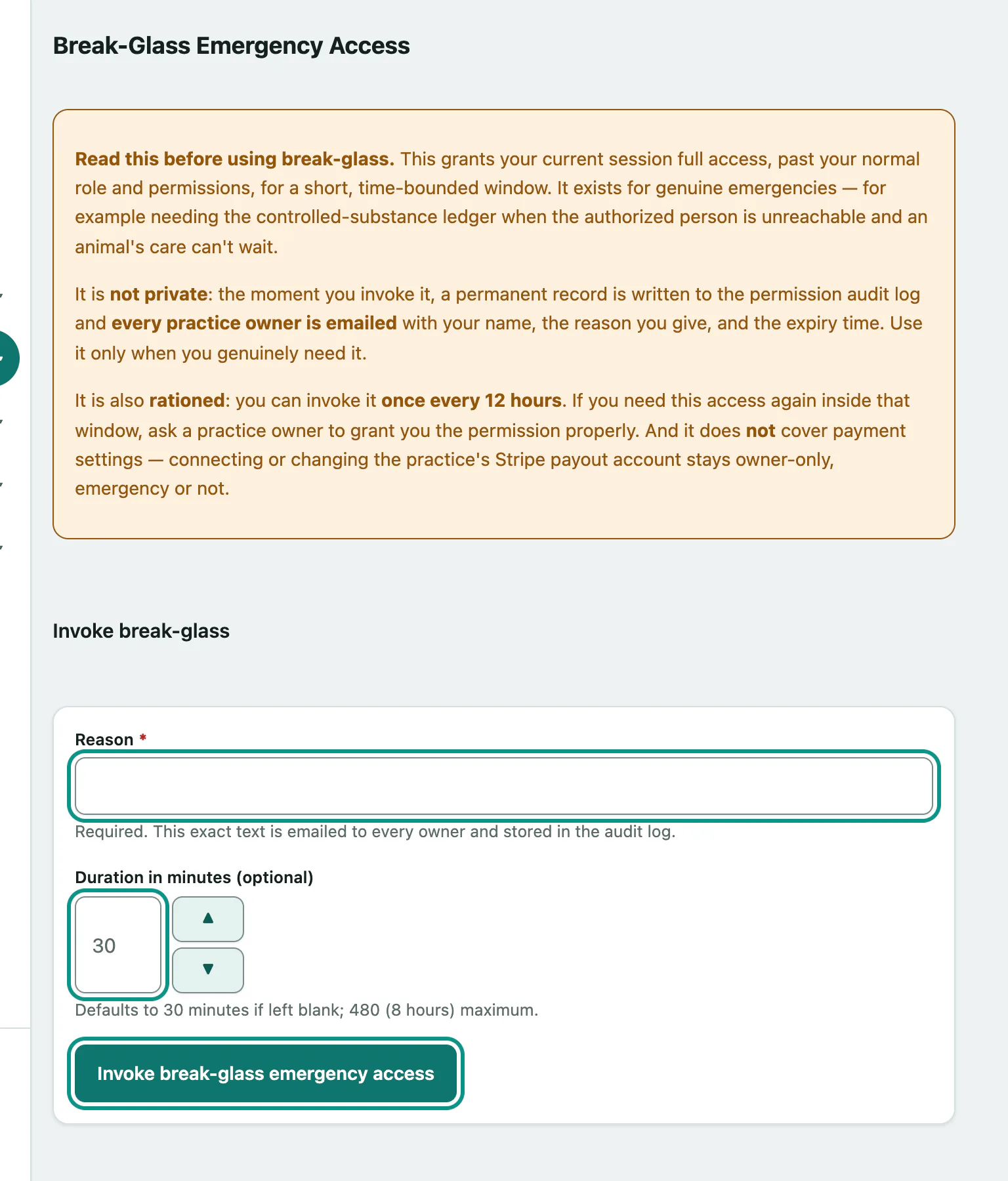
- Select Admin › Emergency Access Override in the menu.
- In Reason, say exactly why you need it. That text is what the owners receive.
- Set Duration in minutes (optional). Leave it blank for 30 minutes; the most is 480 (8 hours).
- Select Invoke break-glass emergency access under Invoke break-glass.
While it's on, the page shows Break-glass elevation is currently ACTIVE for your session with the end time and your reason. It switches off by itself at that time.
Practice owners already have full access, so for them it changes nothing. It still emails the other owners and writes an audit entry.