
Boarding · Boarding Scheduling
Set online booking rules
In Vivetra: Boarding Scheduling › Online Booking Rules
Online Booking Rules decides what a client must have on file before they can book a stay or groom themselves, online. It's also where you switch real-time self-booking on or off.
Only staff who can manage boarding settings see this screen, usually the practice manager.
How a rule works
Each rule names one requirement, which bookings it covers, and what happens if the client doesn't meet it:
| Setting | Options |
|---|---|
| Requirement | Vaccination records or Required agreements |
| Applies to | Boarding stays only, Grooming appointments only, or Boarding stays and grooming appointments |
| If the requirement is not met | Warn the client, let the request through or Block the request |
A rule for one kind of booking always wins over a rule for both. So a block on overnight stays and a warning for grooming is two rules.
Add a rule
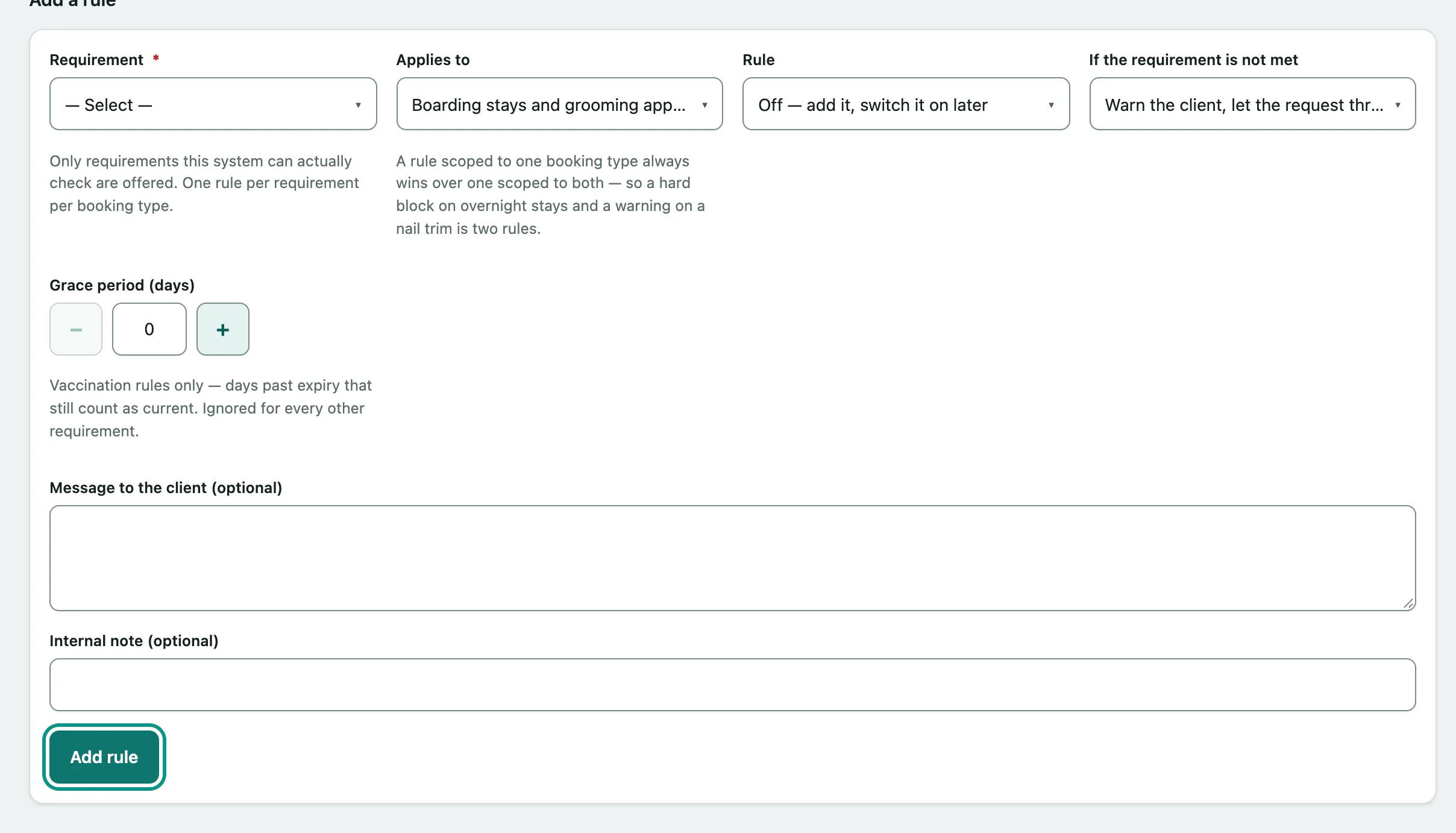
- In the menu, open Boarding Scheduling and select Online Booking Rules.
- Under Add a rule, choose the Requirement.
- Choose what it Applies to.
- Choose whether the Rule starts On or Off — add it, switch it on later.
- Choose what happens If the requirement is not met.
- Select Add rule.
For vaccination rules, Grace period (days) is how many days past a vaccine's expiry still count as current. Message to the client (optional) replaces the built-in wording the client sees when they don't meet the rule. Internal note (optional) is never shown to clients.
Change or remove a rule
Each rule under Current rules shows its status: Off, Warns only or Blocks booking. Change its settings and select Save rule, or select Remove rule and confirm.
The screen warns you when a rule can't do anything yet, for example a vaccination rule when there are no vaccine requirements to check against, or when a broader rule is overridden by a more specific one.
If online booking requests are switched off for your practice, a banner says so. The rules still save and take effect once requests are turned on.
Turn on real-time self-booking
Normally a client's online booking is a request your front desk answers. Real-time self-booking is different: anyone can pick dates or a groom time on a public page, get a live answer, and hold an actual space with no one at the practice in the loop. See Book a stay or groom online for what clients see. Both kinds of self-booking are off until you turn them on.
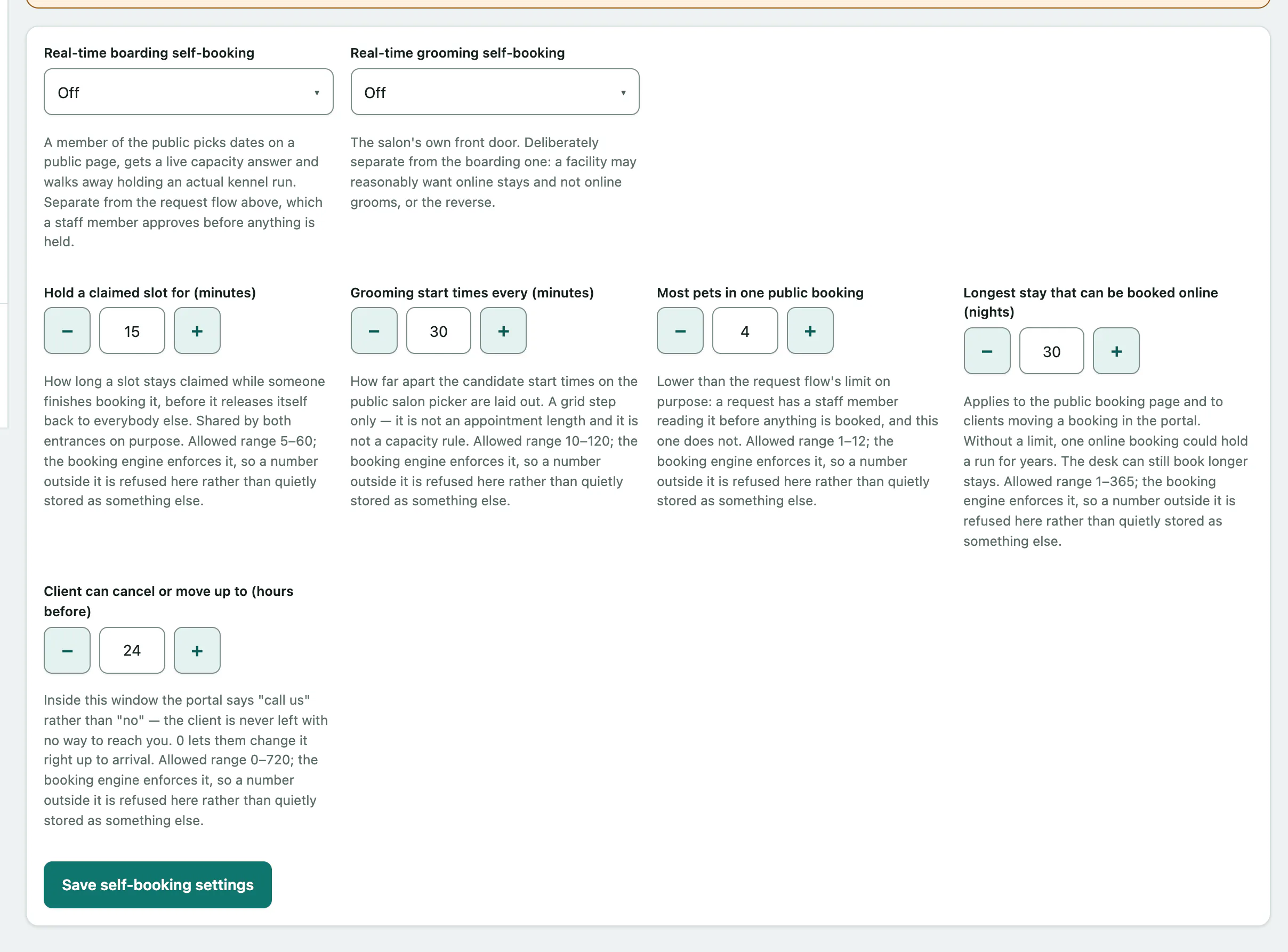
Under Real-time self-booking, set Real-time boarding self-booking and Real-time grooming self-booking to on or Off. You can also adjust the limits, such as Hold a claimed slot for (minutes), Most pets in one public booking and Longest stay that can be booked online (nights). Each number shows its allowed range, and a number outside it isn't saved.
- Select Save self-booking settings.