
Shelter
Place and release holds
In Vivetra: Shelter › Holds
A hold keeps an animal from becoming available while something is pending, such as a stray's legal holding period, a bite quarantine, a medical isolation or a court case. The Holds Worklist shows every hold in the shelter so you can see what is holding which animal, and release it when the reason clears.
Anyone signed in can see the worklist. Placing and releasing holds needs the hold permission, which the front desk, veterinarian and practice manager roles have by default.
The worklist
Open Holds from the Shelter menu. Holds are arranged in three columns, Active, Released and Expired, with a count on each. Each card shows the animal, the hold type, the intake it belongs to, who placed it and when, the Hold until date and the reason. Select the intake number on a card to open that intake.
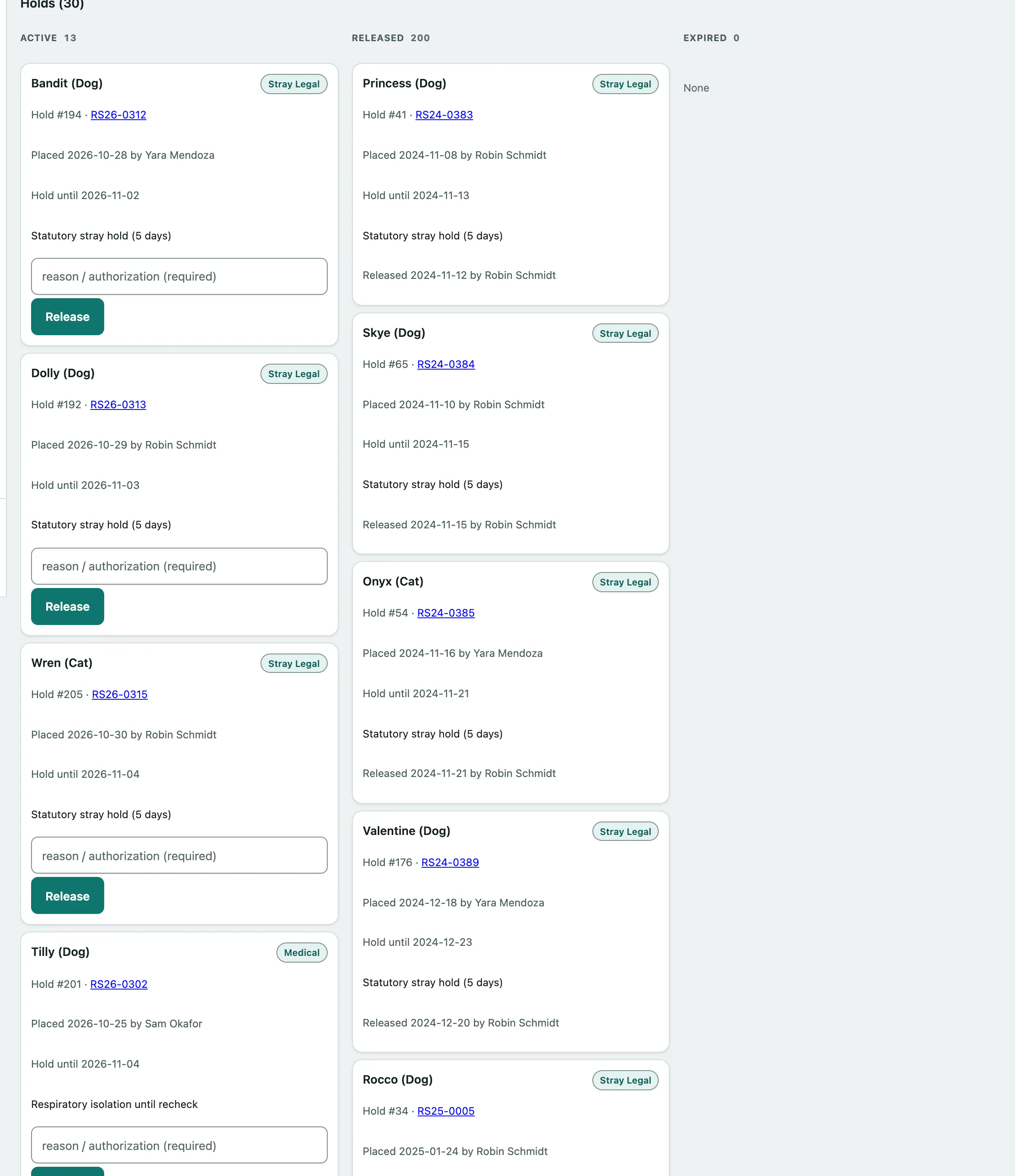
The board shows 30 holds per page, and updates by itself when someone places or releases a hold in another tab.
To see one kind of hold only:
- Choose a type in Hold type above the board. The list updates straight away. Choose — All types — or select Clear filter to see everything again.
Hold types
| Type | Typically used for |
|---|---|
| Stray Legal | A stray's legal holding period before it can be made available |
| Owner Reclaim | Waiting for an owner who is coming to reclaim the animal |
| Bite Quarantine | A rabies observation period after a bite |
| Medical | Medical isolation or treatment |
| Behavioral | Behavior work before the animal can be placed |
| Adoption Pending, Foster Pending, Transfer Pending | An adoption, foster placement or transfer in progress |
| Court Evidence | An animal seized as evidence in a legal case (see Track legal cases) |
| Other | Anything else; say what in the reason |
Place a hold
The Place a hold form is at the bottom of the worklist. You can place a hold on any intake that doesn't have a finalized outcome yet.
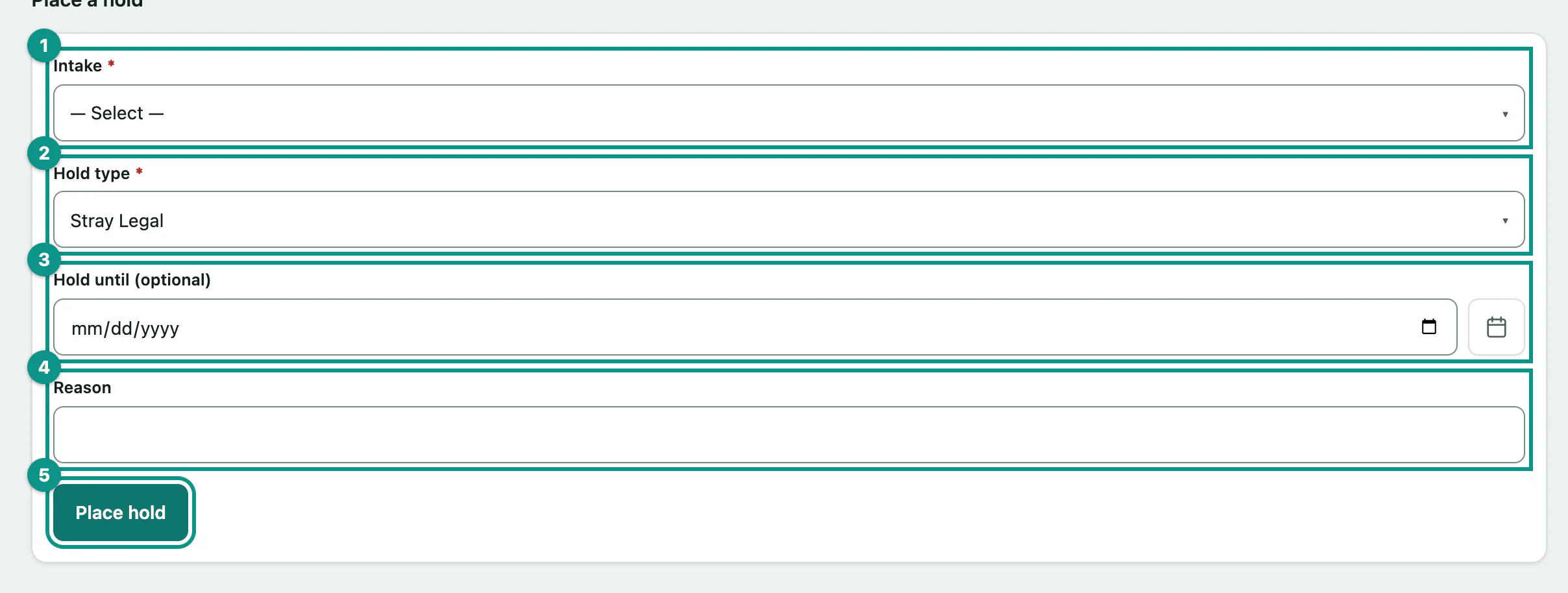
- In Intake, choose the animal's intake.
- Choose the Hold type.
- If the hold has an end date, enter it in Hold until (optional).
- Enter the Reason, for example the bite report or the stray ordinance.
- Select Place hold. The hold appears in the Active column.
The placed date is always today and the hold is recorded as placed by you. You can't back-date a hold.
You can also see an animal's holds on its intake (see Record an intake), which links back here to place or release them.
Release a hold
Each active hold card has a release box.
- On the hold's card, enter who authorized the release and why in the reason / authorization (required) box.
- Select Release. The card moves to the Released column.
Your note is stamped with your name and the date and added to the hold's notes, and you're recorded as the person who released it.
Messages you might see
| Message | What it means |
|---|---|
| Choose which intake this hold applies to. | No intake was chosen, or it no longer exists. |
| Choose a valid hold type. | Pick one of the types in the list. |
| No open intakes to place a hold against. | Every intake has a finalized outcome, so there is nothing to hold. |
| A release requires a reason / authorization note — releasing a hold makes a held animal available. | Fill in the release box before selecting Release. |
| A message that the hold is not active | Someone else released it first. Refresh the page. |