
Client portal · Vet Practice
Look back at past visits
In Vivetra: Visits
On this page
Visits lists every visit the practice has on record for your pets. Where your vet has published a take-home summary, you can read it here.
See your visits
- Select Visits in the portal menu.
- If you have more than one pet, choose All pets or a pet's name to filter the list.
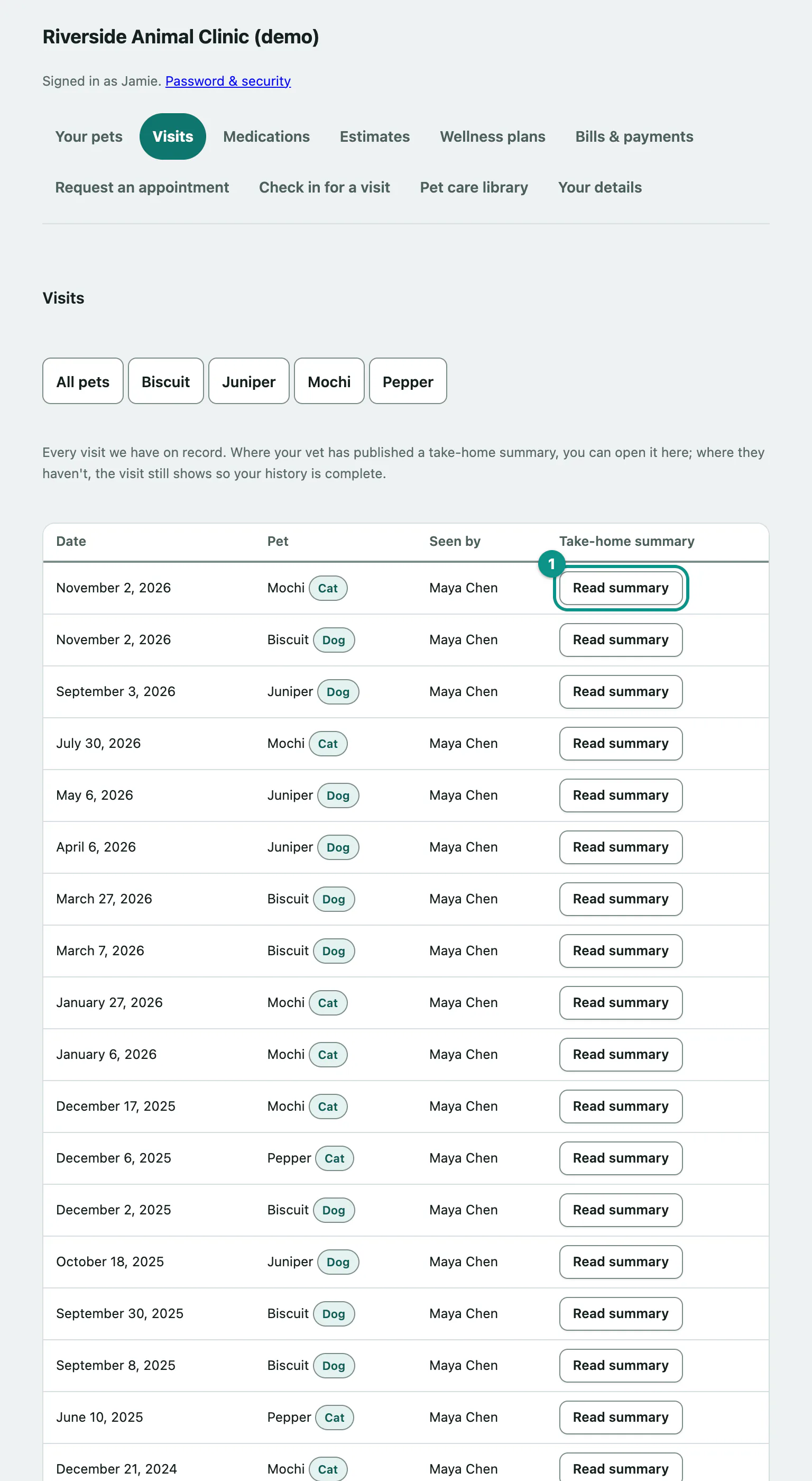
The table shows the Date, the Pet, who it was Seen by, and the Take-home summary. A visit without a summary still appears, marked No summary on file for this visit., so your history is complete.
The list shows your 100 most recent visits. For anything older, call the practice.
Read a visit summary
- In the list, select Read summary next to the visit.
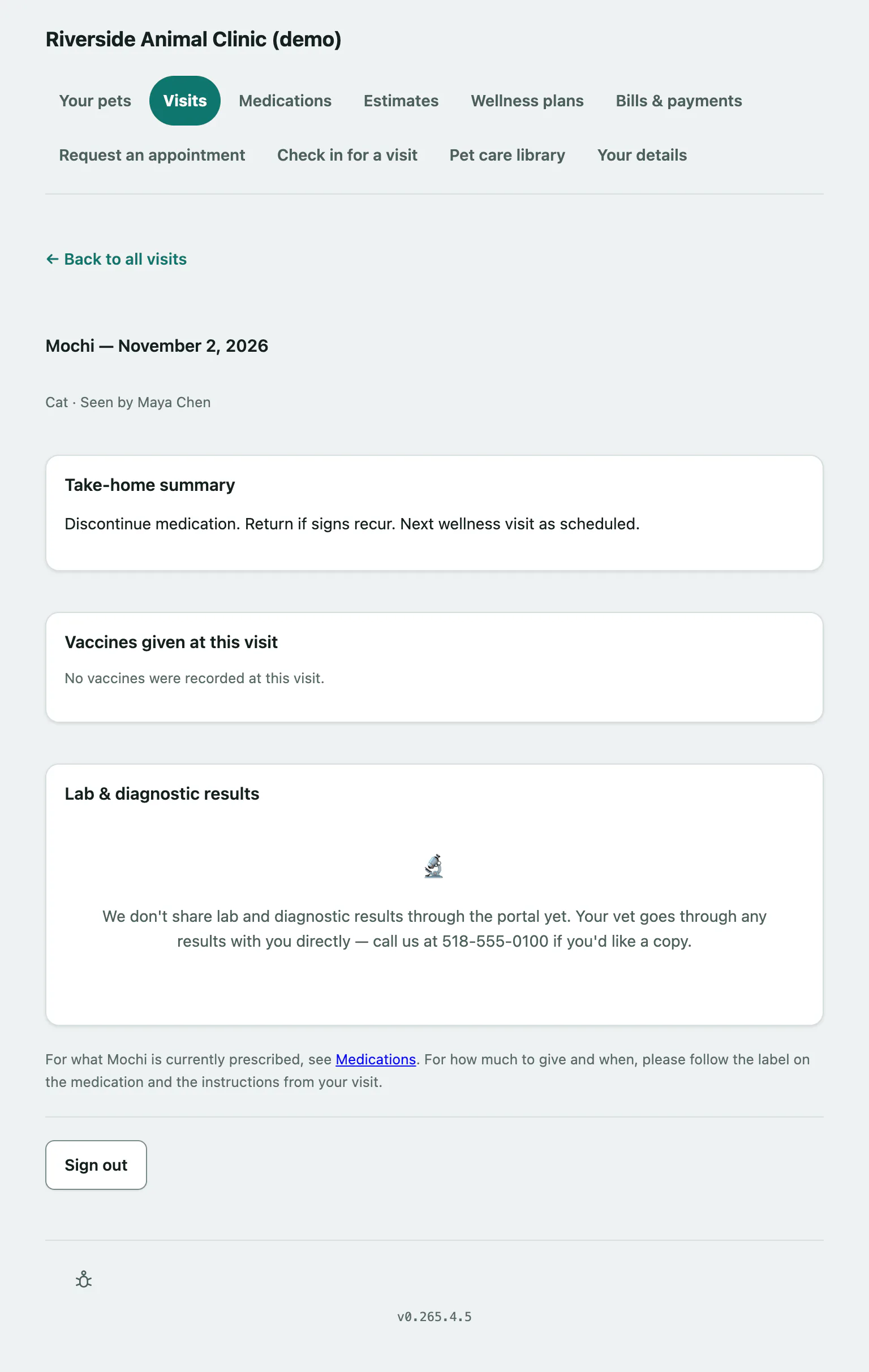
The summary page has:
- Take-home summary: your vet's notes from the visit.
- Vaccines given at this visit, with the date given and when each is next due.
- Lab & diagnostic results from the visit. If your practice doesn't share results through the portal, it says so, and your vet goes through them with you directly.
For how much medicine to give and when, follow the label on the medication and the instructions from your visit. The link to Medications shows what your pet is currently prescribed (see See medications and request a refill).
Tell the practice how the visit went
If the practice is asking for feedback on this visit, you'll see How did this visit go? at the bottom of the summary.
- Select Tell us about this visit.
Your feedback goes straight to the practice and nowhere else.
Get everything in one document
Under Need everything in one document?, select Open your full record for one printable page with every pet's medications, visit history and vaccinations. See View your pet's health record and vaccine certificate.