
Client portal · Vet Practice
Check in for a visit
In Vivetra: Check in for a visit
Fill in your pet's check-in form before a visit so you don't have to do it at the desk, and tell the practice when you've arrived so someone can come out to you.
Fill in the check-in form
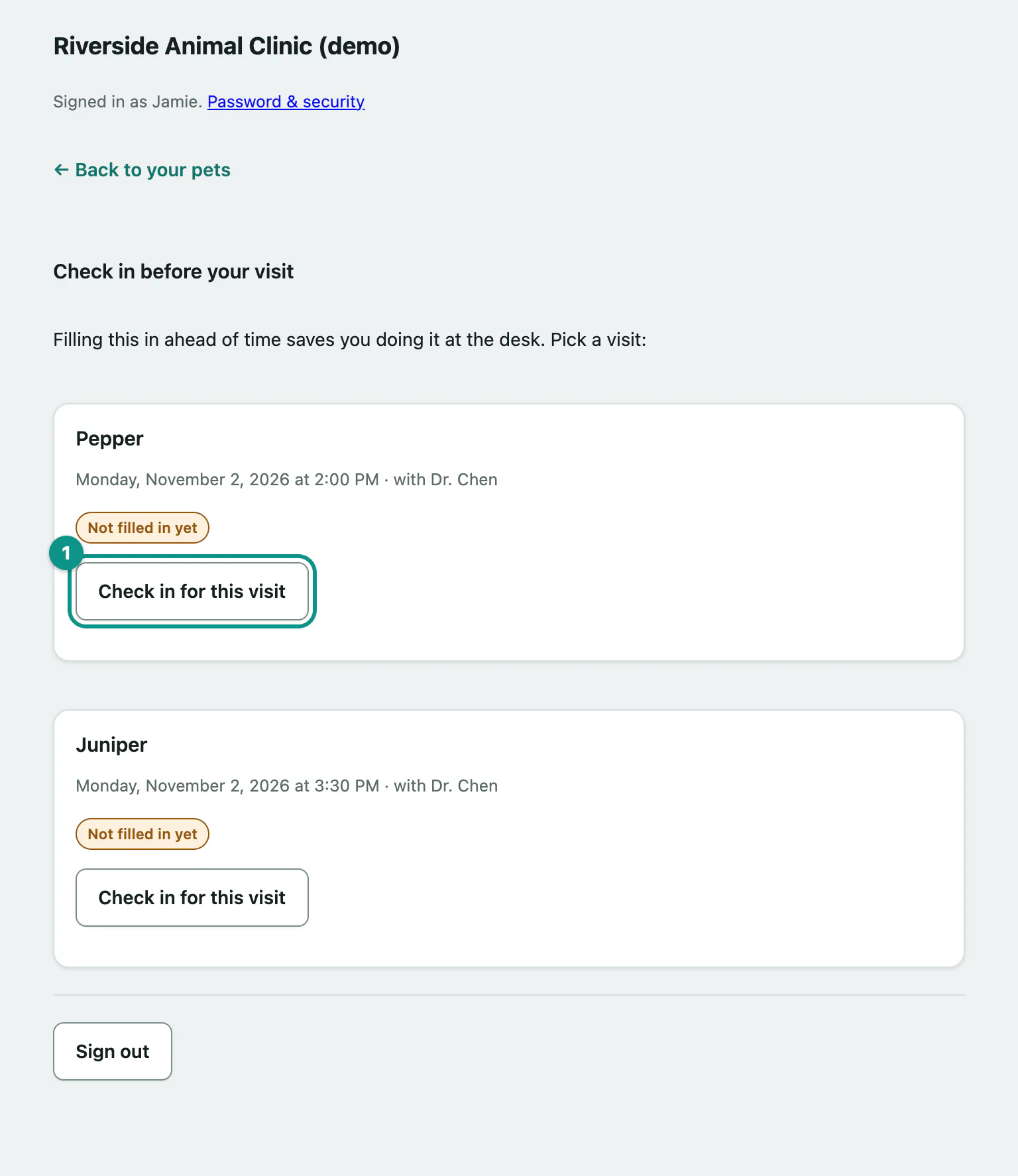
You can check in for any visit booked in the next 7 days.
- Select Check in for a visit in the portal menu.
- Next to the visit, select Check in for this visit.
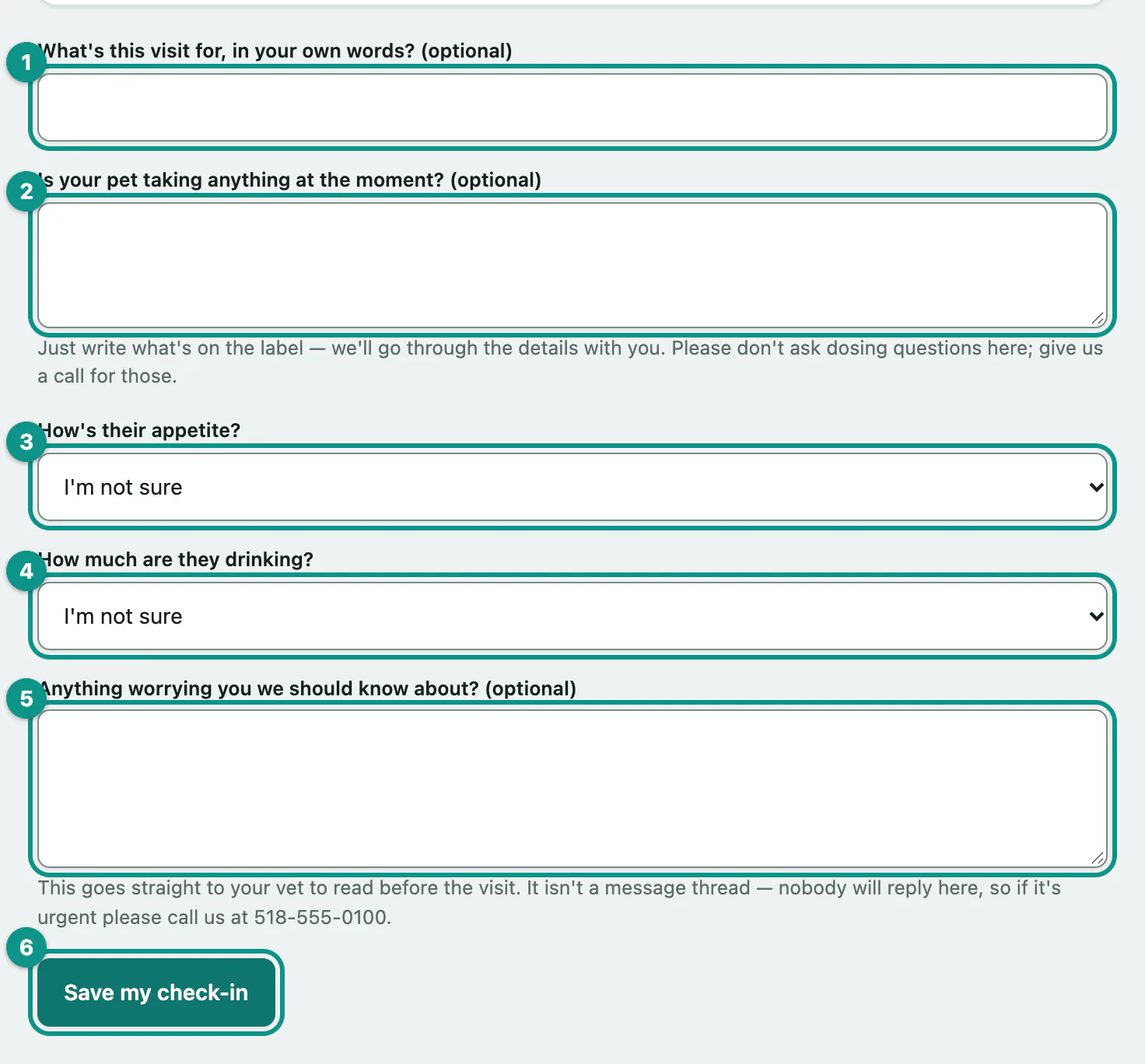
- Optionally, describe the visit in What's this visit for, in your own words? (optional).
- In Is your pet taking anything at the moment? (optional), write what's on the label of any medicines. The practice will go through the details with you.
- Choose an answer for How's their appetite?, or leave it on I'm not sure.
- Choose an answer for How much are they drinking?, or leave it on I'm not sure.
- Add anything else in Anything worrying you we should know about? (optional).
- Select Save my check-in.
You'll see Thanks — that's saved. Your vet reads it before you come in.
Change your answers
Until the visit starts, you can come back and change the form. In the list, a visit you've filled in shows Checked in and the button reads Review your check-in. Saving replaces the earlier answers, including ones someone else on your pet's record filled in, so keep anything that's still right.
Once the visit has started, the form closes and says so.
Tell the practice you've arrived
On the day, from two hours before your appointment, an I'm here button appears. Select it when you arrive and the team is told you're outside.
- Select Check in for a visit and open the visit.
- If it helps the team find you, type it in Anything that helps us find you? (optional), such as your car and parking space.
- Select I'm here.
You'll see We know you're here. and someone will be out to you shortly.
You can also select I'm here next to the appointment on Your pets, without adding a note.
| Message | What it means |
|---|---|
| It's not time yet. | The button works from two hours before the appointment. Try again on the day. |
| That visit isn't today. | The appointment is too far in the past to check in for. If you're outside, call the practice. |
| We couldn't let the team know. | You tapped several times in a row, or the note was over 160 characters. Wait a moment, or call the practice. |