
Client portal · Boarding
Save your grooming preferences
In Vivetra: Grooming preferences
Tell the salon how you like each pet groomed and they'll keep it on file, so you don't have to explain it at every visit. These are what you'd like: your groomer will always say if something won't work for the coat on the day.
Set or update a pet's preferences
- Select Grooming preferences in the portal menu. Each pet shows what's on file.
- Select Set up or Update on the pet's card.
- Fill in whatever you know in the form: The cut, if it has a name, Body length, Face, Ears, Tail, Feet, Blade or guard, if you know it, Coat type, Shampoo, Sanitary trim and Anything else.
- Choose how you'd like their Nails done, or Please leave the nails alone.
- To show the look you're after, choose a picture in A photo of the cut you'd like. JPEG, PNG, HEIC or WebP, up to 10 MB.
- Select the Save button, which is labelled with your pet's name.
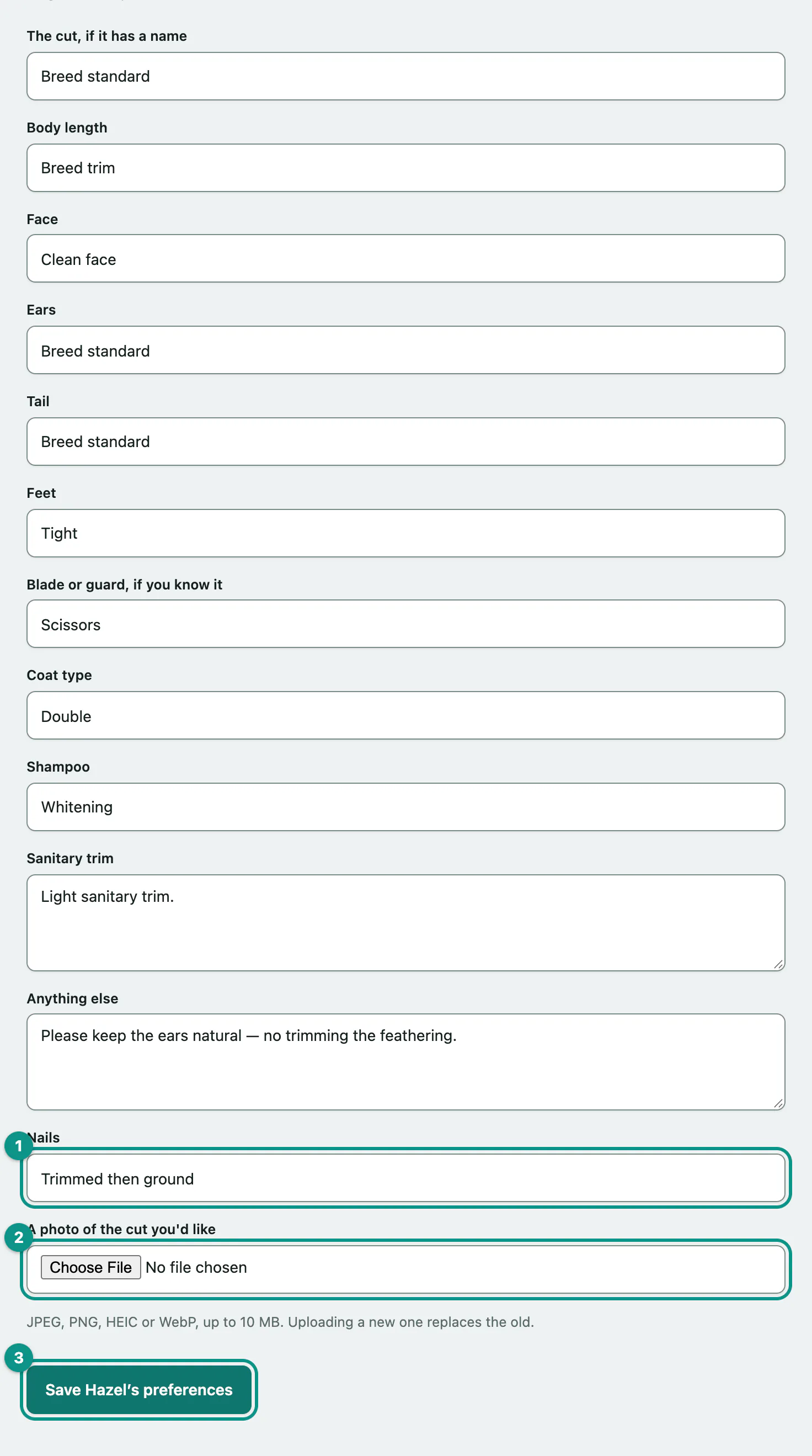
Every box is optional. Leaving a box empty clears it. A new photo replaces the old one, and you can tick Remove this photo to take it off.
What a groom costs
Under the form, What a groom costs for your pet lists each grooming service with roughly how long it takes and an estimate. The estimates are worked out from your pet's breed and most recent weight, and the salon always confirms the price before they start.
If your pet comes in on a schedule, you can set up a standing appointment from Set up a regular booking.