
Equine
Schedule a farm call
In Vivetra: Equine › Equine Farm Calls
On this page
A farm call is one stop at a barn on a given day. Every horse you see there is a visit grouped under that stop, and the stop carries one travel fee that's shared across the owners' invoices.
See your farm calls
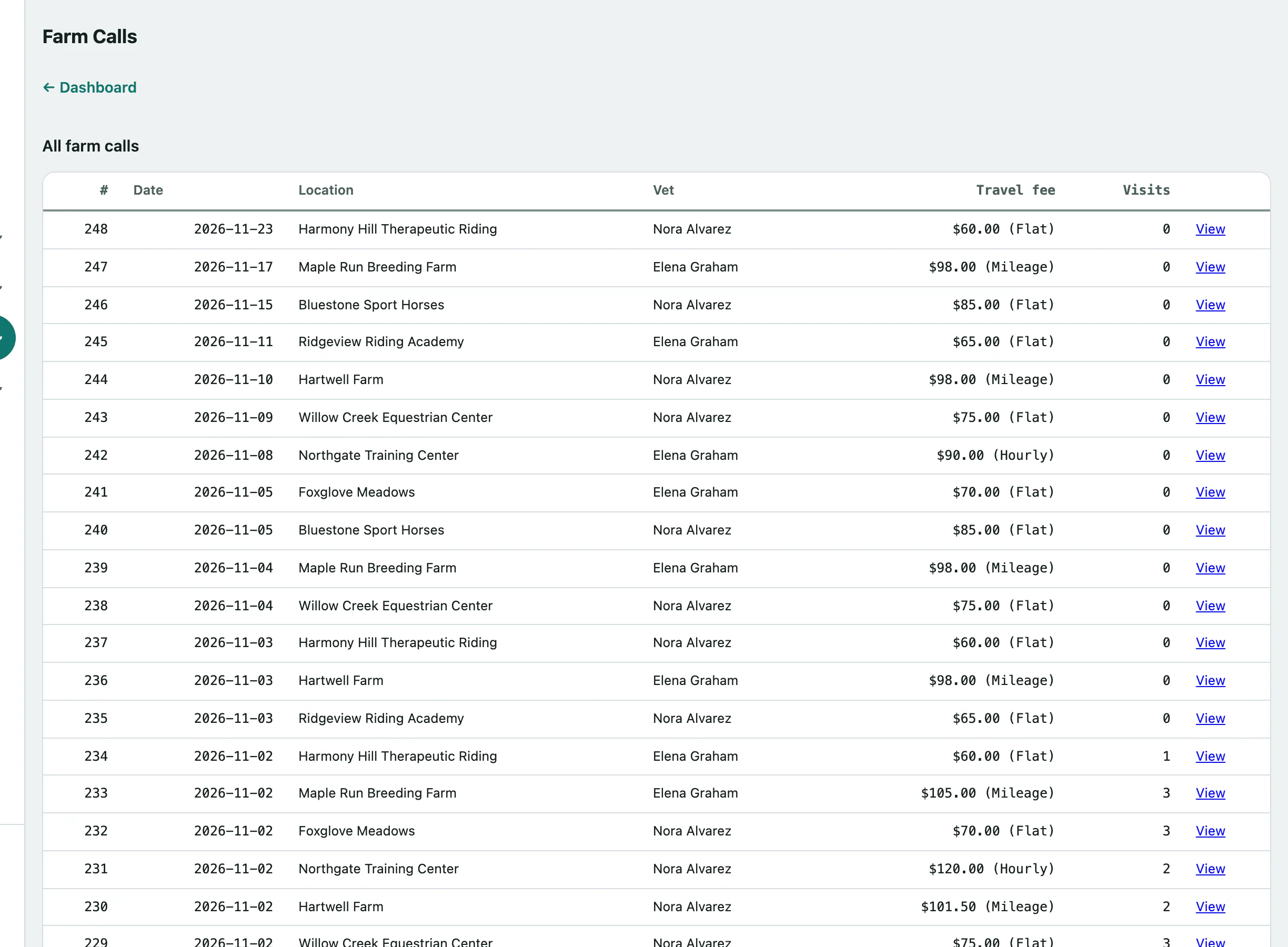
Select Equine Farm Calls in the Equine menu. All farm calls lists the most recent 200 stops, newest first, with the date, location, vet, travel fee and how many visits each has. Select View to open one.
Create a farm call
You need the farm-call scheduling permission. Front desk, vets and practice managers have it by default.
- Select Equine Farm Calls in the menu. Create a farm call is under the list.
- Set the Call date. It starts as today.
- Choose the barn in Stable (optional — a known location). If it isn't a stable you have on file, leave this as — None / use free-text below — and type the Location name (free text — used only if no stable chosen) and Location address (free text) instead.
- Choose the Attending vet (optional).
- Choose the Travel-fee basis: Flat, Mileage or Hourly.
- Enter the Travel fee for the whole stop, such as 85.00. Use 0.00 for no fee.
- Select Create farm call. You'll see Farm call created.
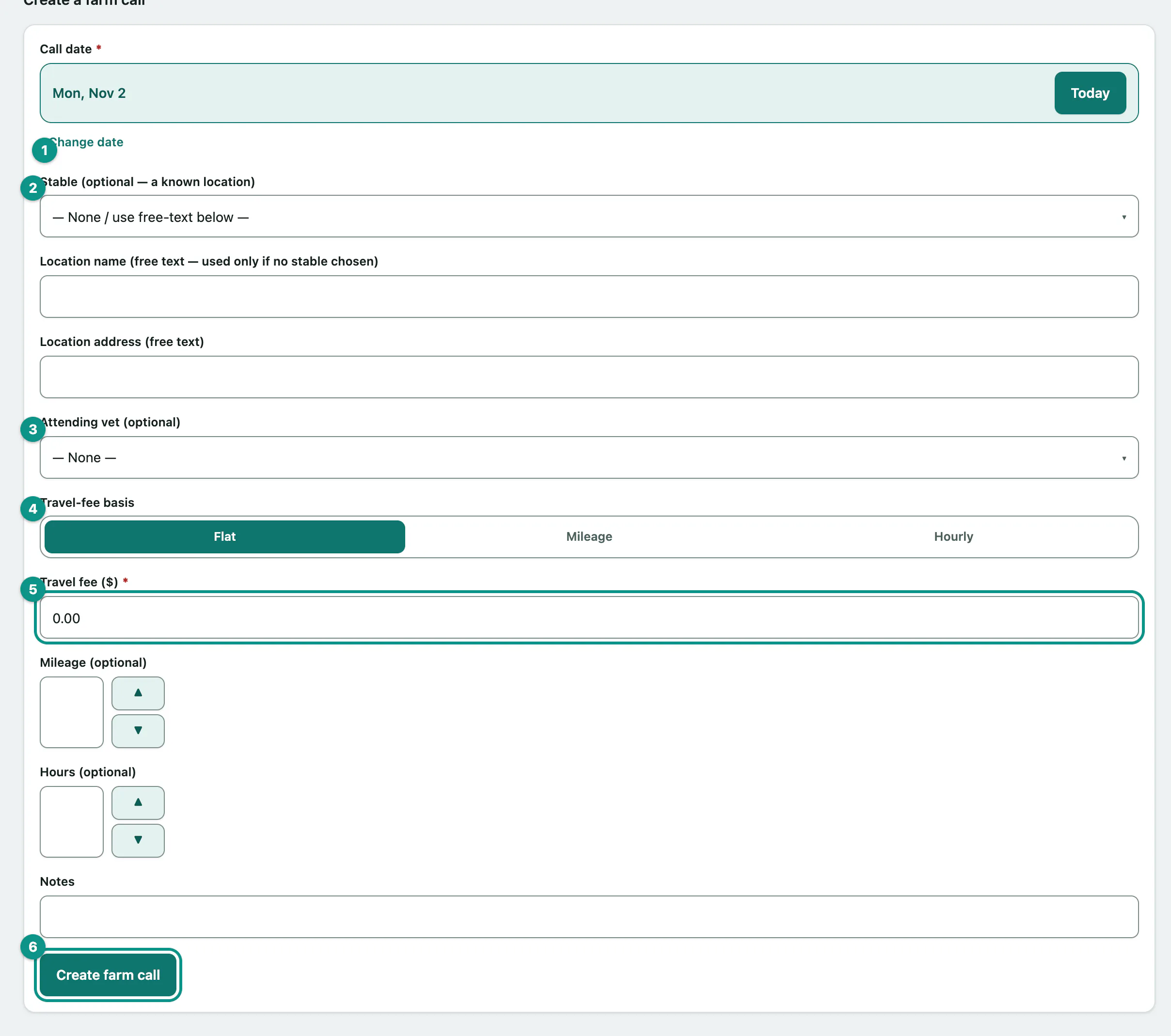
You can also record Mileage (optional), Hours (optional) and Notes for the stop.
Add horses to a farm call
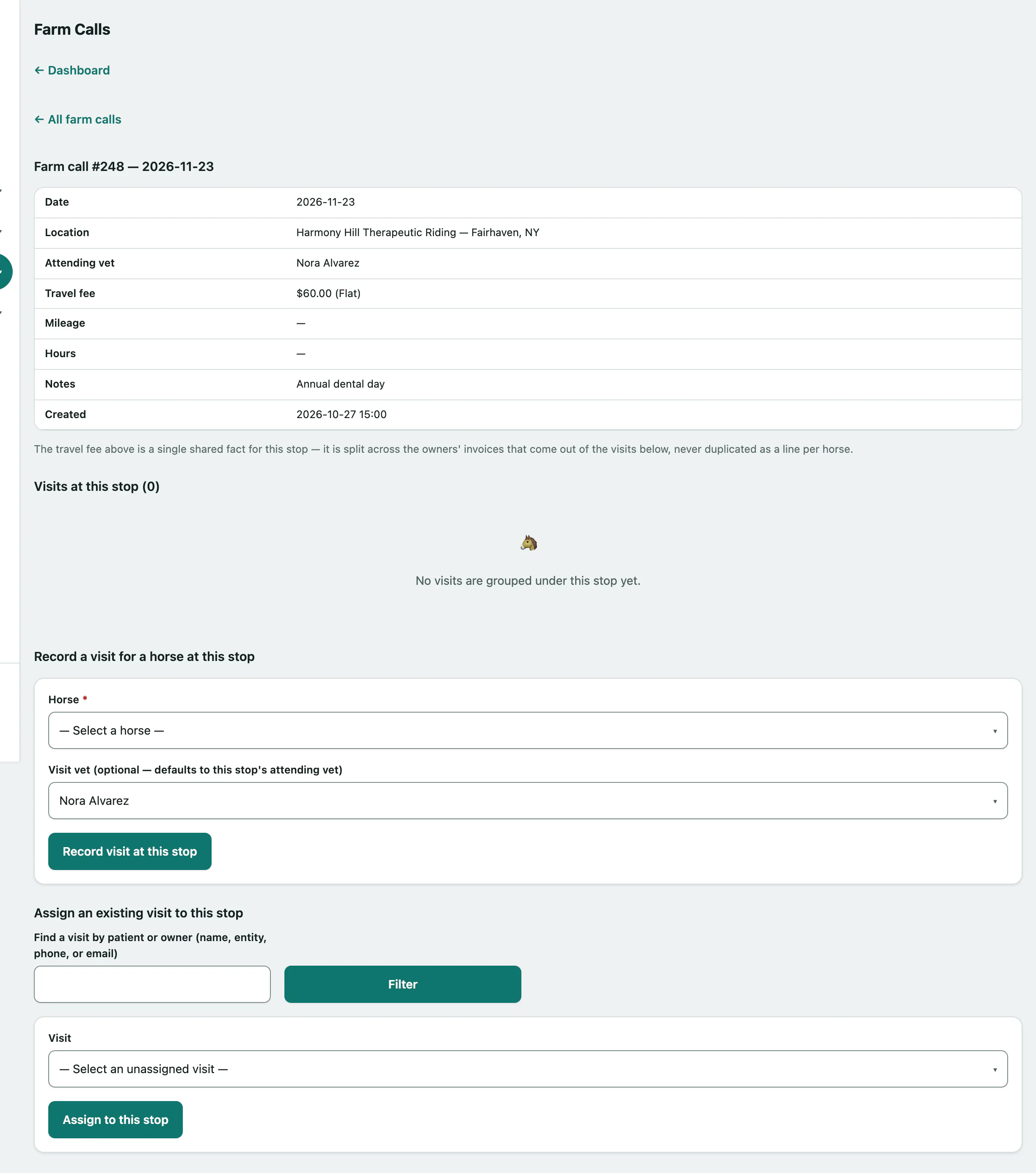
Open the farm call with View. Visits at this stop is the worklist of every horse seen there.
Record a visit for a horse
- Under Record a visit for a horse at this stop, choose the Horse.
- Select Record visit at this stop. The horse appears in the worklist.
The visit vet defaults to the stop's attending vet. If someone else is seeing this horse, change Visit vet (optional — defaults to this stop's attending vet) before you record it.
Attach a visit that already exists
If a visit was started somewhere else and isn't on a stop yet, you can attach it.
- Under Assign an existing visit to this stop, type the horse's or owner's name, phone or email in Find a visit by patient or owner (name, entity, phone, or email). Pick a suggestion, or select Filter.
- Choose it in Visit.
- Select Assign to this stop.
A visit can only be on one stop. If it's already assigned, you'll see That visit is already assigned to a stop.
The travel fee
The travel fee is recorded once per stop, not per horse. When you invoice a visit from the stop, Vivetra adds that invoice's portion of the fee as a travel line (see Create an invoice and record payment):
- The fee is split equally between the horses seen at the stop.
- Each horse's portion is split between its owners by their ownership shares on the call date.
- If a lessee is responsible for vet bills on that date, they pay the horse's whole portion.
Each owner is only charged their portion once for the same stop and horse.