
Records & admin · Records
Set up chart templates
In Vivetra: Records › Chart Templates
On this page
Chart templates hold starter text for the four parts of a SOAP chart. A clinician picks one on a new note and then edits it freely, so a routine wellness exam doesn't start from a blank page (see Write a SOAP chart).
Managing templates needs chart-template permission, which veterinarians and practice managers have.
Add a template
- Select Records › Chart Templates in the menu.
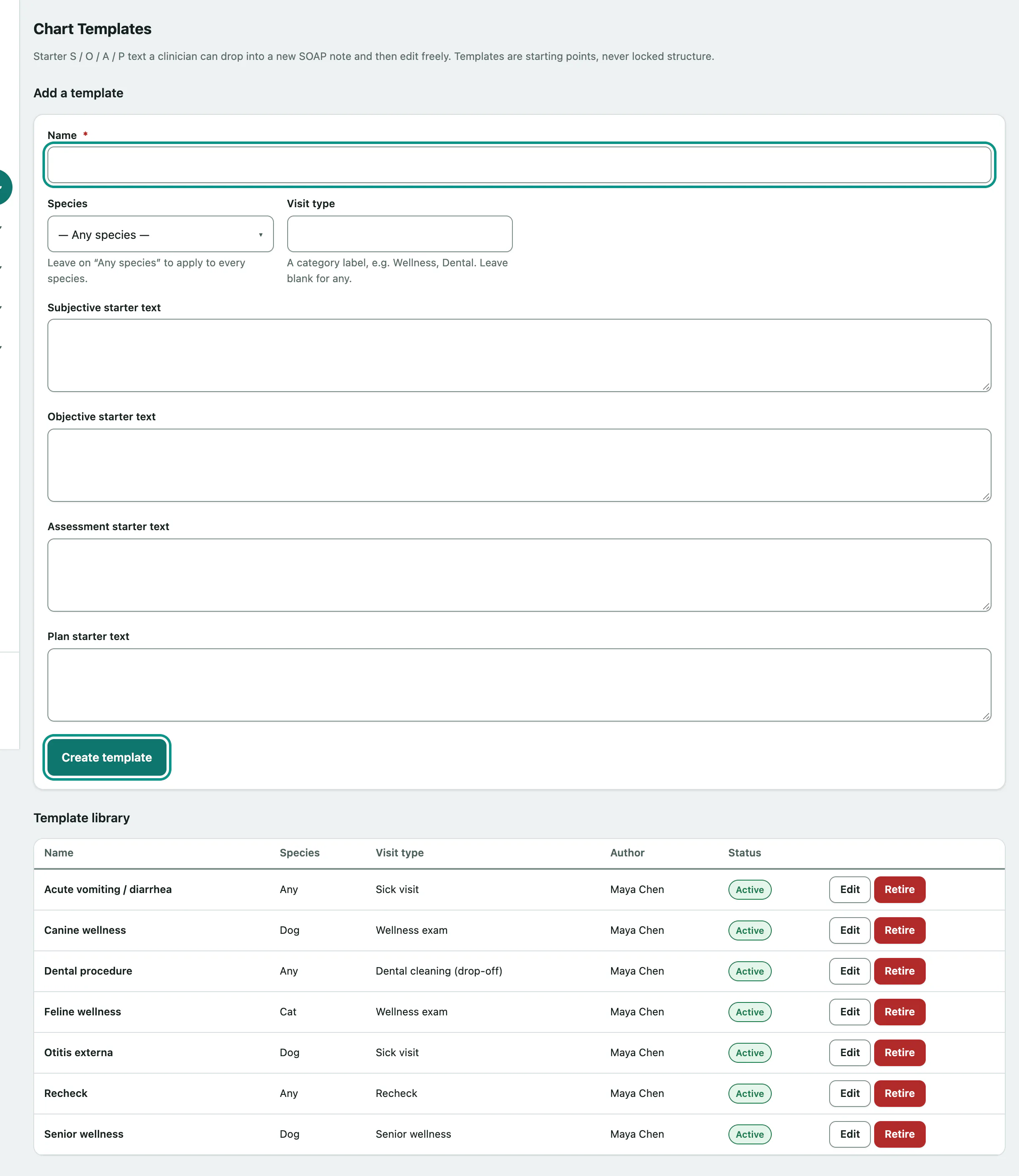
- Under Add a template, give it a Name, such as "Canine wellness".
- Choose a Species, or leave — Any species — so it's offered for every patient. Add a Visit type if it helps people pick it.
- Type the starter text in Subjective starter text, Objective starter text, Assessment starter text and Plan starter text.
- Select Create template.
On a SOAP chart, a template is only offered when the note is empty and the template matches the patient's species (or is for any species).
Change or retire a template
Template library lists every template with its species, visit type, author and status. Select Edit to change one, then Save changes.
- To stop a template being offered, select Retire on its row.
A retired template disappears from the SOAP picker but stays in the library. Select Reactivate to bring it back. Notes already started from a template aren't affected either way.