
Equine
Register an authorized agent
An authorized agent is someone the owner trusts to make decisions about the horse day to day, such as a trainer, riding instructor, farm manager or boarding barn. Record them here so whoever is at the barn knows who can approve care, and how much they can spend.
Agents don't own the horse. They're kept separate from ownership shares.
See a horse's agents
- On the horse's record, select Authorized agents (see Work with a horse's record).
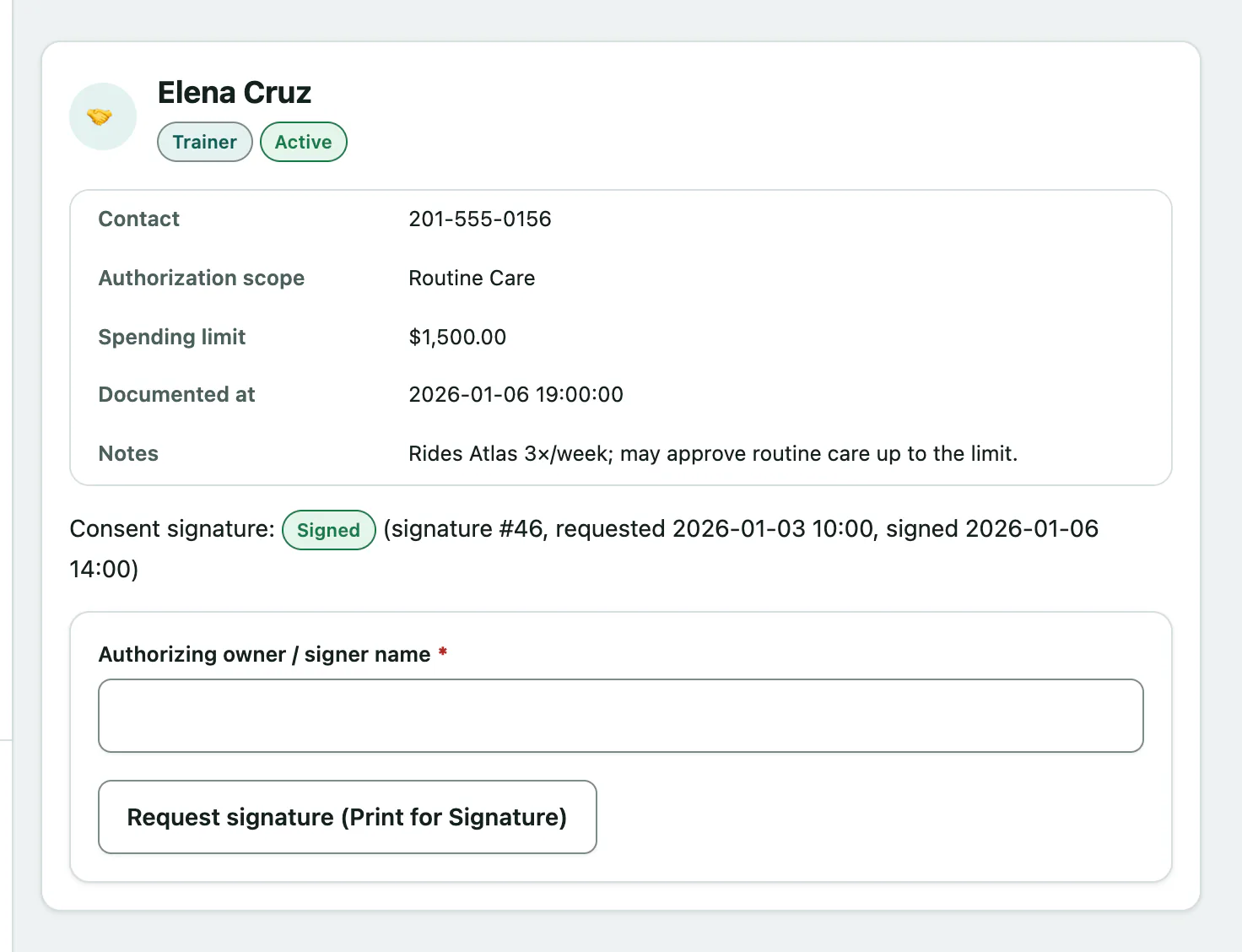
Agents on file shows a card for each agent with their Contact, Authorization scope, Spending limit, when consent was Documented at, and the Consent signature status.
Register an agent
You need the ownership-management permission to register agents. Front desk, vets and practice managers have it by default.
- Under Register an authorized agent, enter the agent's First name and Last name.
- Choose their Relationship: Trainer, Riding Instructor, Farm Manager, Boarding Facility or Other.
- Choose the Authorization scope: Routine Care, Emergency Only or Full.
- If the owner has set a cap, enter it in Spending limit. Leave it blank for no stated cap.
- Select Register agent. You'll see Authorized agent registered.
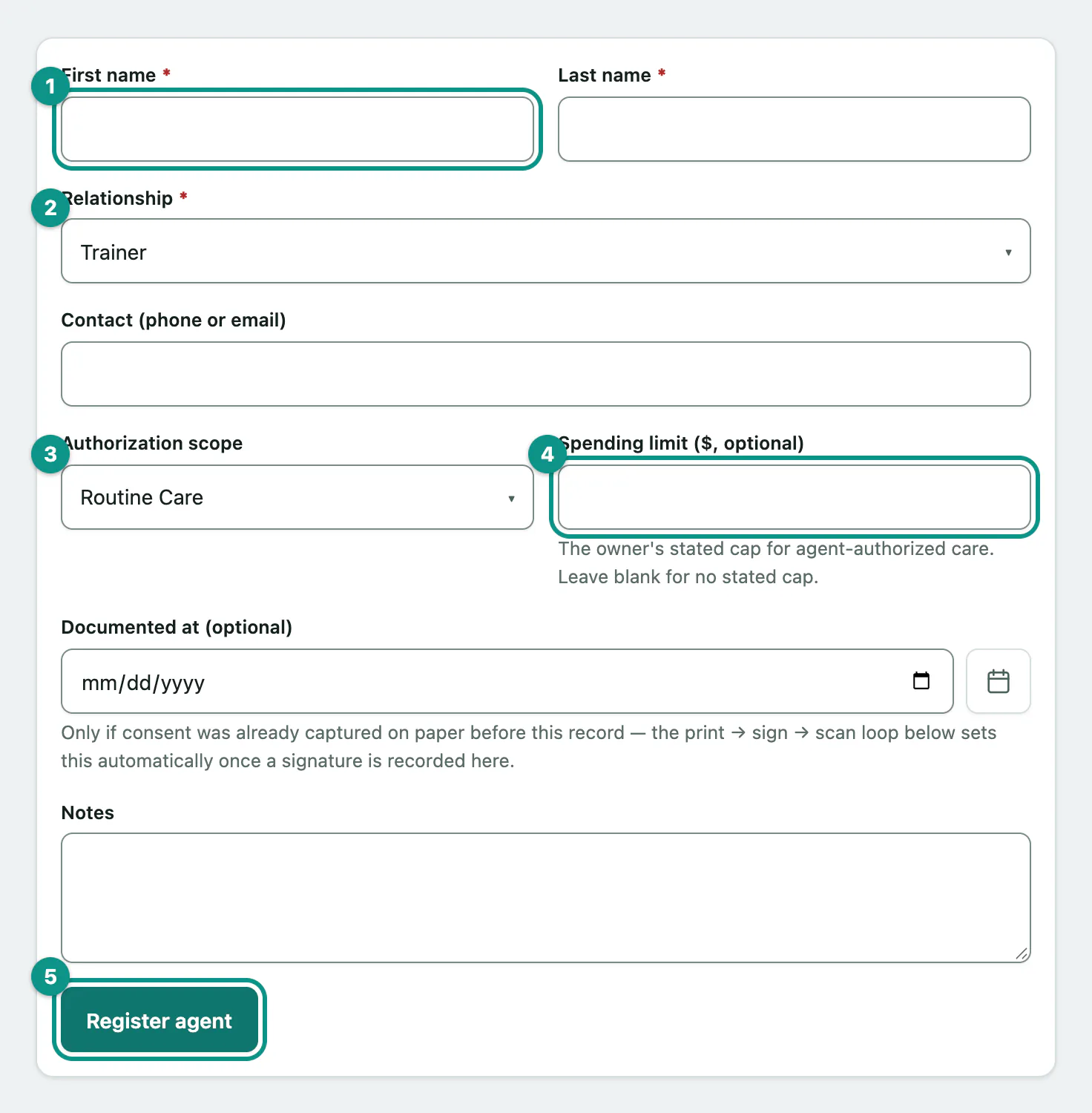
Add a Contact (phone or email) and any Notes as you go.
If the owner already signed a paper authorization before you entered it, put that date in Documented at (optional). Otherwise leave it empty; it's filled in for you when you record the signed consent.
Get the owner's signed consent
Each agent card has its own consent signature. It starts as None.
- On the agent's card, enter the Authorizing owner / signer name. The horse's current owners are suggested as you type.
- Select Request signature (Print for Signature). The signature shows Awaiting.
When the owner has signed and you've scanned the paper:
- On the agent's card, choose the scan in Returned signed document.
- Select Record signed scan. The signature shows Signed and Documented at is set to the signing date.
To withdraw a request that's still awaiting a signature, select Cancel signature request.