
Client portal · Shelter
Your animals in the shelter portal
In Vivetra: Your animals
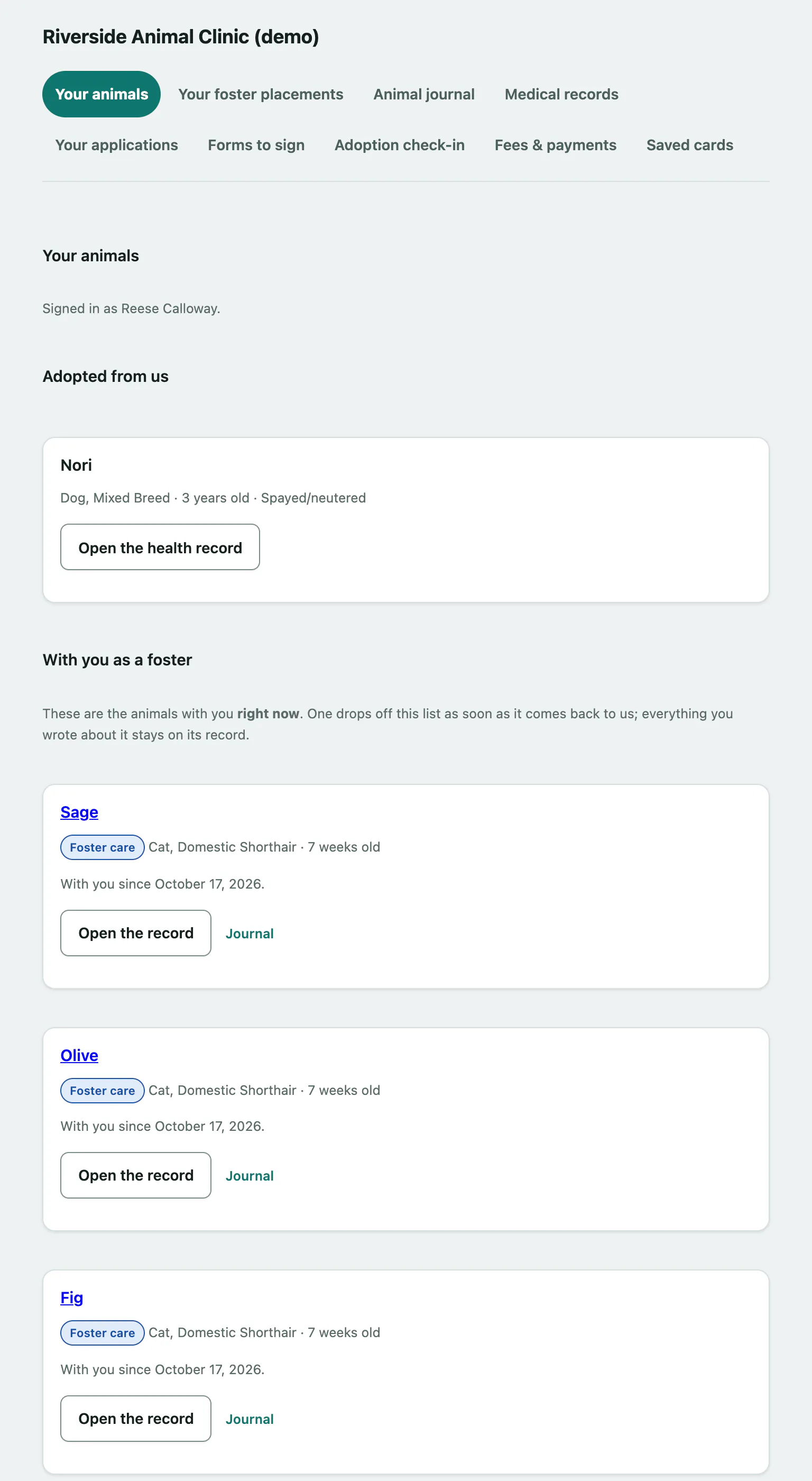
Your animals is the first page you see when you sign in to a shelter's portal. It lists the animals you adopted from the shelter and any animal living with you as a foster right now, with links to everything else the shelter offers you online.
If you haven't signed in before, start with Sign in to the client portal.
What's on the page
- Adopted from us: each animal whose adoption has been finalised, with its species, breed, age and whether it's spayed or neutered.
- With you as a foster: each animal placed with you right now, its placement type (for example Foster care or Bottle baby) and the date it came to you. An animal drops off this list as soon as it goes back to the shelter. Everything you wrote about it stays on its record.
- Everything else: links to the other parts of the portal the shelter has switched on for you, such as Medical records, Your applications, Forms to sign, Adoption check-in, Fees & payments and Saved cards.
If there's no animal on your account yet, the page says so. An animal only appears once an adoption is finalised or while it's placed with you, so if you're partway through either, nothing has gone wrong.
Open an animal's record
- Select Your animals in the portal menu.
- For an animal you adopted, select Open the health record. See Print your adopted animal's health record.
- For an animal you're fostering, select Open the record to see its details and weights (see Look after a foster animal), or Journal to read and add updates (see Write in a foster animal's journal).
Something urgent
There's no message box in the portal, and nobody is watching one. If an animal isn't eating, is injured or has gone missing, call the shelter. Their phone number is shown at the bottom of the page.
Select Sign out at the bottom of the page when you're done.