
Client portal · Vet Practice
Request an appointment
In Vivetra: Request an appointment
On this page
Ask the practice for an appointment by telling them which pet and a time that suits you. It's a request, not a booking: someone from the practice will call or email you to confirm a time.
Send a request
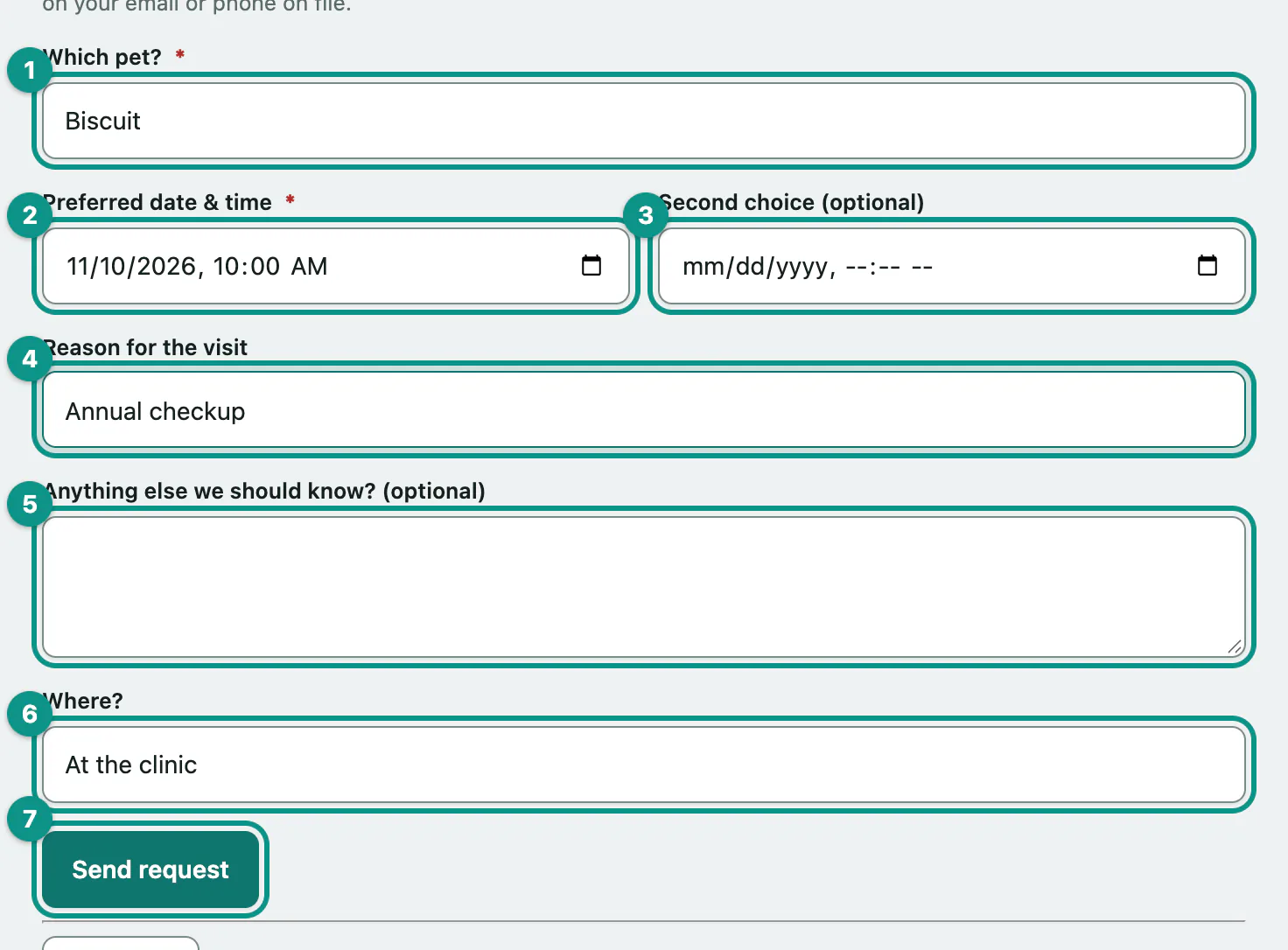
- Select Request an appointment in the portal menu.
- In Which pet?, choose your pet.
- Enter a Preferred date & time.
- If another time also works, enter it in Second choice (optional).
- In Reason for the visit, say what it's for, such as an annual checkup, limping or vaccines due.
- Add anything else the practice should know in Anything else we should know? (optional).
- Under Where?, choose At the clinic or House call.
- Select Send request.
You'll see Thanks — we got your request. Nothing is booked until the practice confirms a time with you. To ask for another appointment, select Request another.
If the request doesn't go through
| Message | What it means |
|---|---|
| Please choose which pet this appointment is for. | Pick a pet from the list. |
| Please enter a preferred date and time (you can also add a second choice). | The preferred date and time is required. |
| Your second-choice date and time is not valid — fix it or leave it blank. | Correct the second choice or clear it. |
| There's already a request in for this pet at that time — we'll be in touch soon. Call us if it's urgent. | You've already sent this request. The practice will be in touch. |
| There are several open requests for this pet already — please call us so we can help. | Your pet has 10 requests waiting. Call the practice instead. |
| You have made several requests recently — please wait a little while, or call us instead. | Too many requests in a short time. Wait a while and try again. |
Only living pets on your account appear in the list. If you see We don't have any active pets on file for you, call the practice.