
Vet Practice · Vet Practice Scheduling
Send client reminders
In Vivetra: Vet Practice Scheduling › Client Reminders
Vivetra sends clients reminders about upcoming appointments, vaccines coming due and recalls. Client Reminders is where you decide how many days ahead each reminder goes out, see what's coming up, and check what was sent.
Only practice managers see this page. Open it from Vet Practice Scheduling › Client Reminders in the menu.
How reminders go out
Reminders are sent automatically once a day. Each goes to the client by email or text, whichever they prefer. Clients who prefer a phone call, or who've asked not to be contacted, aren't sent automatic reminders. Neither is anyone whose preferred email or phone number is missing. Pets marked deceased are always left out.
Cadence rules
A cadence rule says how many days before the event a reminder goes out. Add more than one rule for the same type to send a series, for example 7 days before an appointment and again 1 day before. With no rules at all, no reminders are sent.
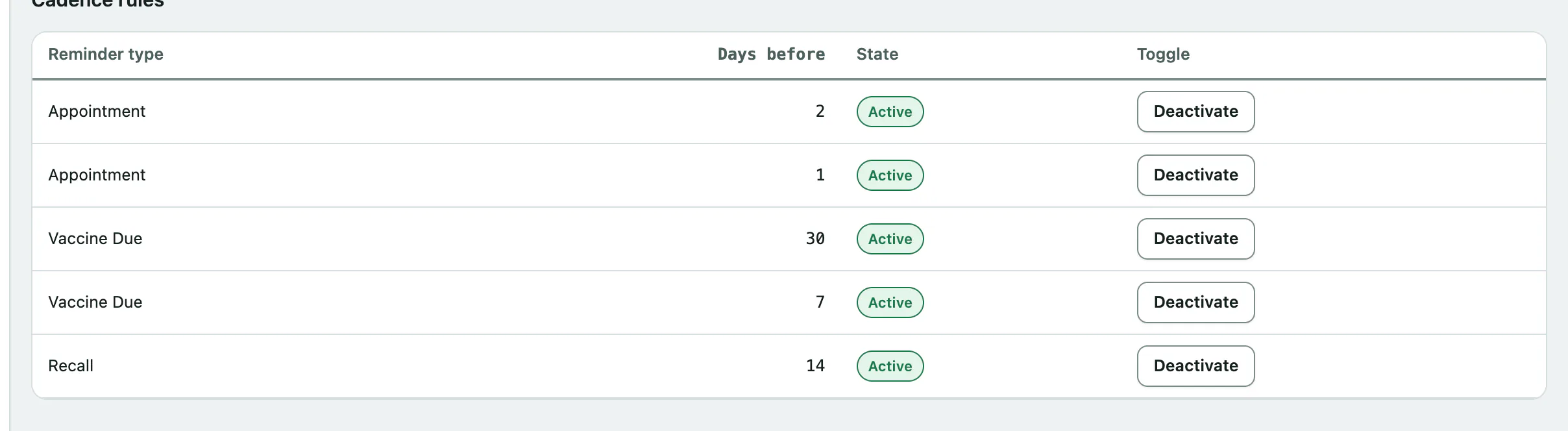
To add a rule, under Add a cadence rule:
- Choose the Reminder type: Appointment, Vaccine Due or Recall.
- Enter Days before, from 0 to 365. 0 means on the day.
- Select Add rule.
Each type can only have one rule for a given number of days. If you add a duplicate you'll see A rule for that type and offset already exists.
To pause a rule, select Deactivate on its row in Cadence rules. Select Activate to turn it back on. Rules aren't deleted.
Send due reminders now
You don't need to do this day to day. It's for catching up, for example straight after adding a rule.
- Select Run reminder sweep now.
Every reminder due today is sent, and a message says how many were sent, failed, skipped because they'd already gone out today, and skipped because the client has no way to receive them. It's safe to run more than once, since anything already sent today is skipped.
What's coming up
Pending (next 60 days) lists the appointments, vaccines and recalls in the next 60 days that match an active rule. It shows the event date, patient, who'll be reminded, the rule's days before, and how many reminders have already gone out for it.
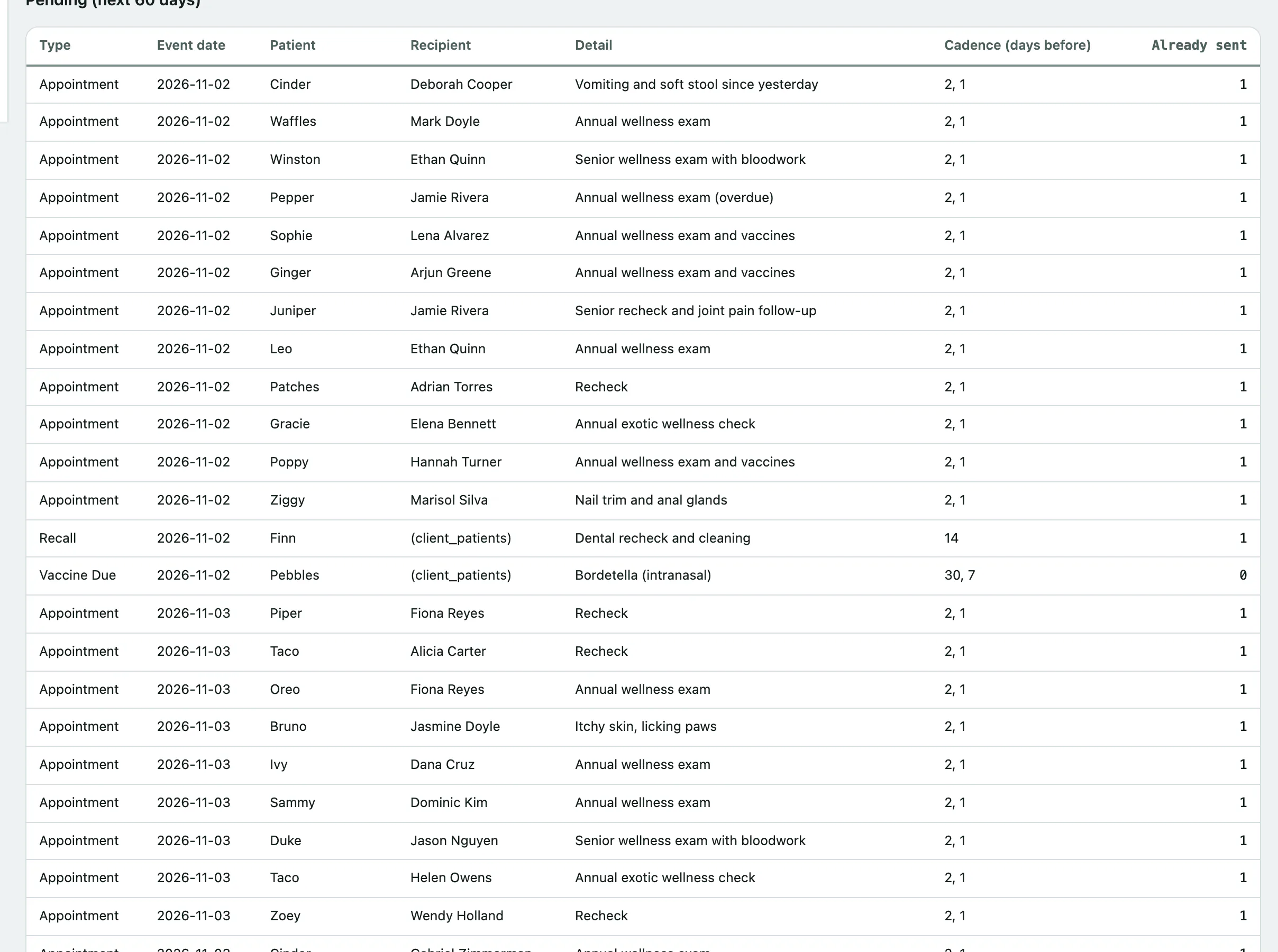
A client who can't be reminded automatically still appears here, so you can see who to phone.
What was sent
Recent reminders sent shows the last 100 reminders, with the time, type, channel, patient, recipient and a status:
| Status | What it means |
|---|---|
| Sent | The email or text service accepted it. |
| Delivered | It reached the client. |
| Failed | It couldn't be sent, for example because your practice's email or text messaging isn't set up. |
| Bounced | It was sent but didn't arrive, usually because the email address or number is wrong. |
Select a patient or recipient name to open their record and check the contact details.