
Records & admin · Records
Set up the controlled drug list
In Vivetra: Records › Controlled Drug List
On this page
Before a controlled drug can be logged or counted, it has to be on your Controlled Drug List. Add each drug and strength you stock, in the unit you want its balance kept in.
Managing the list needs controlled-stock permission, which veterinarians and practice managers have.
Add a stocked drug
- Select Records › Controlled Drug List in the menu.
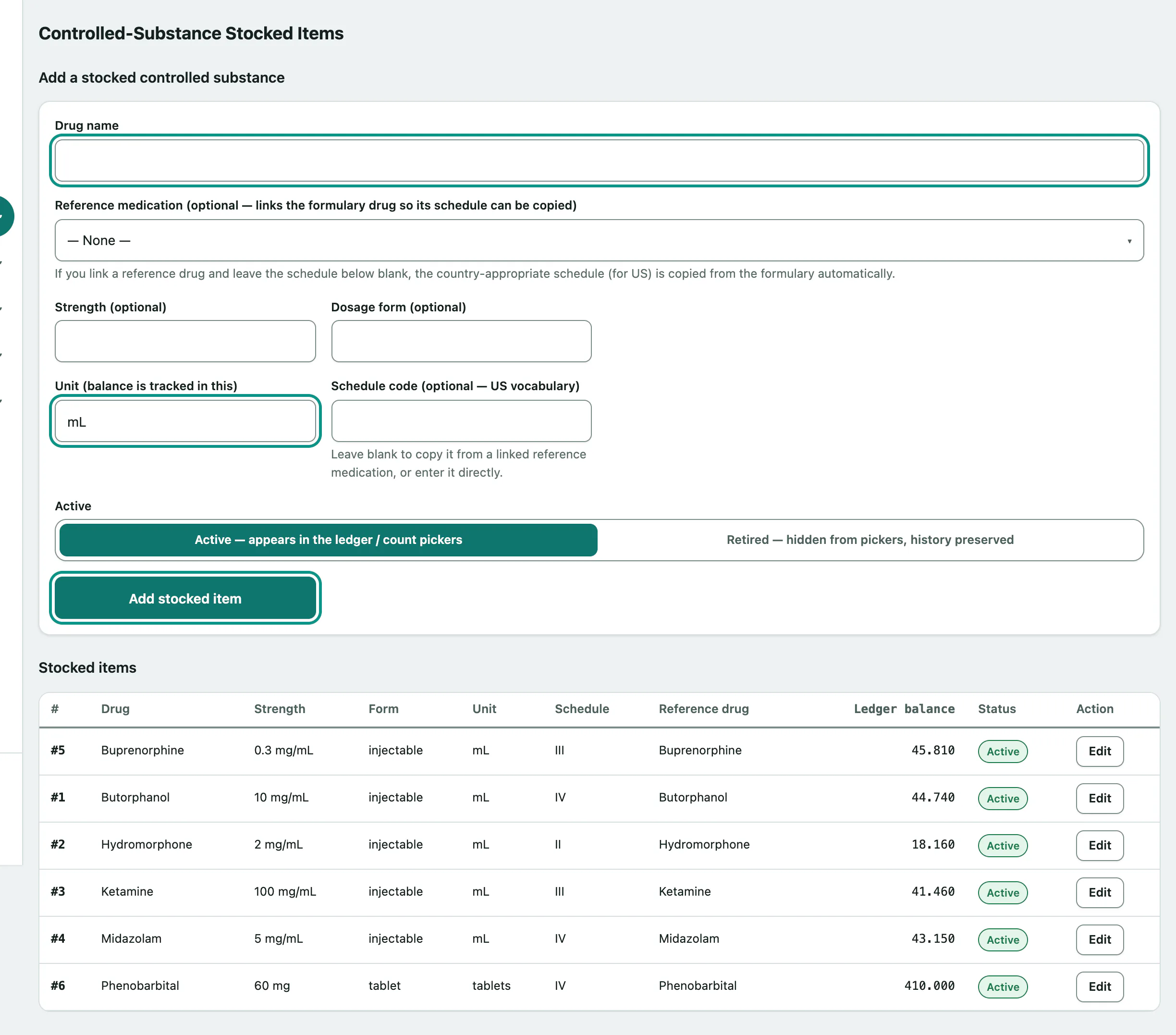
- Under Add a stocked controlled substance, enter the Drug name.
- If it's in your formulary, choose it in Reference medication (optional — links the formulary drug so its schedule can be copied).
- Add the Strength (optional) and Dosage form (optional), then the Unit (balance is tracked in this), such as mL or tablet.
- Leave the Schedule code blank to copy it from the reference medication, or type it in.
- Select Add stocked item.
Change or retire a drug
Stocked items lists each drug with its strength, form, unit, schedule, reference drug, Ledger balance and status. The balance comes from the dispensing log (see Log a controlled drug event); you can't type it in here.
- Select Edit on the drug's row.
- To stop using it, set Active to Retired — hidden from pickers, history preserved.
- Select Save changes.
A retired drug no longer appears when logging or counting, but its full history is kept. Set it back to Active — appears in the ledger / count pickers to use it again.