
Records & admin · Admin
Set up the client portal
In Vivetra: Admin › Client Portal Settings
On this page
The client portal is where pet owners sign in to see their animals' records, book and pay. Client Portal Settings is the one place you open it and decide what clients can do. Each module your practice uses has its own card, saved separately.
You need portal-management permission, which practice managers have.
Open a portal
Most portals start closed: until you open one, its signed-in pages tell clients the portal isn't available.
- Select Admin › Client Portal Settings in the menu.
- Find the module's card, such as Hospital — client portal. It says who the portal is for. Tick the master switch at the top of the card (Client portal is open for most modules, or Self-service booking is open for Boarding) and set the other options.
- Select the card's save button, named after the module, such as Save Hospital portal.
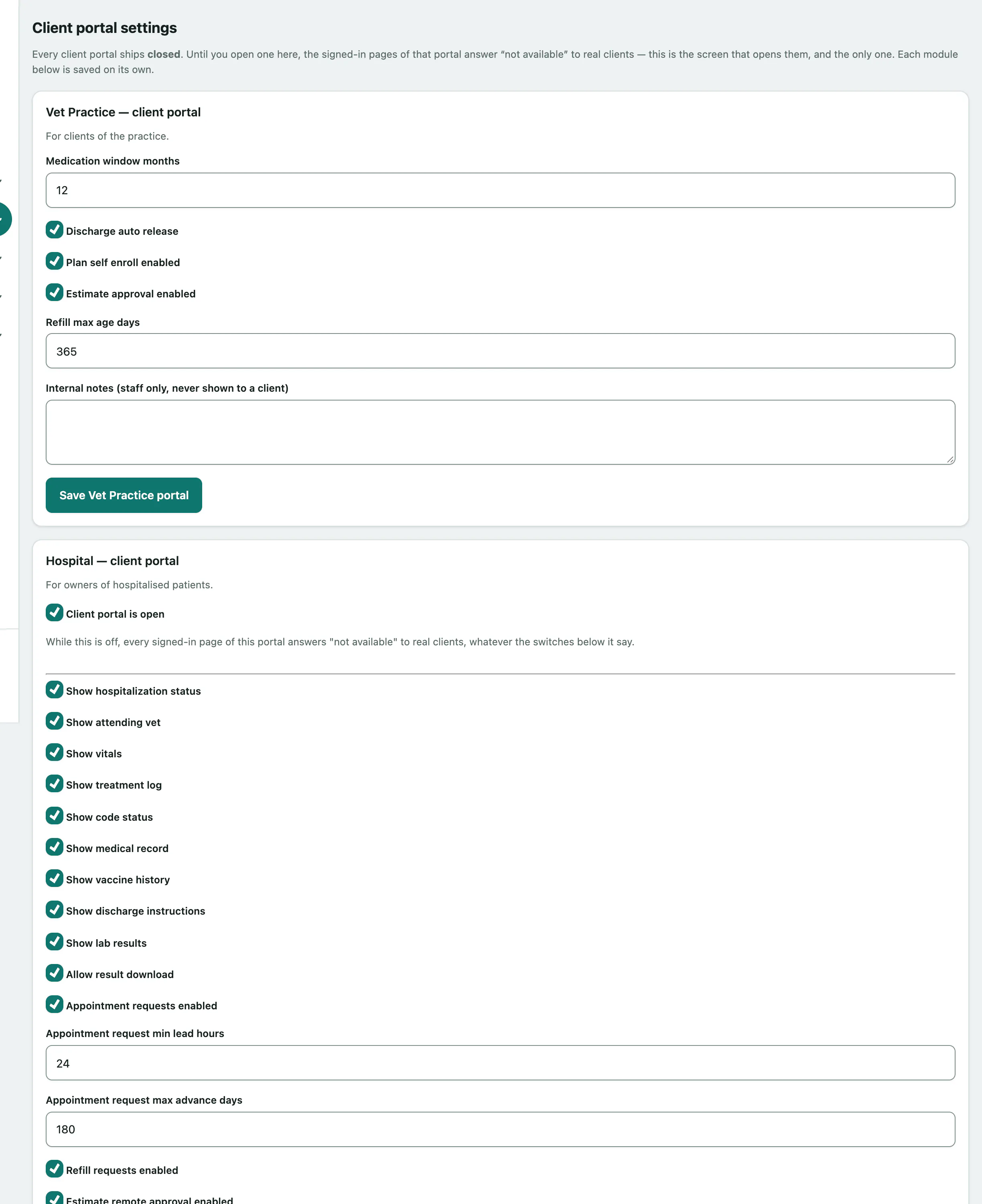
The Vet Practice portal has no master switch. Who can see what there depends on each client being linked to their own animals.
A card marked Never configured. is showing the shipped defaults; saving it stores them for the first time.
Options worth a second look
Each card has its own options. Some carry a warning under them:
| Option | What to know |
|---|---|
| Auto-approve | Leave this off. Requests are meant to be approved by a person. |
| Volunteer record writes (Shelter) | Lets a volunteer write to a clinical record. Only turn it on on purpose. |
| Owner can grant barn access (Equine) | On means an owner can give access to someone you've never met. |
| Client household invites | On means a client can give another household member access without anyone here seeing it. |
| Internal notes (staff only, never shown to a client) | For your team only. |
Some settings live on their module's own screen instead, such as Shelter's public pages and Boarding's online booking rules. The card tells you where.