
Hospital
Read referral reports
In Vivetra: Hospital › Referral Reports
On this page
Referral Reports shows how your referral network is doing: how many cases each referring practice sends you, and which relationships have gone quiet. It only reads your referrals; nothing on it can be changed.
You need referral-management access to see it, which veterinarians and practice managers have.
- Select Referral Reports in the Hospital menu. The Referral-Network Analytics screen opens.
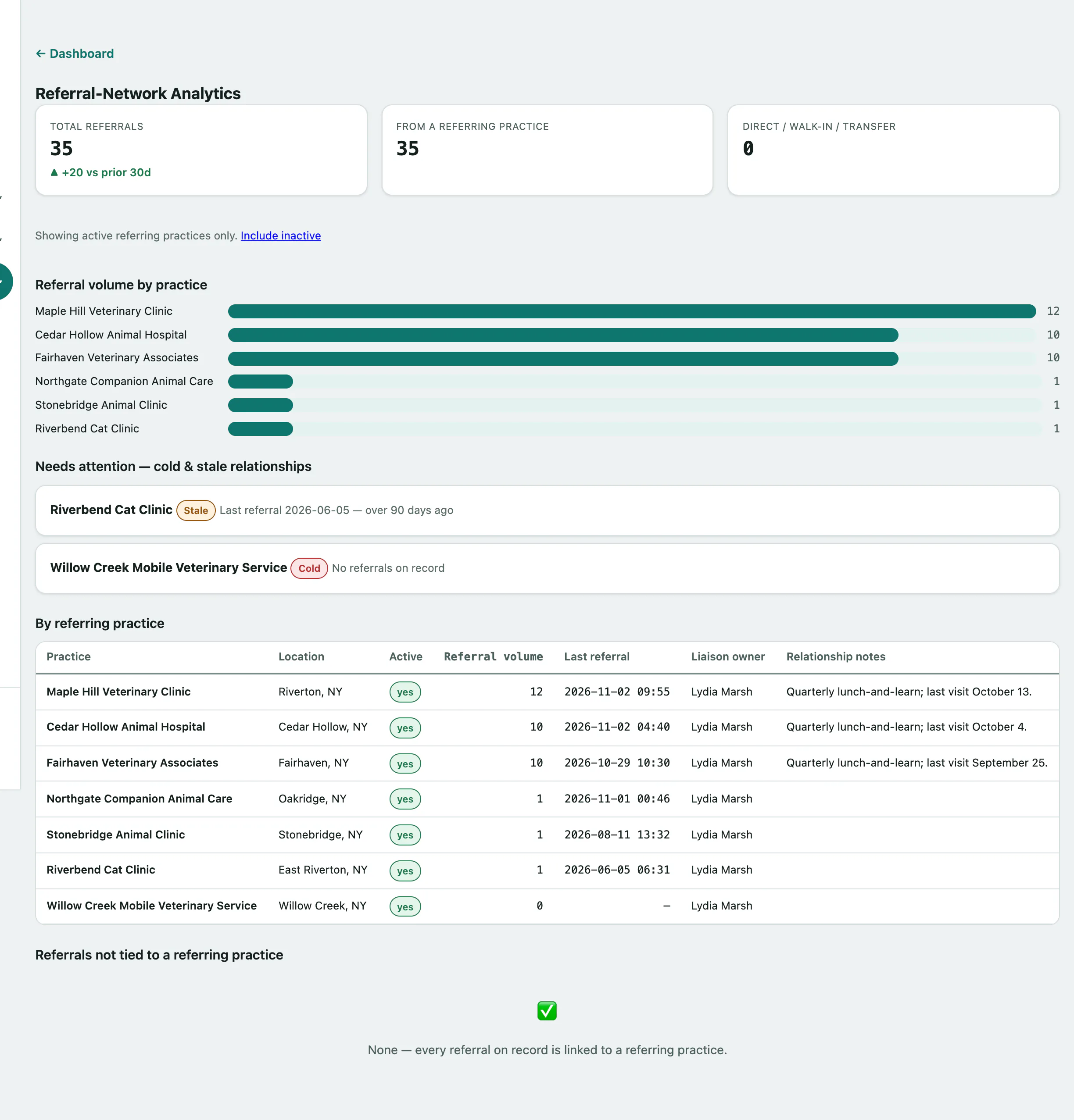
The totals
The Total referrals tile shows every referral on record, with the change over the last 30 days compared with the 30 days before. Next to it, From a referring practice and Direct / walk-in / transfer split that total.
By default the report covers active referring practices only. To include practices marked inactive:
- Select Include inactive. Select Show active only to go back.
Practices that need attention
Referral volume by practice charts how many referrals each practice has sent.
Needs attention — cold & stale relationships lists the practices worth a call:
| Flag | Meaning |
|---|---|
| Cold | No referrals on record from this practice. |
| Stale | Their last referral was over 90 days ago. |
By referring practice lists every practice with its location, whether it's active, its referral volume, the date of its last referral, the Liaison owner and Relationship notes. Set the liaison and notes when you edit the practice (see Manage referring practices and vets › Edit a practice).
Referrals not tied to a referring practice counts the rest by source, such as emergency walk-ins and owners who came to you directly.