
Shelter
Process an adoption
In Vivetra: Shelter › Adoptions
On this page
An adoption moves through three steps on the Adoptions screen: you create an application for an adopter and an animal, approve it, then finalize it. Finalizing is what records the adoption as the animal's outcome.
Anyone signed in can view adoptions. Creating applications, changing their status and finalizing need adoption permission.
Create an application
The adopter has to be on your roster first (see Add and find adopters).
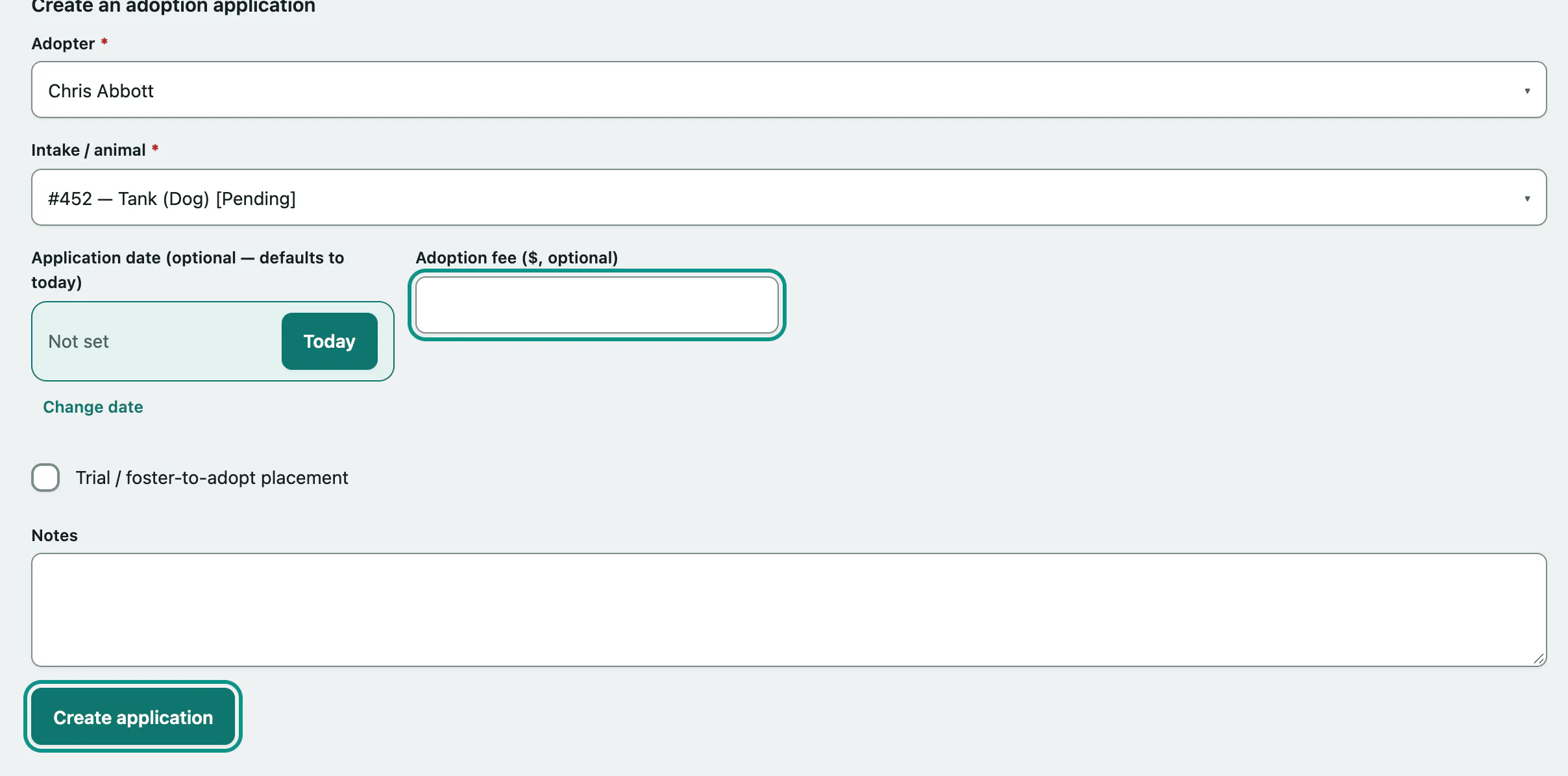
- Select Adoptions in the Shelter menu.
- Under Create an adoption application, choose the Adopter. Only active adopters are listed.
- Choose the Intake / animal. Every animal whose intake isn't finalized is listed, with its current status.
- Enter the Application date if it isn't today, and the Adoption fee if you've agreed one.
- Tick Trial / foster-to-adopt placement if the adopter is taking the animal home on a trial first.
- Select Create application. You'll see "Adoption application created."
The animal's intake status changes to adoption pending. An animal can have more than one application at a time.
Find an application
All adoption applications lists every application with its adopter, animal, status, date and fee.
- Choose a Status to show only applications at that stage. The list updates straight away.
- Select View on a row to open the adoption.
Approve, decline or withdraw
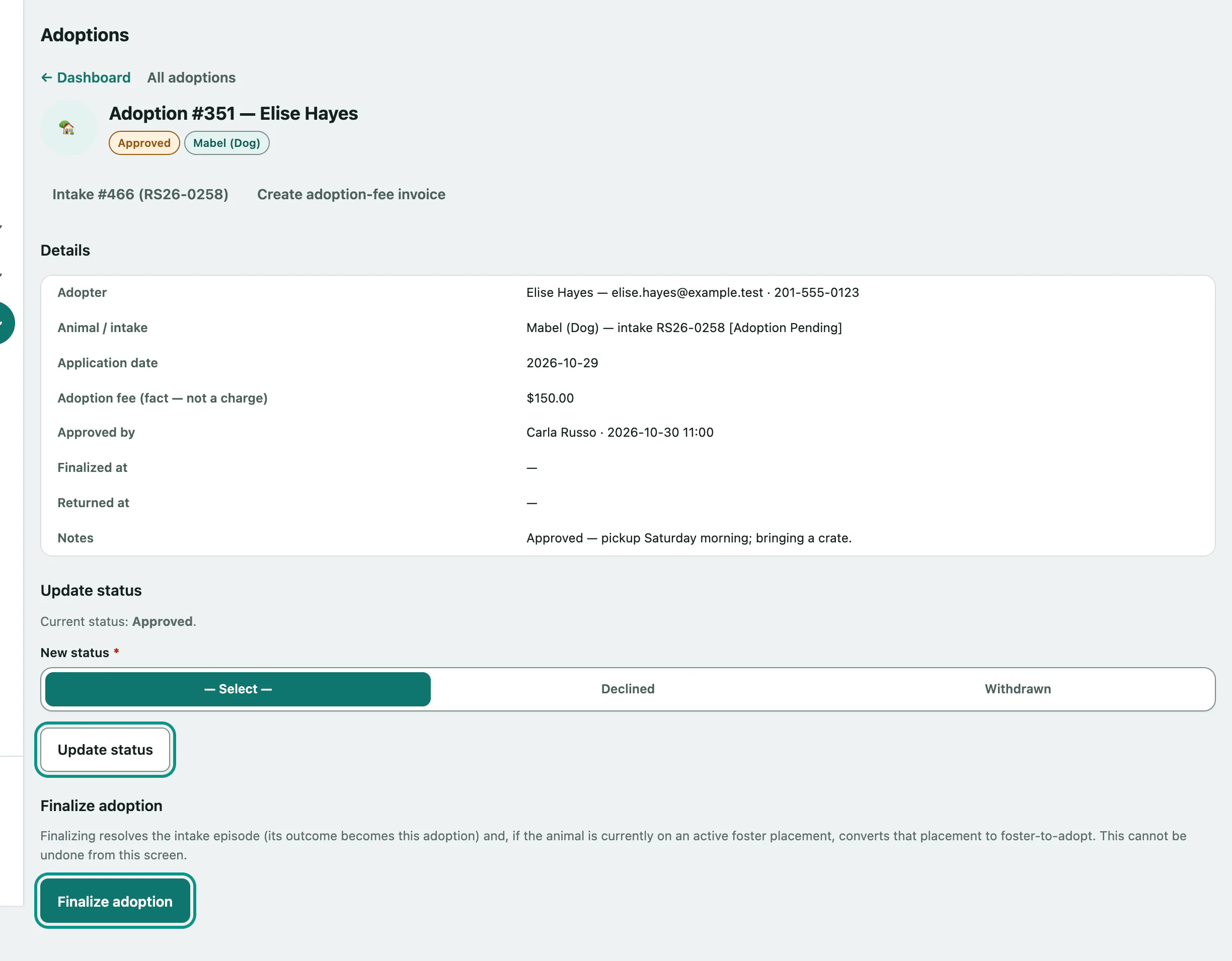
The adoption's Details show the adopter, the animal and its intake, the fee, and who approved it and when.
- Under Update status, choose the New status.
- Select Update status.
Only the next sensible steps are offered:
| Current status | You can move it to |
|---|---|
| Application | Pending Approval, Approved, Declined or Withdrawn |
| Pending Approval | Approved, Declined or Withdrawn |
| Approved | Declined or Withdrawn |
Approving records you as the approver. When the last open application on an animal is declined or withdrawn, the intake goes back to the status it had before.
If the animal has a caution flag, a warning with the flag's notes shows at the top of the adoption. Read it before you finalize.
Finalize the adoption
Once an application is Approved, a Finalize adoption section appears.
- Select Finalize adoption.
In one step, this:
- records the adoption as the intake's outcome and closes the episode
- converts any active foster placement on the animal to foster-to-adopt (the screen tells you beforehand if one was found)
- takes the animal off your public adoptable listings
Vivetra won't finalize if:
- the intake already has an outcome
- the animal has an active hold. Release it on the Holds worklist first (see Place and release holds).
- the animal is still inside its statutory stray hold, because the owner may still come forward
Once it's finalized, select Create adoption-fee invoice if you need to bill the adopter.