
Equine
Print a reproductive history summary
The reproductive history summary puts a horse's whole breeding record on one printable page, ready to send with a referral or to an owner. It's built from the live record every time you open it, so it's always up to date and nothing is stored.
Open the summary
- On the horse's record, select Reproductive summary (see Work with a horse's record).
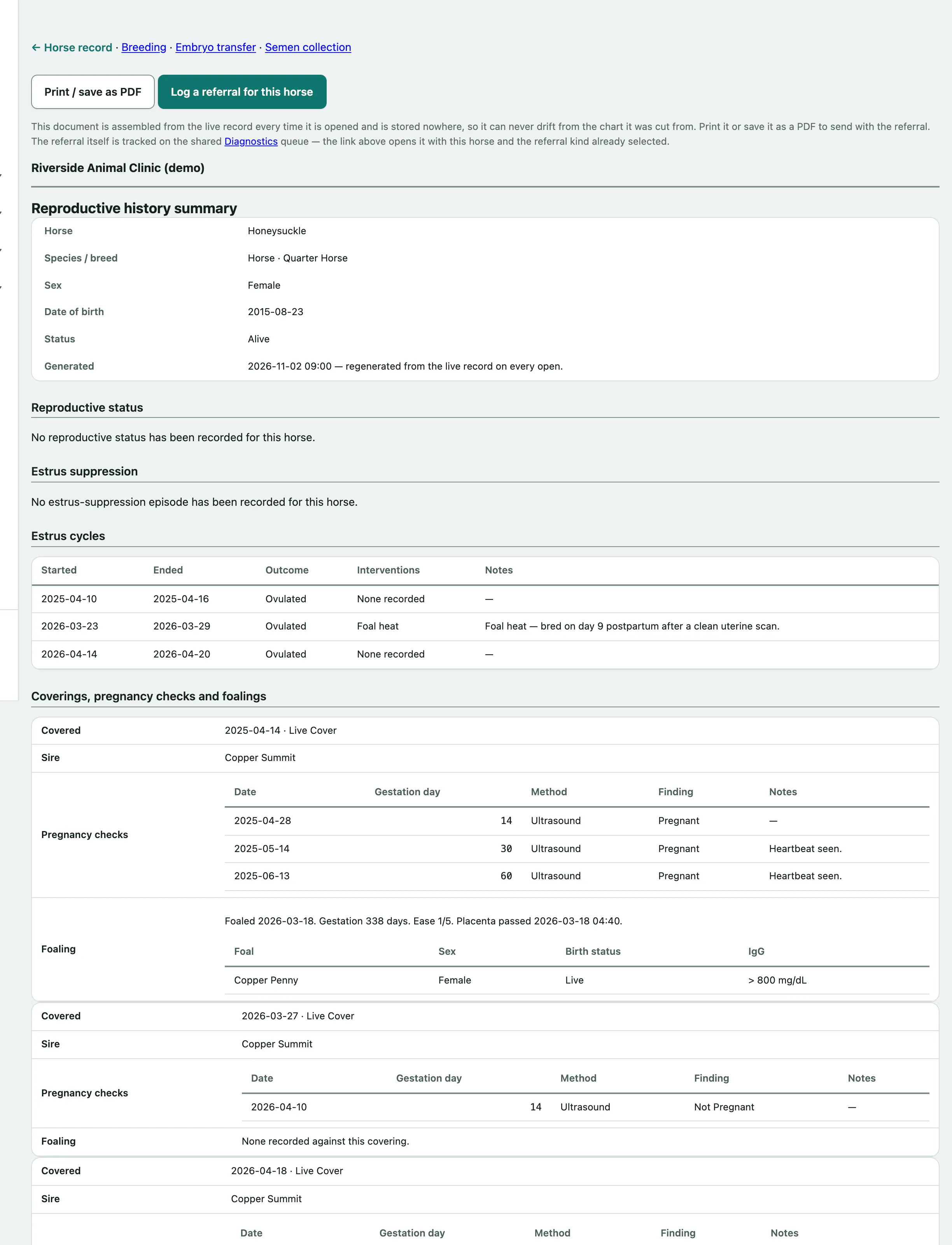
The summary starts with the horse's details and the date it was generated, followed by:
- Reproductive status and Estrus suppression history
- Estrus cycles with their outcomes and any interventions
- Coverings, pregnancy checks and foalings
- Embryo transfer — as donor and Embryo transfer — as recipient
- Semen collections and their shipments, for a stallion
- Referrals already logged for the horse
It repeats the recorded facts and doesn't interpret them.
Print it or save it as a PDF
- Select Print / save as PDF. Only the document prints, with your practice's details at the top.
Send it with a referral
- Select Log a referral for this horse. The Diagnostics queue opens with the horse and the referral type already chosen.
Attach the printed or saved summary to the referral you send.