
Records & admin
Record vaccinations and weights
On this page
Every vaccine given and every weigh-in goes on the patient's chart, so anyone can see what's due and how the animal's weight is trending. Open the patient's record and pick Vaccinations or Weight history under Related records.
Record a vaccination
You need permission to record vaccinations. Without it you see the history, if your role can view the full chart, but not the form.
- Under Record a vaccination, choose the Vaccine.
- Enter the date in Administered on.
- Fill in what you have: Lot #, Rabies tag # (rabies only), Manufacturer, Injection site and Notes.
- Select Record vaccination.
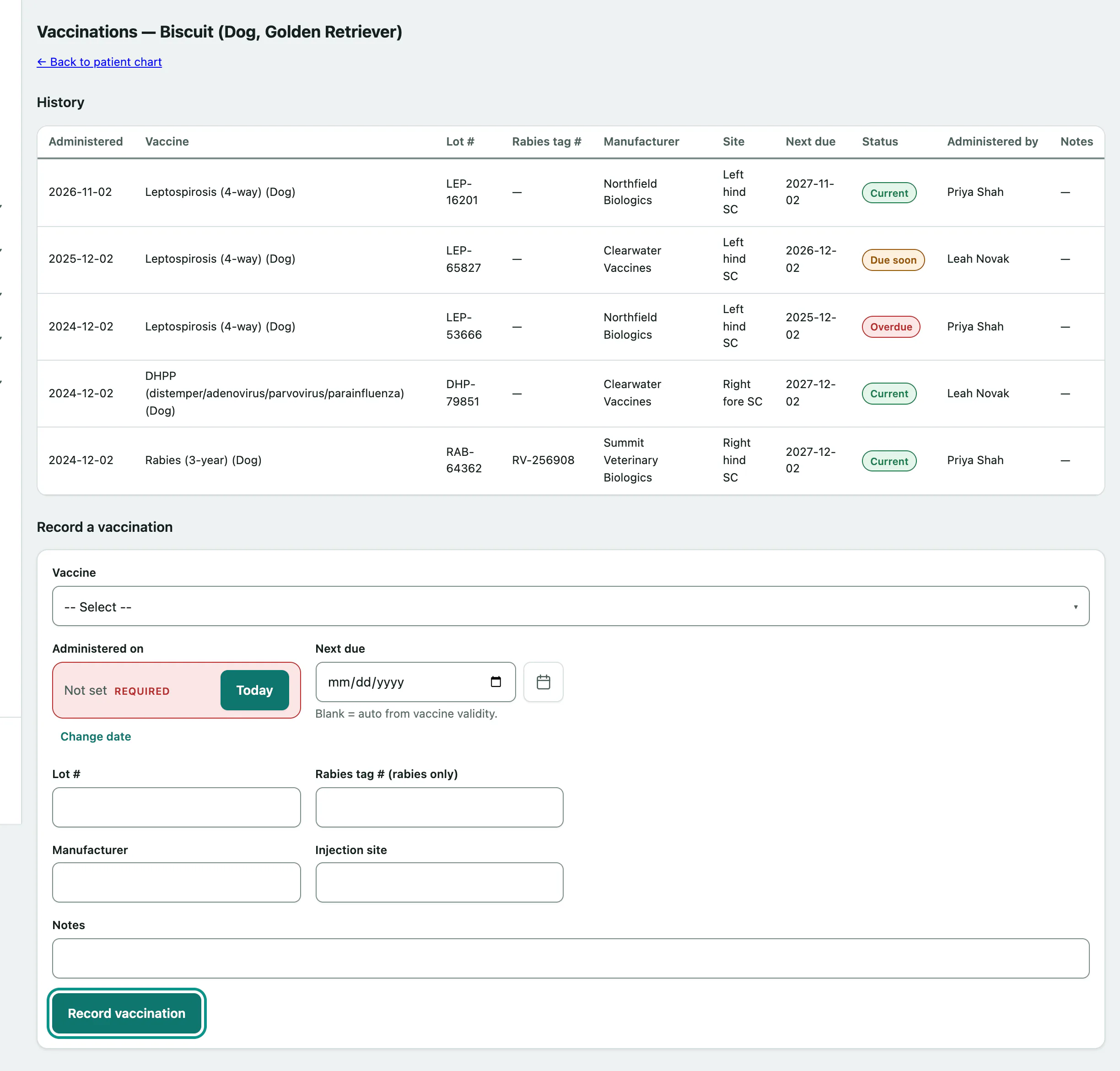
Leave Next due blank and Vivetra works it out from how long that vaccine lasts. Fill it in only when you want a different date.
The History table shows each vaccine with a status:
| Status | Means |
|---|---|
| Current | Not due for more than 30 days. |
| Due soon | Due within the next 30 days. |
| Overdue | The next-due date has passed. |
| No schedule | No next-due date. |
You'll also see who gave it under Administered by. That's whoever recorded it.
Record a weight
- Under Record a weight, enter the date in Weighed on. It can't be in the future.
- Enter the Weight (kg), in kilograms.
- Select Record weight.
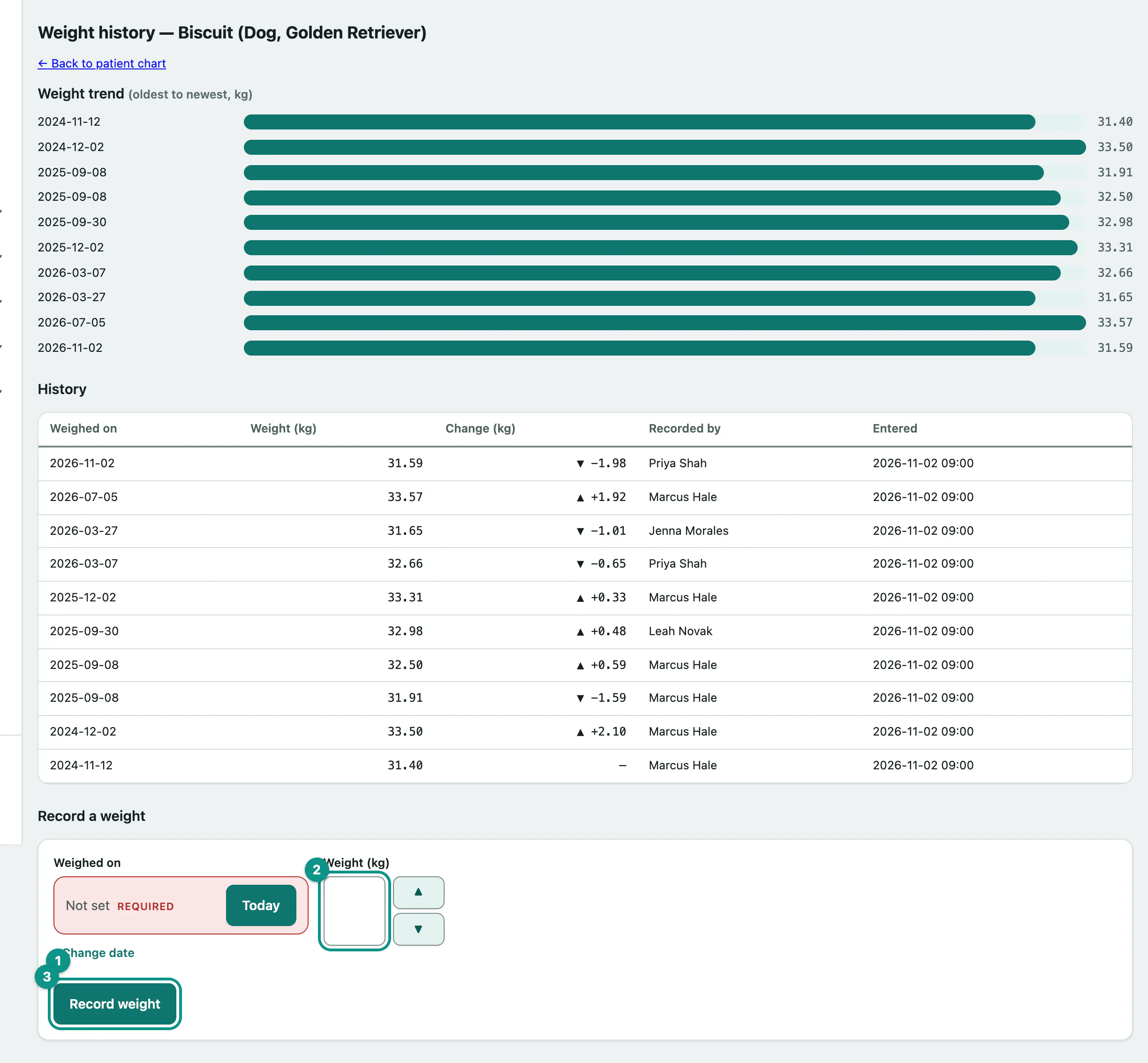
Once there are weights on file, Weight trend charts them from oldest to newest, and History lists each one with the Change (kg) since the one before.