
Records & admin · Records
Work the patient recall list
In Vivetra: Records › Patient Recalls
Patient Recalls shows every recall that's overdue or due in the next 30 days: vaccines, refills, wellness checks and the like. Use it to see who needs contacting and to tick off the ones that are dealt with. For the team's own callbacks, see Manage callback tasks.
Deceased patients are left out automatically.
Work through the list
- Select Records › Patient Recalls in the menu.
Patient Recalls has three columns, most overdue first: Overdue, Due today and Due soon. Each card shows the patient, species, what kind of recall it is, any description and the due date. The board updates by itself when a colleague changes something.
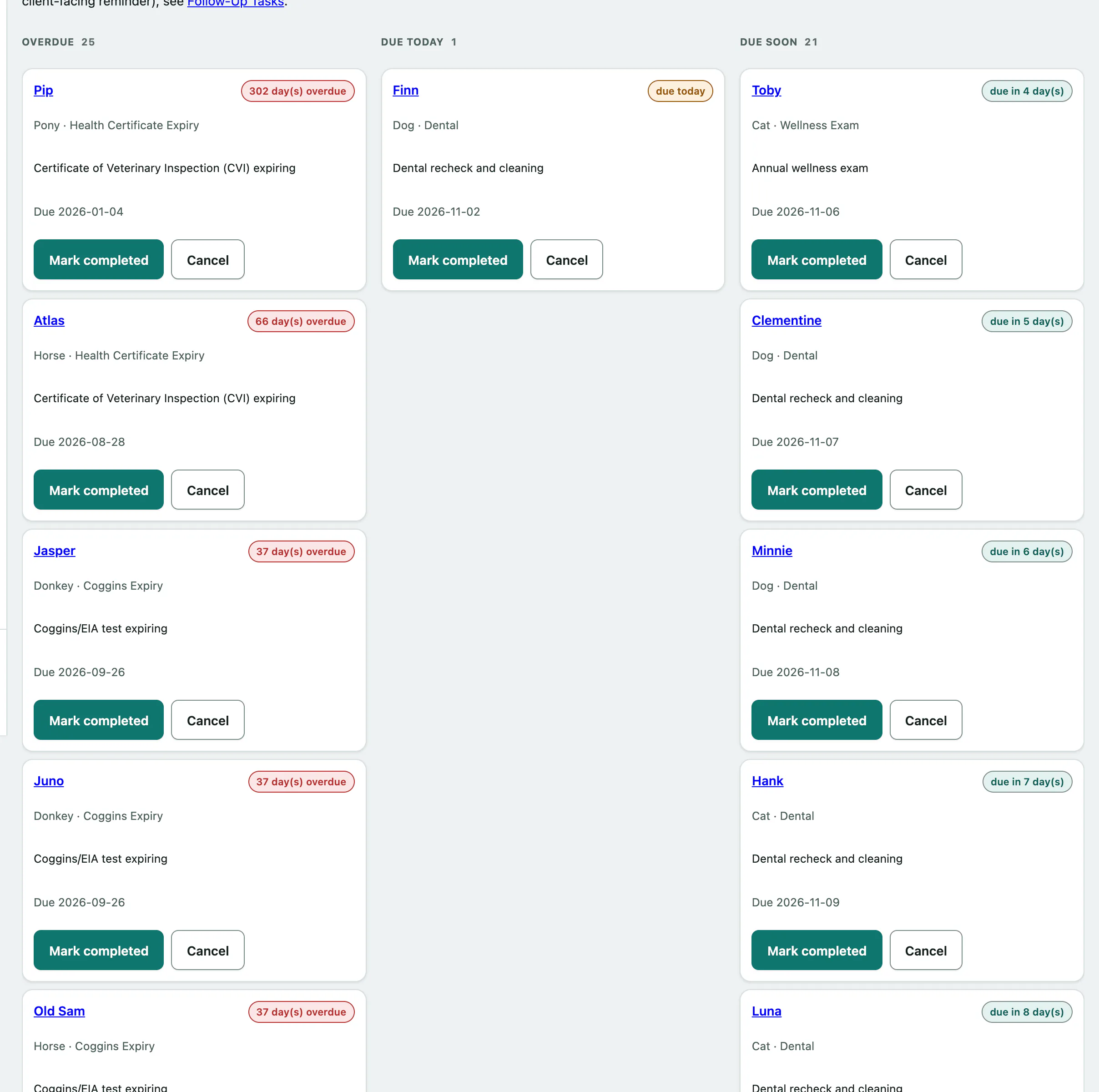
- Once a recall is dealt with, select Mark completed on its card. If it no longer applies, select Cancel.
You need recall permission to do this; front desk, veterinarians and practice managers have it. Without it you can look but not change anything.