
Client portal · Hospital
Request a hospital appointment
In Vivetra: Request an appointment
On this page
Use Request an appointment to ask for a recheck, a follow-up after a hospital stay or a new consult. You tell the hospital roughly when suits, and a coordinator calls or emails you to confirm a time. It isn't booked instantly.
Send a request
- Select Request an appointment in the menu.
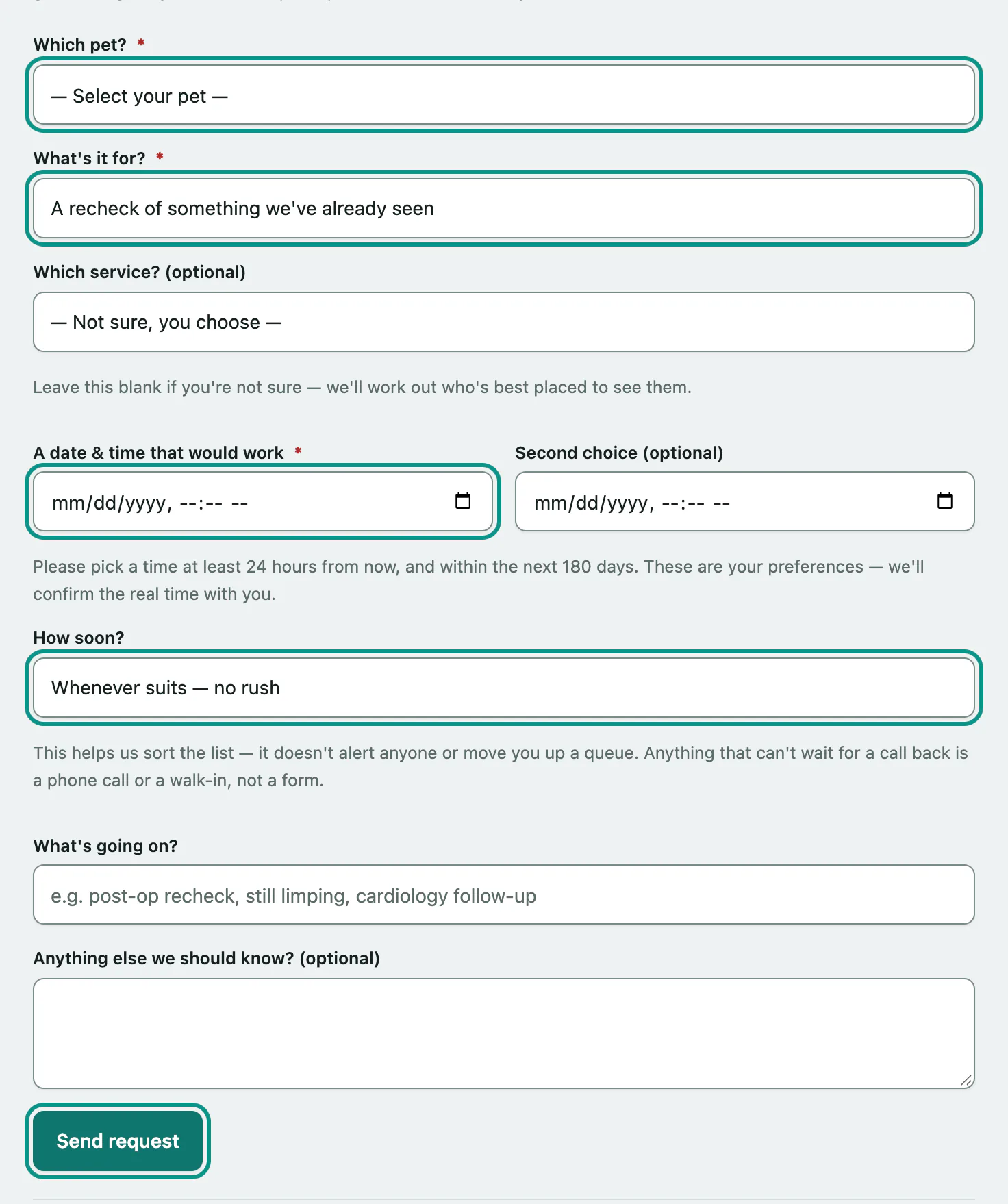
- Choose your pet in Which pet?.
- Choose what it's for in What's it for?: a recheck, a follow-up after a hospital stay, a follow-up on a referral, a new consult or second opinion, or something else. If the hospital lists its services, you can also pick one in Which service? (optional), or leave it blank.
- Enter A date & time that would work. You can add a Second choice (optional) too.
- Choose How soon?: Whenever suits — no rush, Fairly soon, please or As soon as you can. If you like, say what's going on in What's going on? and add anything else in Anything else we should know? (optional).
- Select Send request.
You'll see Thanks — we've got your request. Someone from the team will call or email you on the details they have on file. To ask for something else, select Send another request.
How soon? helps the team sort their list. It doesn't alert anyone or move you up a queue.
Choosing a time
The times you give are preferences; the team confirms the real time with you. The form tells you the earliest and latest you can pick, for example at least 24 hours from now and within the next 180 days. Each hospital sets its own limits.
| Message | What to do |
|---|---|
| Please give us a date and time that would work (you can add a second choice too). | Fill in the first date and time. |
| There's already a request in for this pet at that time — we'll be in touch soon. Please call us if it can't wait. | You've already asked for that slot. The team will be in touch. |
| There are several open requests for this pet already — please call us so we can go through them with you. | Call the hospital instead. |