
Shelter
Use the animal journal with a foster caregiver
In Vivetra: Shelter › Foster
Each foster placement has a shared journal. The caregiver posts updates from their client portal and you reply from the Foster screen, so the whole conversation about the animal stays in one place.
The journal isn't live chat. Caregivers are told nobody is watching it, so anything urgent should still come by phone.
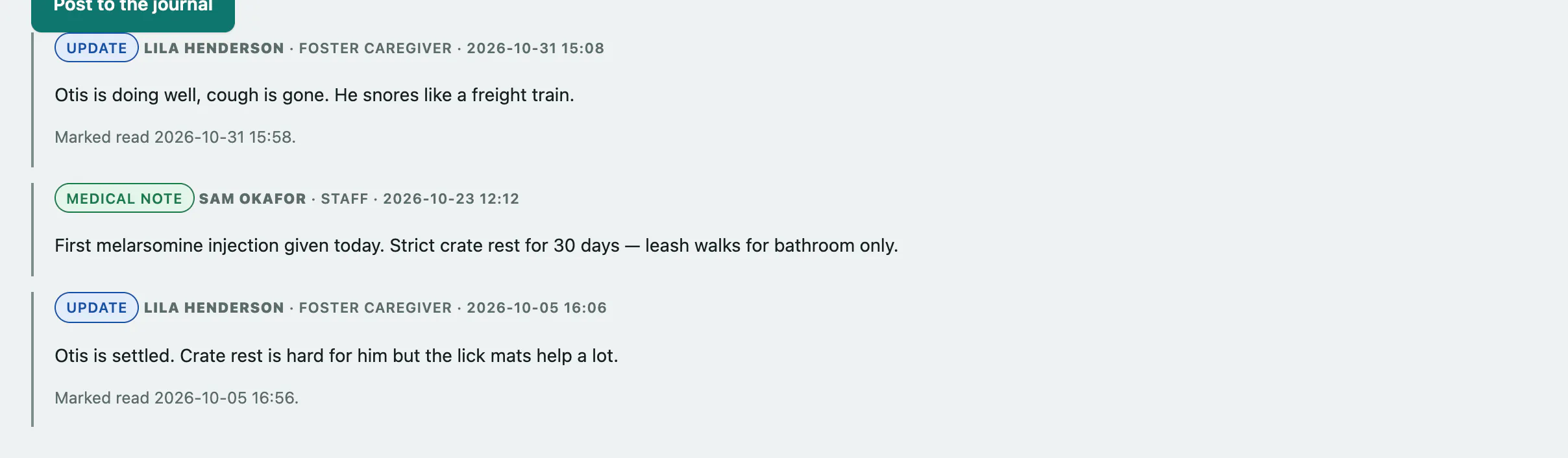
Open an animal's journal
- Select Foster in the Shelter menu.
- In Active placements, find the animal and select Open in the Journal column.
The journal opens under the placements with the newest entries first. Each one shows its type, who wrote it, whether they're the foster caregiver or staff, and when.
Post to the journal
You need foster permission to post.
- Choose an Entry type: Update, Question, Concern, Medical note or Milestone.
- Write your message in Entry. It can be up to 2000 characters.
- Select Post to the journal.
Mark a caregiver's post as read
- Under the caregiver's entry, select Mark read.
The entry then shows when it was marked read. Only caregivers' posts have this button.
Select Close the journal when you're done.