
Records & admin · Records
Track outside lab results
In Vivetra: Records › Lab Results
On this page
Lab Results is your follow-up queue for anything sent out of the clinic: samples to a reference lab and referrals to a specialist. Log each one when it goes, and it stays on the board until the result is back and someone has acted on it.
Anyone who can view the full chart can see the queue. Logging and updating orders needs permission to manage diagnostics, which veterinarians have.
Log a sample or referral
- Select Records › Lab Results in the menu.
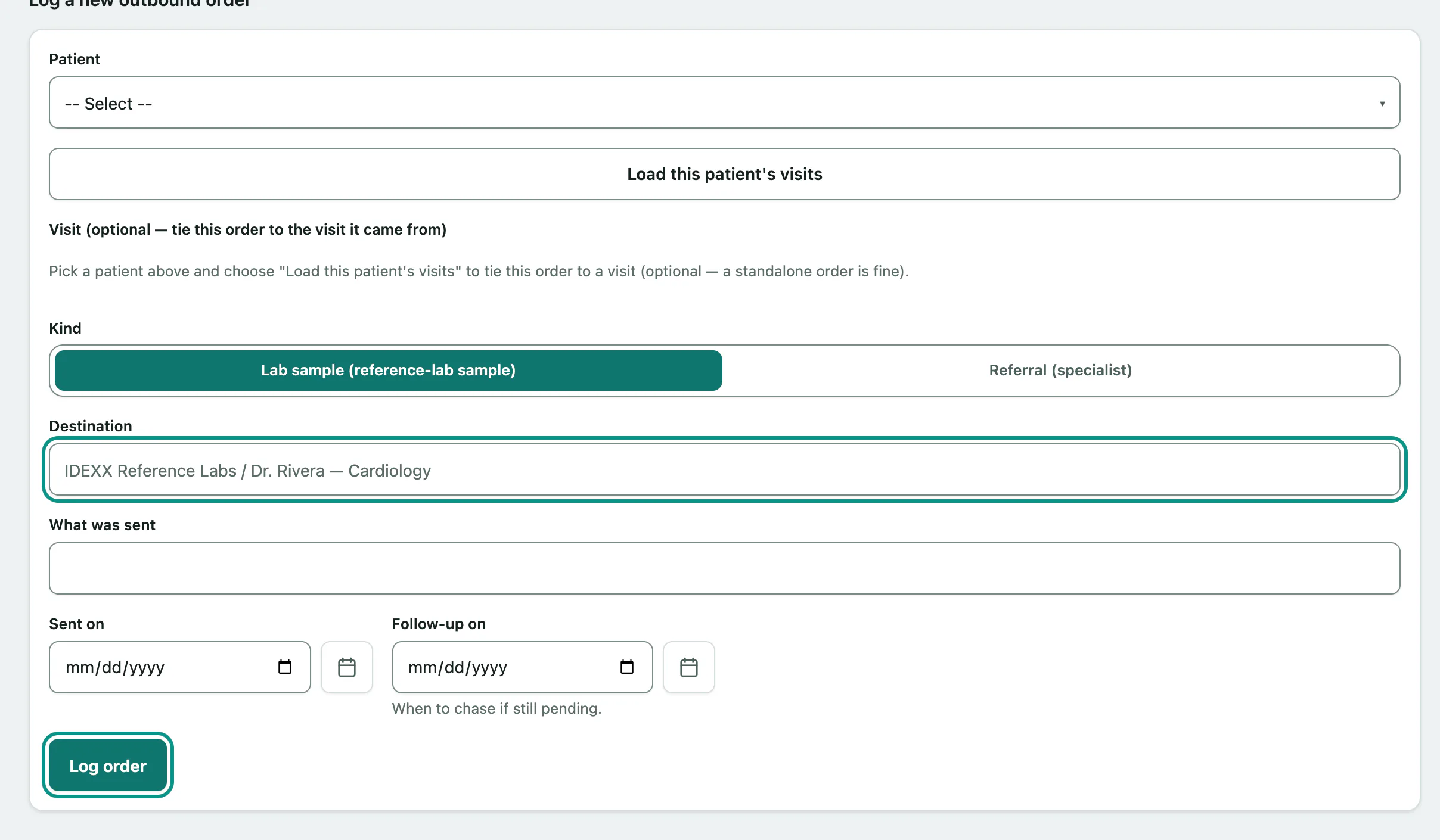
- Under Log a new outbound order, choose the Patient.
- To tie it to a visit, select Load this patient's visits and pick one in Visit (optional — tie this order to the visit it came from). A standalone order is fine too.
- Choose the Kind: Lab sample (reference-lab sample) or Referral (specialist).
- Enter the Destination, the lab or specialist, and what was sent.
- Set Sent on and Follow-up on, the day to chase it if nothing has come back.
- Select Log order.
Work the queue
Open — awaiting results / action has two columns: Awaiting results and Result back — needs action. Each card shows the patient, what was sent and where, who ordered it, and a follow-up pill: Overdue, Due today, Scheduled with the date, or No follow-up set. The board updates by itself as colleagues change it.
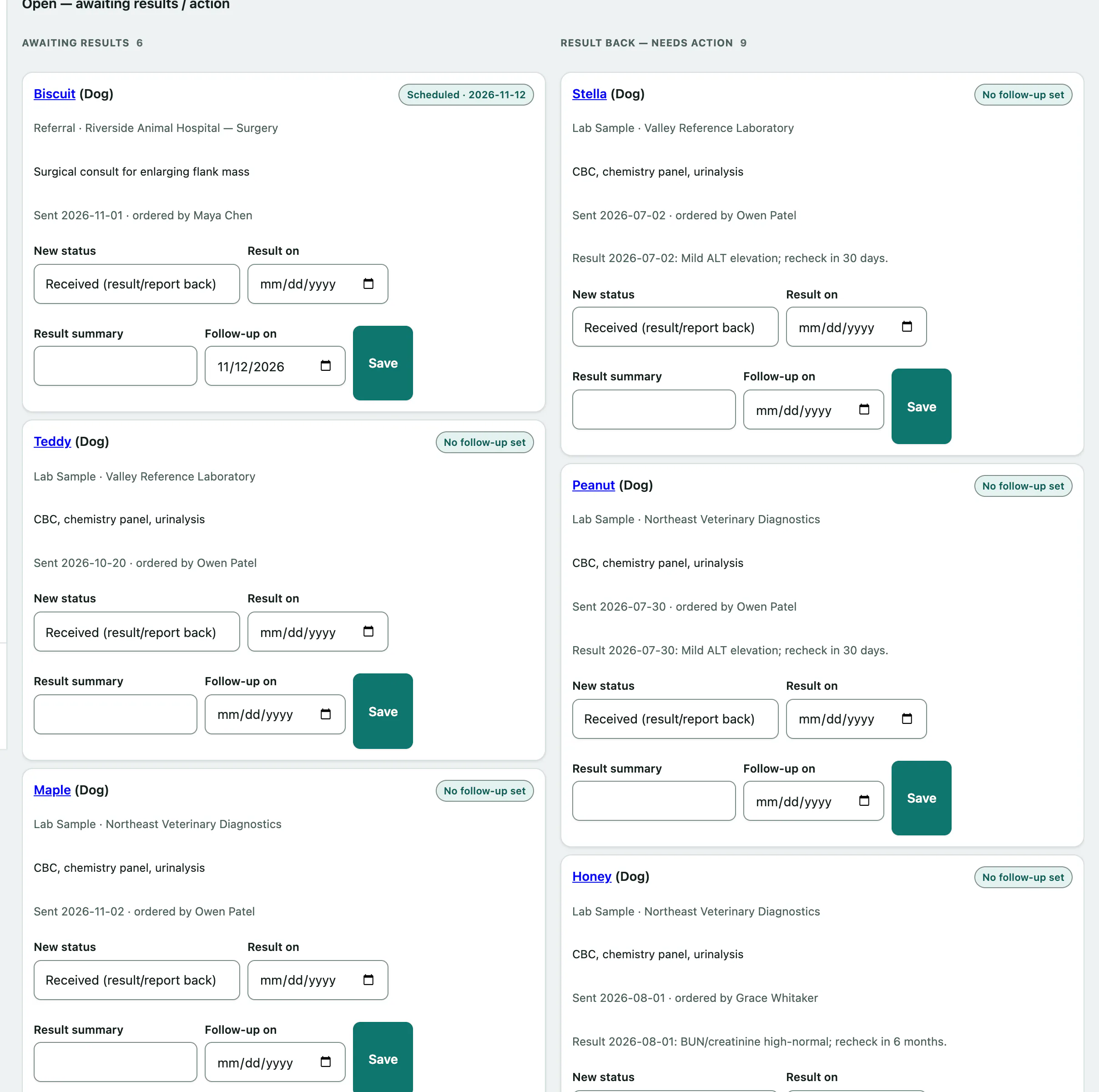
To move an order on, use the form on its card:
- In the card's form, choose a New status: Received (result/report back), Closed (loop closed) or Cancelled (voided).
- Add the Result on date and a Result summary, or a new Follow-up on date.
- Select Save.
Closed and cancelled orders move to Resolved — recently closed / cancelled. Once resolved, an order can't be changed from the queue.
If your practice uses Equine, this page also shows Equine breeding — data integrity: two read-only checks on pedigree and breeding records.