
Vet Practice · Vet Practice Billing
Run financial reports
In Vivetra: Vet Practice Billing › Unpaid Invoices by Age · Vet Practice Billing › Revenue by Provider
On this page
Two reports under Vet Practice Billing show where the practice's money stands: which bills are still unpaid and how old they are, and how much each vet has brought in. Only vets, practice managers and the practice owner can open them.
Unpaid invoices by age
This report lists every invoice that has been sent and not yet paid, oldest first, so you know who to chase.
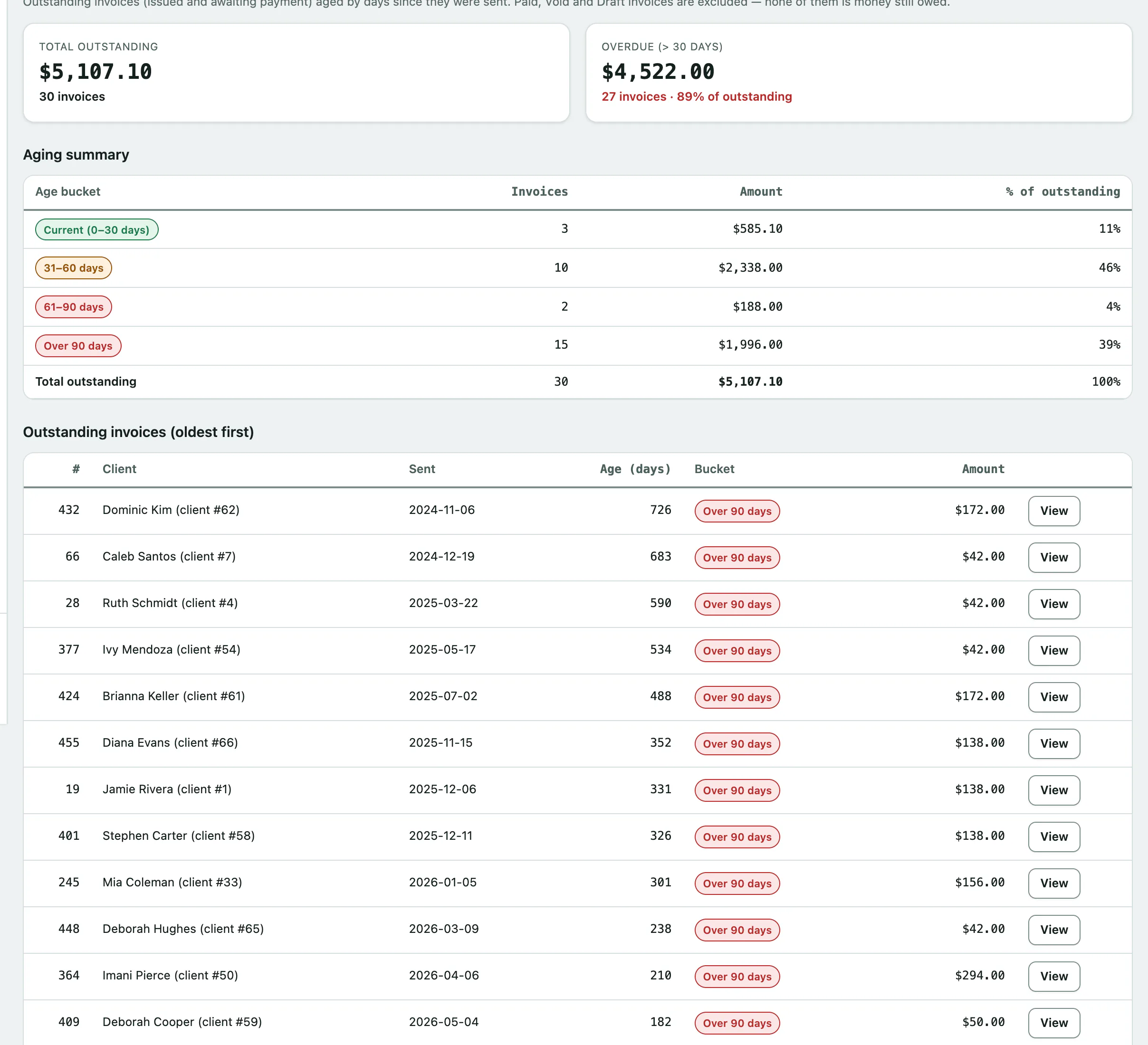
- Select Unpaid Invoices by Age in the menu. The AR Aging Report opens.
- To open one of the invoices, select View on its row under Outstanding invoices (oldest first).
At the top, Total outstanding is everything owed, and Overdue (> 30 days) is the part that's more than 30 days old. The Aging summary then splits it by age:
| Age bucket | Days since the invoice was sent |
|---|---|
| Current (0–30 days) | 0 to 30 |
| 31–60 days | 31 to 60 |
| 61–90 days | 61 to 90 |
| Over 90 days | More than 90 |
Age counts from the day the invoice was marked sent, not the day it was created. Drafts, paid and void invoices aren't included, because none of them is money still owed. If an invoice is missing, check it was marked sent (see Create an invoice and take payment › Send the invoice).
Revenue by provider
This report shows how much each vet or other provider earned over a date range, from paid invoices.
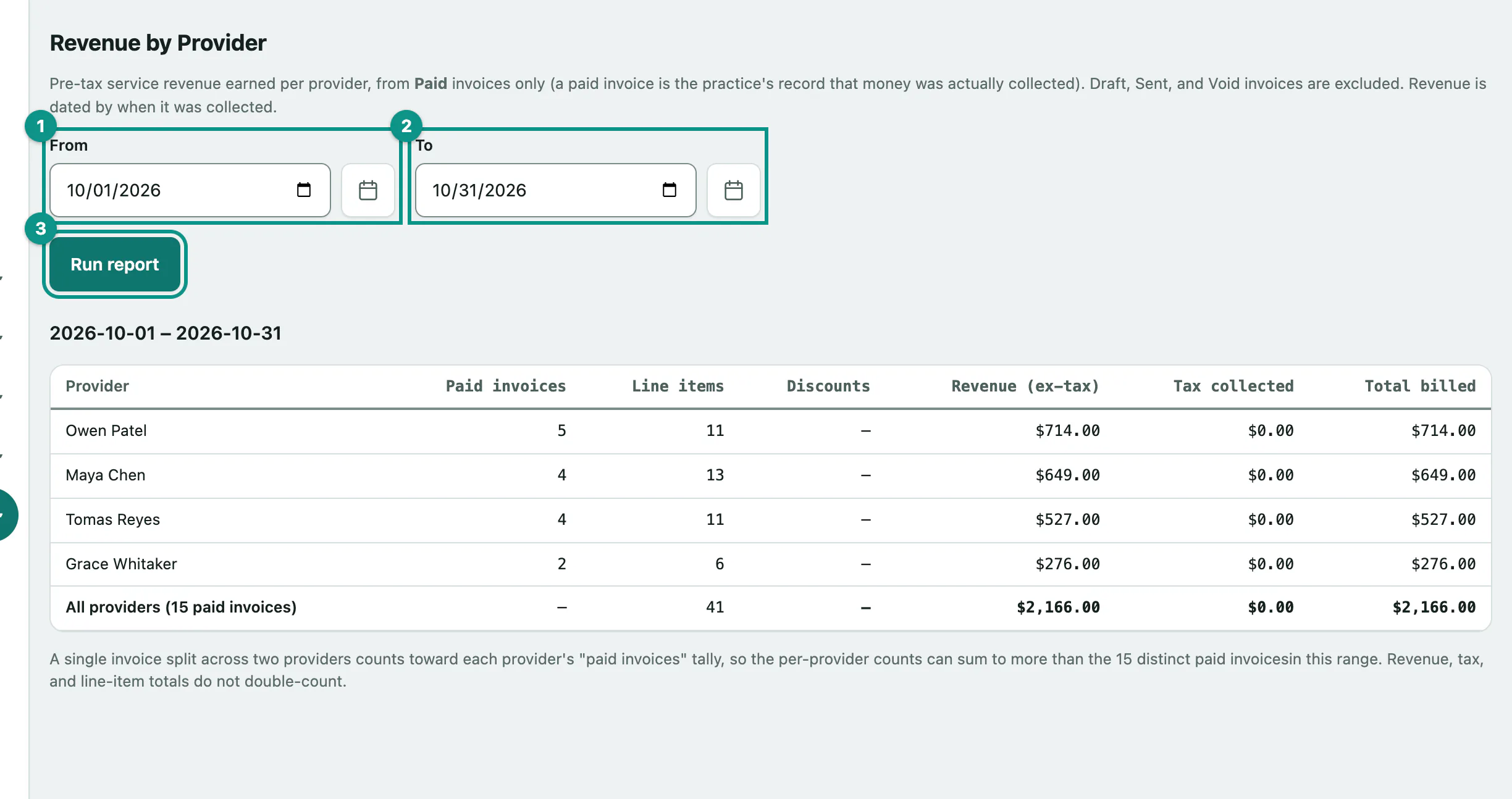
- Select Revenue by Provider in the menu. It opens on the current month to date.
- Choose the first day in From.
- Choose the last day in To.
- Select Run report.
| Column | What it shows |
|---|---|
| Provider | Who did the work, as set on each invoice line. |
| Paid invoices | How many paid invoices they appear on. |
| Line items | How many lines they're credited with. |
| Discounts | Their share of any invoice discounts. |
| Revenue (ex-tax) | What they earned, after discounts and before tax. |
| Tax collected | The tax on their lines. |
| Total billed | Revenue plus tax. |
A few things to know when reading it:
- Only paid invoices count, dated by the day they were paid. An invoice raised in June and paid in July is July revenue.
- Revenue is split line by line, so an invoice with two vets' work counts toward both. That's why the paid-invoice counts can add up to more than the total in the bottom row.
- Lines with no provider are grouped as Unattributed, so the total always matches the practice's takings. Staff who have since left still appear, marked (inactive).