
Client portal
Send a vaccination record
On this page
Most boarding facilities need proof of vaccination before a stay. You can send a photo of your vet's record, or type in the dates, from the portal. Someone at the facility checks it before it goes on your pet's record.
This option only appears if your facility accepts records through the portal. If it doesn't, the page asks you to call instead.
Send a record
- On Your pets, select Vaccine records on the pet.
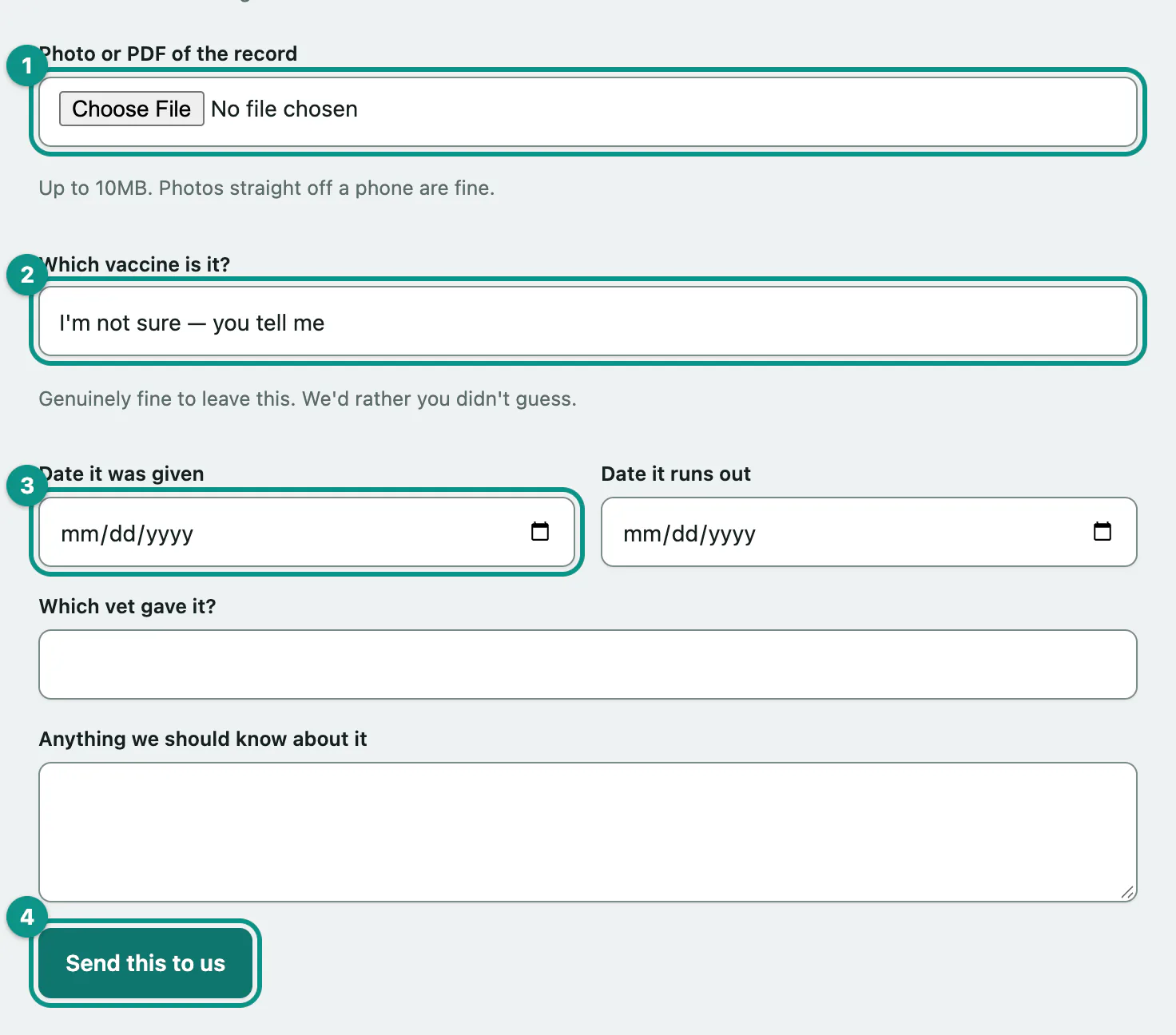
- Under Send us a record, choose a file in Photo or PDF of the record. Photos straight off a phone are fine, up to 10MB.
- Choose the vaccine in Which vaccine is it?. If you're not sure, leave it on I'm not sure — you tell me.
- If you know them, enter Date it was given and Date it runs out, plus Which vet gave it?
- Select Send this to us.
You need either a photo or the dates. Either is fine.
What's on the page
- The label next to your pet's name shows their vaccination status, with anything missing or running out listed underneath.
- The record section lists each vaccine the facility holds, when it was given and when it's Due again.
- What you've sent us lists the records you've sent and where each one is up to.
| Status | What it means |
|---|---|
| Being checked | The facility hasn't looked at it yet. You don't need to send it again. |
| Added to the record | It's been accepted. |
| Couldn't be used | It wasn't accepted. Any note from the facility explains why. |
| Replaced by a newer one | A later record took its place. |